


Connect your Google Ads platform so you can monitor when and how frequently your Google Ads are clicked. A visual snapshot of the advertisement then appears in the Live View and Account 360.
How to track ads automatically
When you link your Google Ads account, Qualified can auto-track clickthroughs on certain ad types.
Connect your Google Ads account
Qualified uses an OAuth connection with Google Ads. To connect, follow these steps:
- Navigate to Settings → App settings → Advertising
- Click the Connect button under Google Ads
Create a new ad campaign with a supported ad type
Qualified focuses on the most commonly used ad types. After you connect your ad account, we apply Qualified-specific query parameters to track ads that are currently active or pending review.
We automatically track these ad types:
If you want to track an unsupported ad type, Qualified can still surface when a clickthrough happens. However, it will not display the ad’s visual. Learn more about manually tracking ads here.
How to track ads manually
If you don’t want to connect Qualified to Google Ads, you can still surface if and when a clickthrough happens.
When you track ads with an alternate method, Qualified only monitors if and when a visitor clicked on an advertisement. It will not, however, display the ad’s visual.
When you first create the ad campaign, enter qgad={creative} into the Final URL suffix textbox:
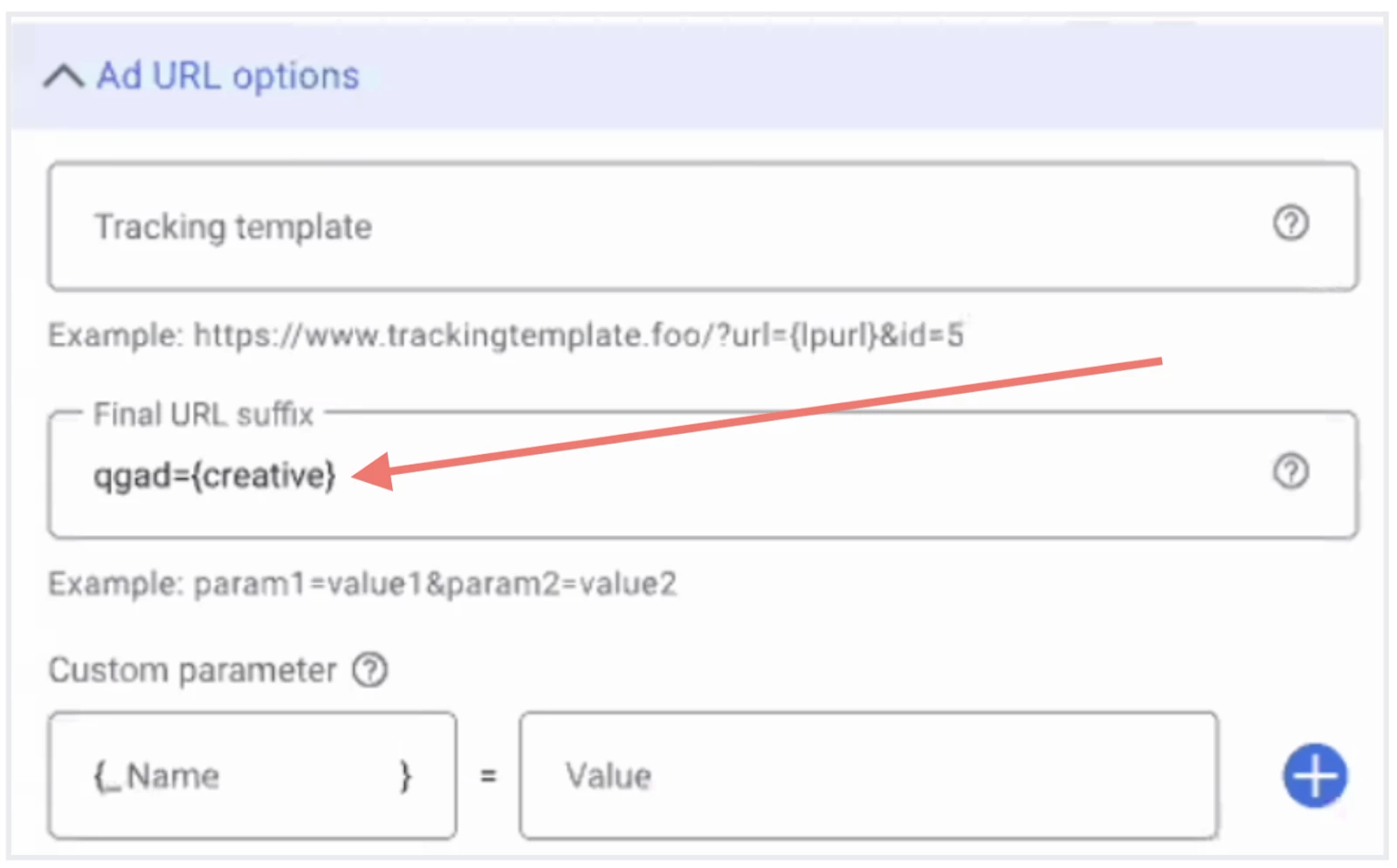
If you want to learn which words were entered when an Expanded Dynamic Search Ad was clicked, enter in the Final URL suffice textbox:
- qgad={creative}
- qgterm={keyword}
The ad preview in the Account 360 and Live View will then include the search terms entered by that visitor when they saw your advertisement.
View clickthroughs in Qualified
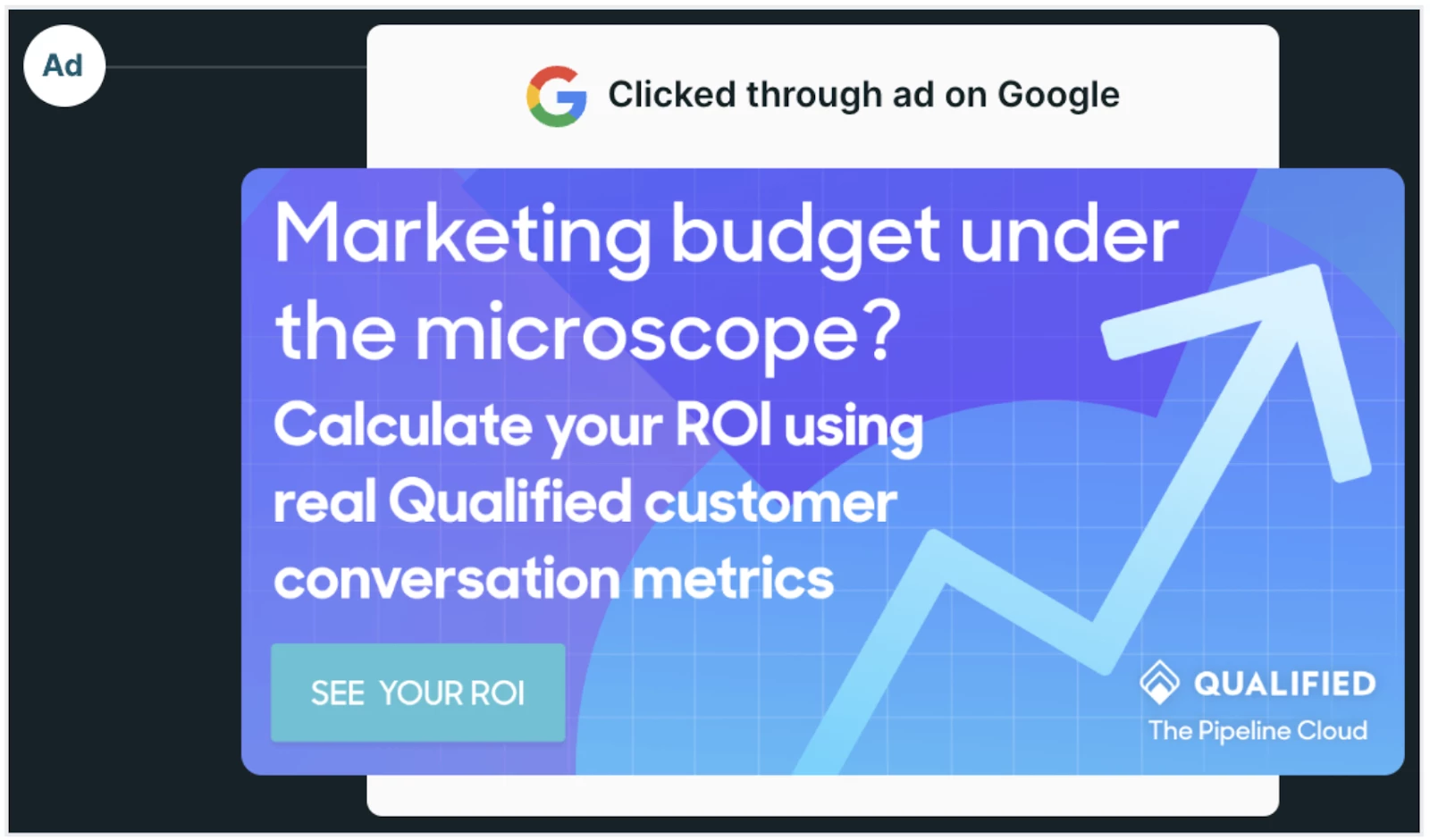
With either method, you can see when a clickthrough happened in the Live View and Account 360. A card appears with the date and time and, if you used auto-tracking, the ad’s visual.
The Google Ad preview mimics its appearance within search results:
You can also create a session report and include the Ad Clickthrough? column to know which sessions began with a tracked ad.
Troubleshooting
Why am I unable to view the ad's visual in the Live View or Account 360?
There are a few possibilities:
- Confirm that the ad is one of our supported Google Ads types.
- If you see an error message about “your ad blocker,” turn off your browser’s ad blocker and open the page again. You should see the visual asset then.
If you still don’t see the ad within the Live View or Account 360, reach out to your Qualified Success Architect for assistance.
Why were the statistics on my Google Ads campaign interrupted?
We recommend adding the query parameter into the Final URL suffice field the first time you create the ad. This will not impact your campaign’s statistics. If you already created the ad and retroactively add the qgad={creative} query parameter, then your analytics will restart when you launch the updated version.



.svg)


