


Generate new API keys for Qualified's Reporting API and GDPR deletion API.
If you need access to the reporting API or the GDPR deletion API, please reach out to your Qualified Success Architect.
Generate new API keys
To generate new API keys to use for the reporting API or GDPR deletion API:
1. Logged into your Qualified Admin account, go to Settings → App Settings → API.
2. Click + Generate new API key.
3. Enter a “Key name” and click Generate key.
Copy the “API key” before continuing. API keys will only be fully shown once upon creation and never again.
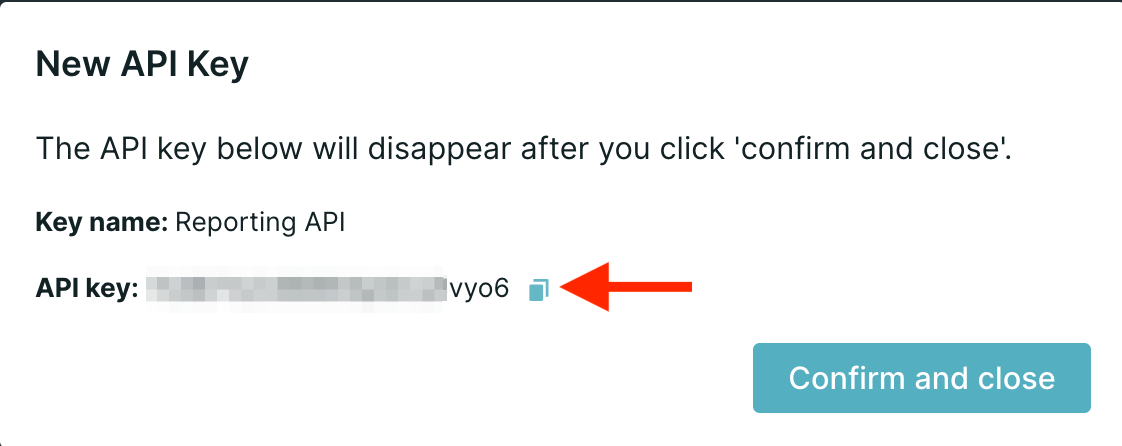
4. Once copied, click Confirm and close.
Deactivate API keys
To deactivate an API key and render it unusable:
- Logged into your Qualified Admin account, go to Settings → App Settings → API.
- Find the API key you want to deactivate and click Revoke on the right.
- A pop-up will appear to confirm. Note: this action cannot be undone.
Click Revoke key to deactivate it.



.svg)


