


Custom avatars allow you to train an avatar from an image of your choice. After training, this avatar will be available to use as the face for your AI SDR agent. This feature helps transform a standard photo into a dynamic digital representative for your automated video interactions.
Image guidelines
Images are processed through a video generation pipeline that enforces strict requirements for the source photo. If a photo does not meet these specifications, the system will reject it, and you will need to provide a new one to complete the setup.
Please review your image against the following technical and compositional requirements before submission:
| Requirement | Specification |
| Resolution | Minimum 512×512 pixels (larger is fine if the aspect ratio and quality are good) |
| Composition | Front-facing; head and shoulders visible in the frame |
| Subject | Only one person in the photo |
| Accessories | No glasses, hats, or face-covering accessories |
| Jewelry | No prominent earrings or visible necklaces |
| Hair | Hair behind the shoulders or tied up so the face and neck are clear |
| Lighting | Even lighting; avoid heavy shadows across the face |
How to add a custom avatar
Once you have an image that meets all the criteria, you can configure your new persona directly within the platform:
-
Navigate to Agent Studio → Agent Profile.
-
Click + Create a custom persona under the persona selection dropdown.
-
Fill out the fields in the replica modal and then select the Generate agent Video button.
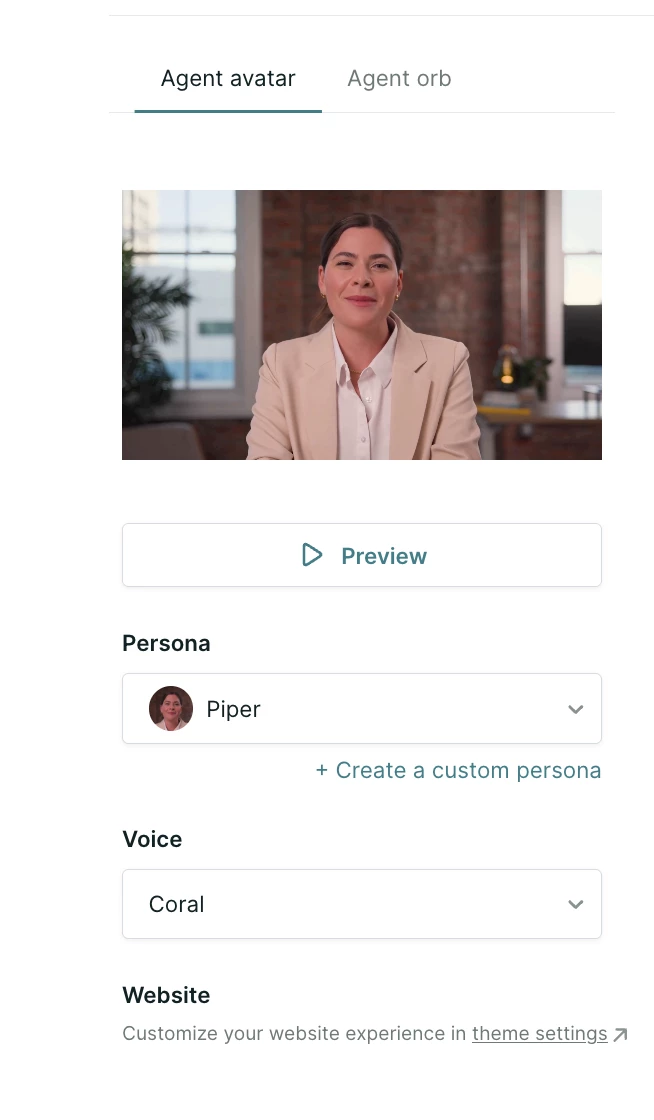
The training process typically takes around 5 – 8 hours to complete. After this time, the new avatar should appear as an option in your agent studio dropdown menu. If the image submission fails, you will need to upload a replacement photo that addresses the specific failure reason provided by the system.
Editing and deleting avatars
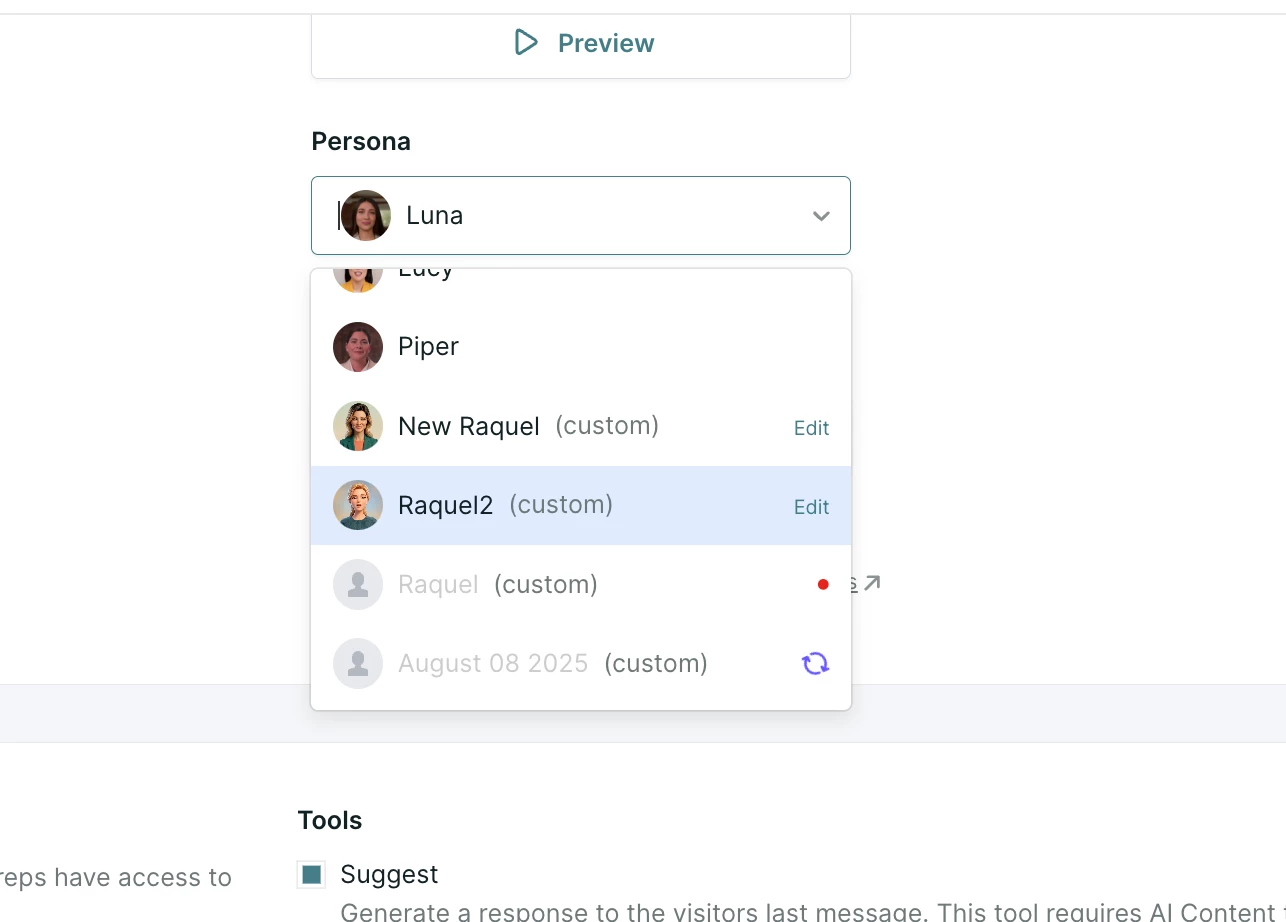
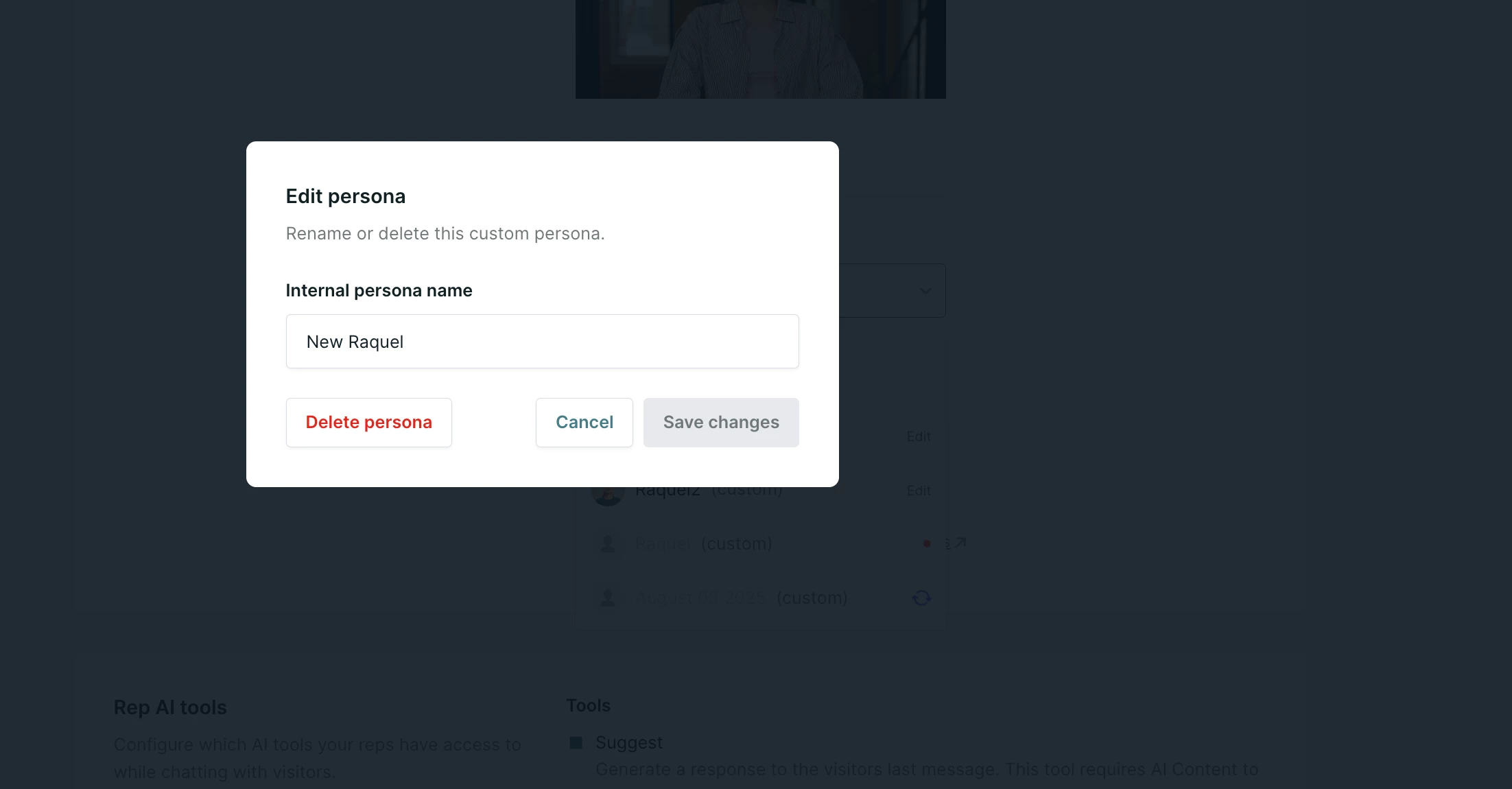
Once an avatar has been created, you can rename the avatar if desired or delete it by selecting the avatar from the Persona drop down menu and selecting Edit.
A window will pop up allowing you to edit or delete the persona.
Important considerations
Keep the following platform details in mind when managing your video assets:
-
Each AI profile can have its own corresponding custom avatars.
-
There is currently no option to A/B test a specific avatar on an experience.
-
Remember, you are responsible for securing the rights to use an individual's image and likeness when creating a custom avatar.
Profile limits and account management
There are specific limits on the total number of custom avatar replicas you can maintain at one time within your instance. If you run out of uploads and need to remove an old replica, or if you would like to explore options for expanding your account limits, please contact your Qualified Success Architect (QSA) for more information.



.svg)


