


A custom persona turns a photo of your choice into the face of your AI SDR agent in video conversations. After training, the persona is available in your agent profile alongside the standard personas, giving your agent a digital representative that matches your brand.
Image guidelines
Images are processed through a video generation pipeline that enforces strict requirements for the source photo. If a photo does not meet these specifications, the system will reject it, and you will need to provide a new one to complete the setup.
Please review your image against the following technical and compositional requirements before submission:
| Requirement | Specification |
| File type | JPEG or PNG |
| Aspect ratio | 16:9 |
| Resolution | At least 512 pixels on the shortest side (larger is fine if quality is good) |
| Composition | Front-facing; head and shoulders visible in the frame |
| Subject | Only one person in the photo |
| Accessories | No glasses, hats, or face-covering accessories |
| Jewelry | No prominent earrings or visible necklaces |
| Hair | Hair behind the shoulders or tied up so the face and neck are clear |
| Lighting | Even lighting; avoid heavy shadows across the face |
| Background | The persona keeps the background from your photo, so choose one you want visitors to see |
How to add a custom persona
Once you have an image that meets all the criteria, you can configure your new persona directly within the platform:
-
Navigate to Agent Studio → Agent Profile.
-
Click + Create a custom persona under the Persona dropdown.
-
Enter an Internal persona name, upload your photo, and click Generate agent video. The name is what you’ll see in the Persona dropdown.
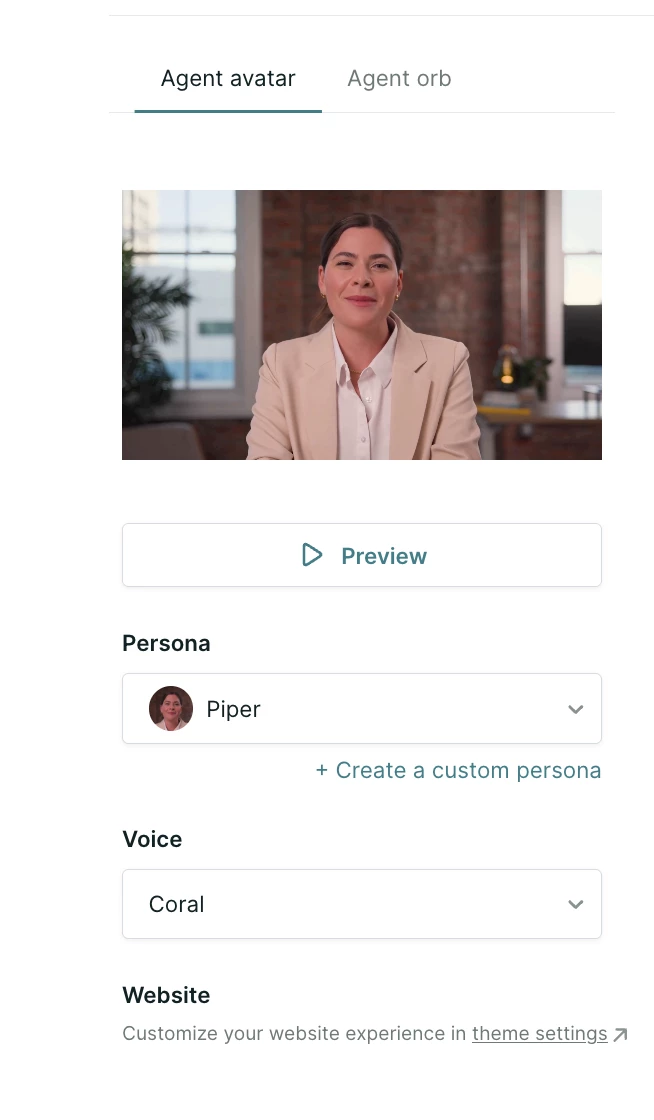
Training typically takes around 5 to 8 hours. When it’s done, the new persona appears as an option in the Persona dropdown. If the photo is rejected, upload a replacement that addresses the failure reason shown.
Editing and deleting personas
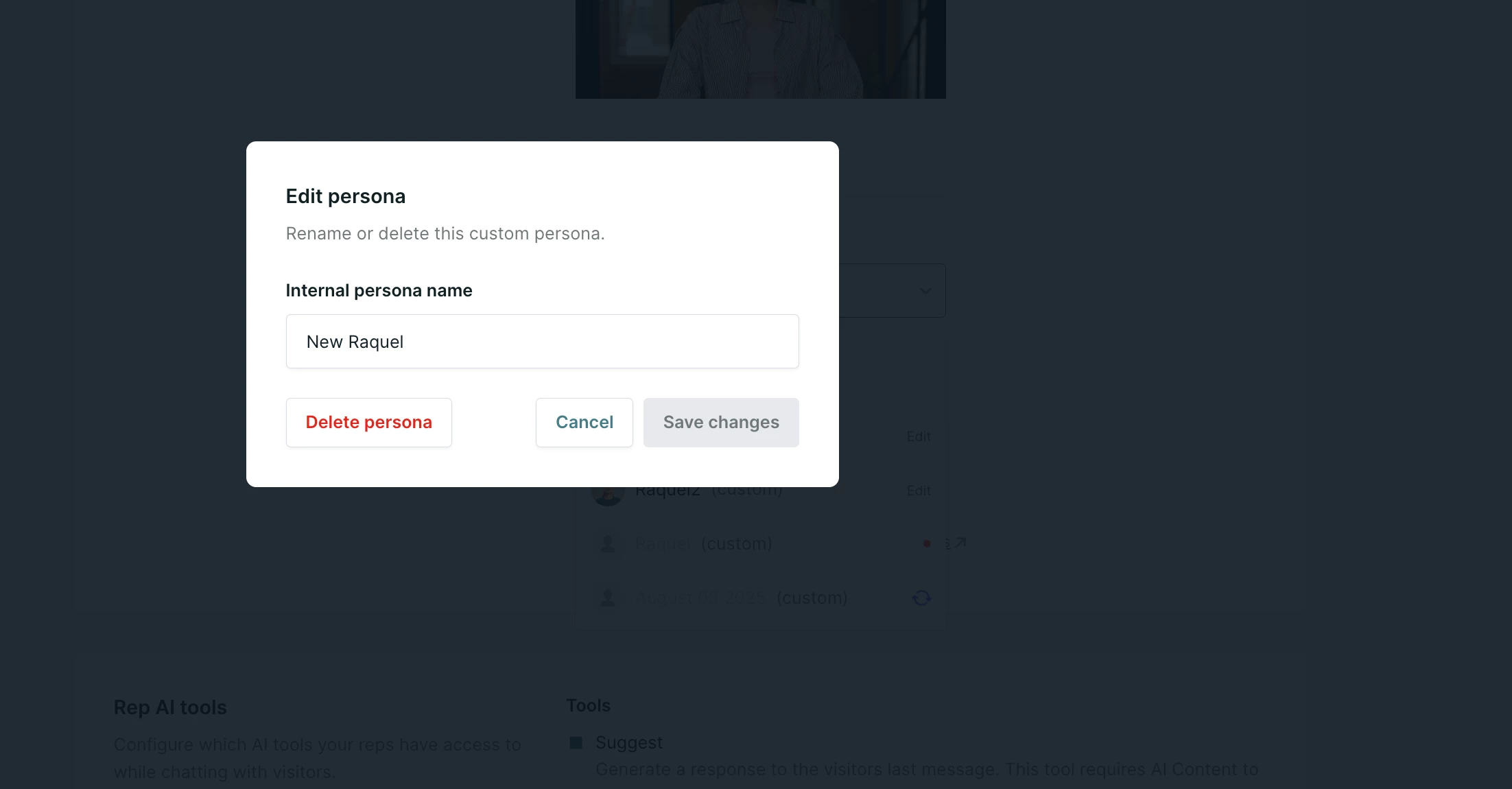
Once a persona has been created, you can rename or delete it. Select the persona from the Persona dropdown and click Edit.
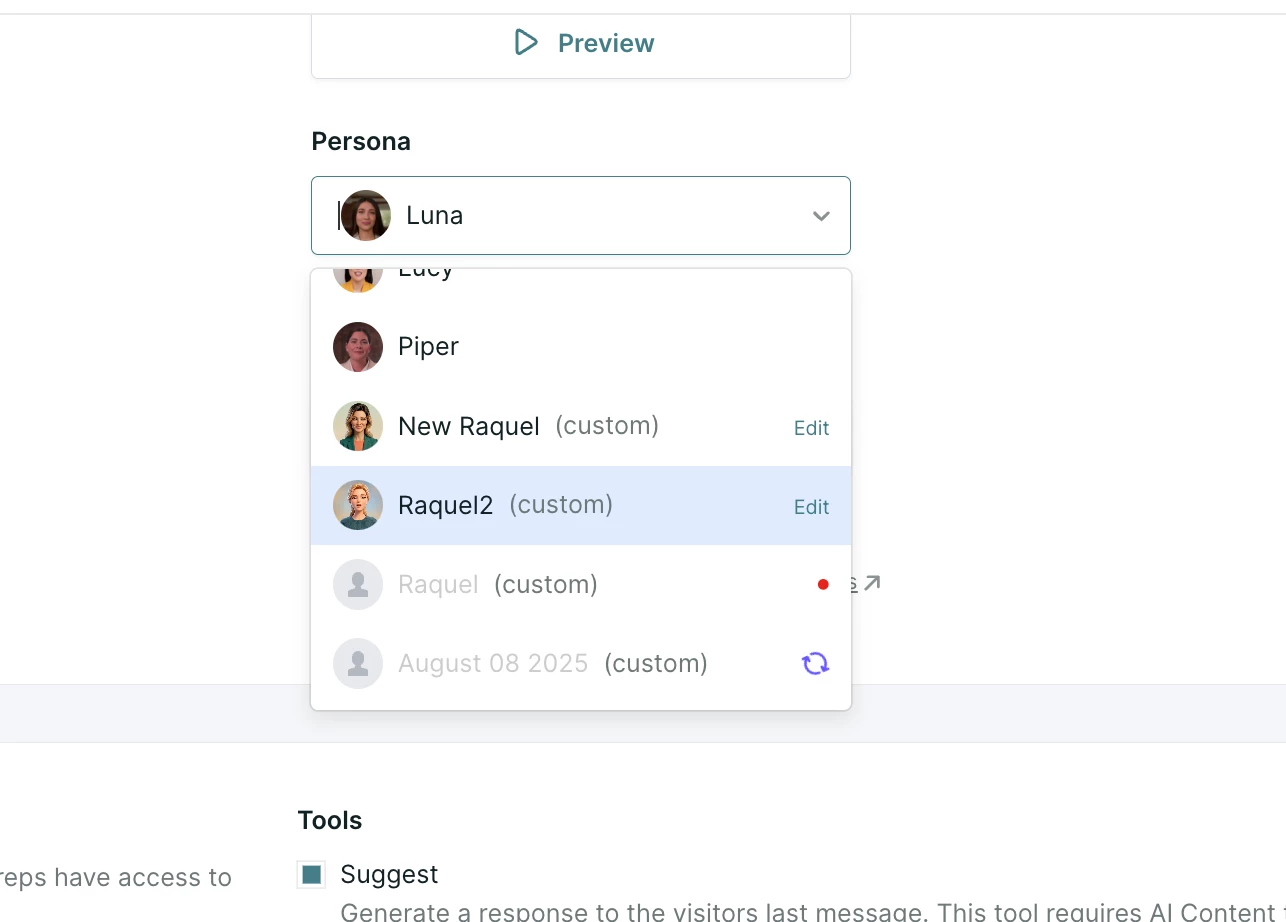
A window will pop up allowing you to edit or delete the persona.
Important considerations
Keep the following platform details in mind when managing your video assets:
-
Each agent profile can have its own custom personas.
-
You are responsible for securing the rights to use an individual's image and likeness when creating a custom persona.
Profile limits and account management
The number of custom personas your account can hold depends on your contract. If you reach your limit, delete an existing custom persona before creating a new one, or contact your Qualified Success Architect (QSA) to discuss expanding it.



.svg)


