


For organizations that do not require a full face-to-face avatar, the AI SDR agent can be configured with the Agent orb. This provides a voice-only experience that still allows your AI SDR agent to greet and qualify visitors in a way that feels personal and on-brand.
In this article, you will learn how to customize the appearance of the Agent orb and select a voice for your AI SDR agent
Configuring the Agent orb appearance
Your Agent Studio will automatically display either the agent avatar or agent orb based on your current plan. To change your modality or enable a voice-only experience with a custom icon, please contact your Qualified Success Architect. For more details, see our guide on setting up the agent avatar.
If your plan utilizes the voice-only option, you will see the Agent orb configuration settings instead of the face avatar selection. You can choose from several visual styles to ensure the orb matches your website's aesthetic.
- As an Admin, navigate to Settings → Agent Studio → Agent Profile.
- Locate the Agent profile section.
- In the avatar configuration area, select one of the following appearance options:
- Use theme color: Utilize the primary color set in Qualified themes.
- Choose orb color: Use the color picker tool to select a custom hex code.
- Upload custom image: Upload a custom image file (such as your company logo or a custom icon) to represent your AI SDR agent.
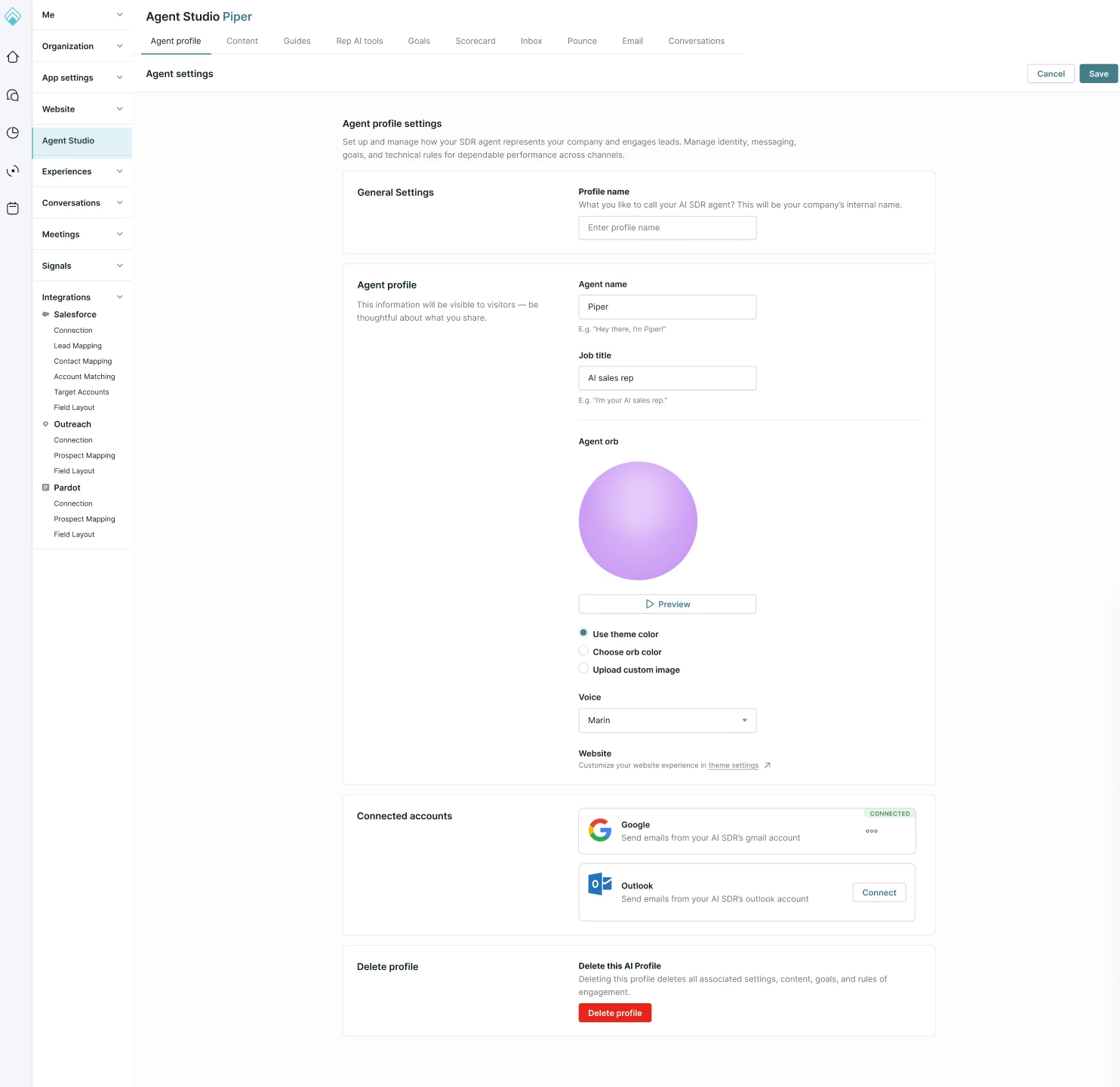
Selecting a voice and previewing
Once the visual appearance of the Agent orb is set, you can select the vocal persona your AI SDR agent will use when interacting with visitors.
- Select a voice from the list of available options.
- After choosing a voice, click the Preview button.
- Your AI SDR agent will provide a short audio introduction so you can hear how they will sound to your website visitors.
To control the overall look and feel of your messenger beyond the Agent orb, visit our guide on Qualified theme settings.



.svg)


