

Qualified's Gong Engage integration unlocks the 1-2 punch motion within Qualified. Once enabled, Gong emails will include custom tracking links unique to Qualified. When a visitor arrives on site through these links, Qualified will instantly recognize them and enrich their information from all connected sources for a personalized experience. Additionally, experiences and alerts can be set up to notify the Gong sender or provide customized paths based on the Gong flow.
To connect Qualified and Gong Engage, follow these steps:
- In Qualified, go to Settings → Integrations → Gong → Connection.
- Click Connect.
- Use your Gong admin account credentials to sign in.

Once Gong has been connected to Qualified, Gong will add tracked links to all emails. When a visitor clicks on these links:
- Qualified will grab the email of the recipient and use it for enrichment
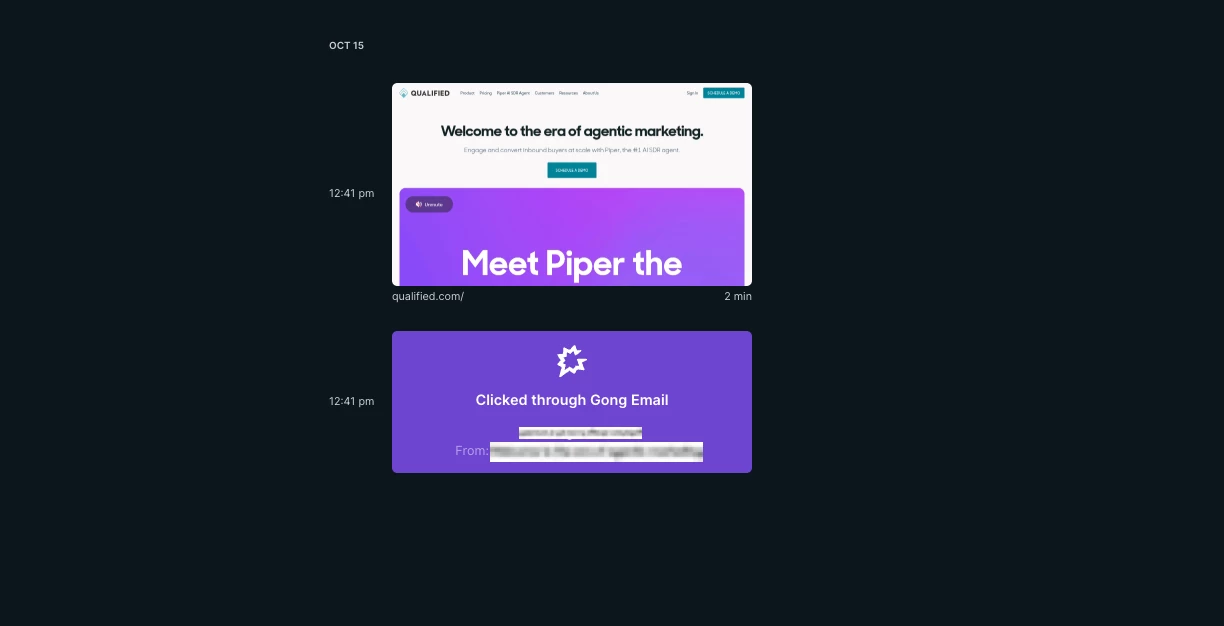
- Qualified will note the email was a gong clickthrough in the Visitor360 and Analytics
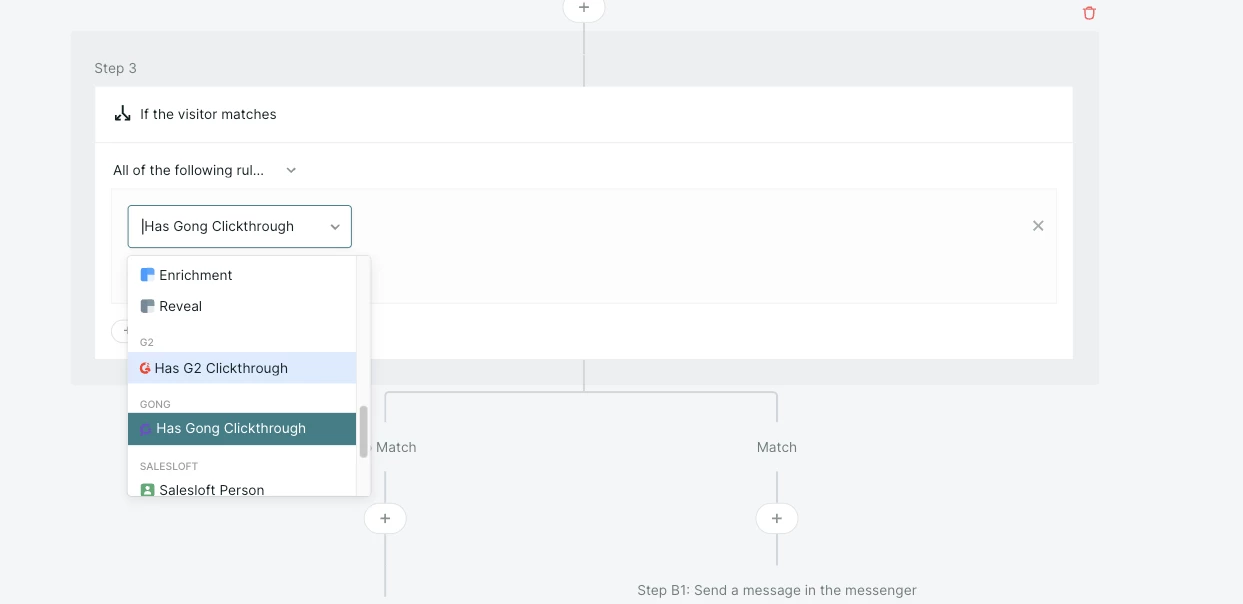
- Admins will be able to set up experiences and branches based on the Gong clickthrough or Flow to alert the sender or to trigger specific experiences

.svg)


