


Mission control for conversations provides a tabular look at leads engaged in conversations with your AI SDR agent and/or human sales reps.
At the top of the view, you can use the date filter to adjust the time range for the data displayed and search for specific leads.
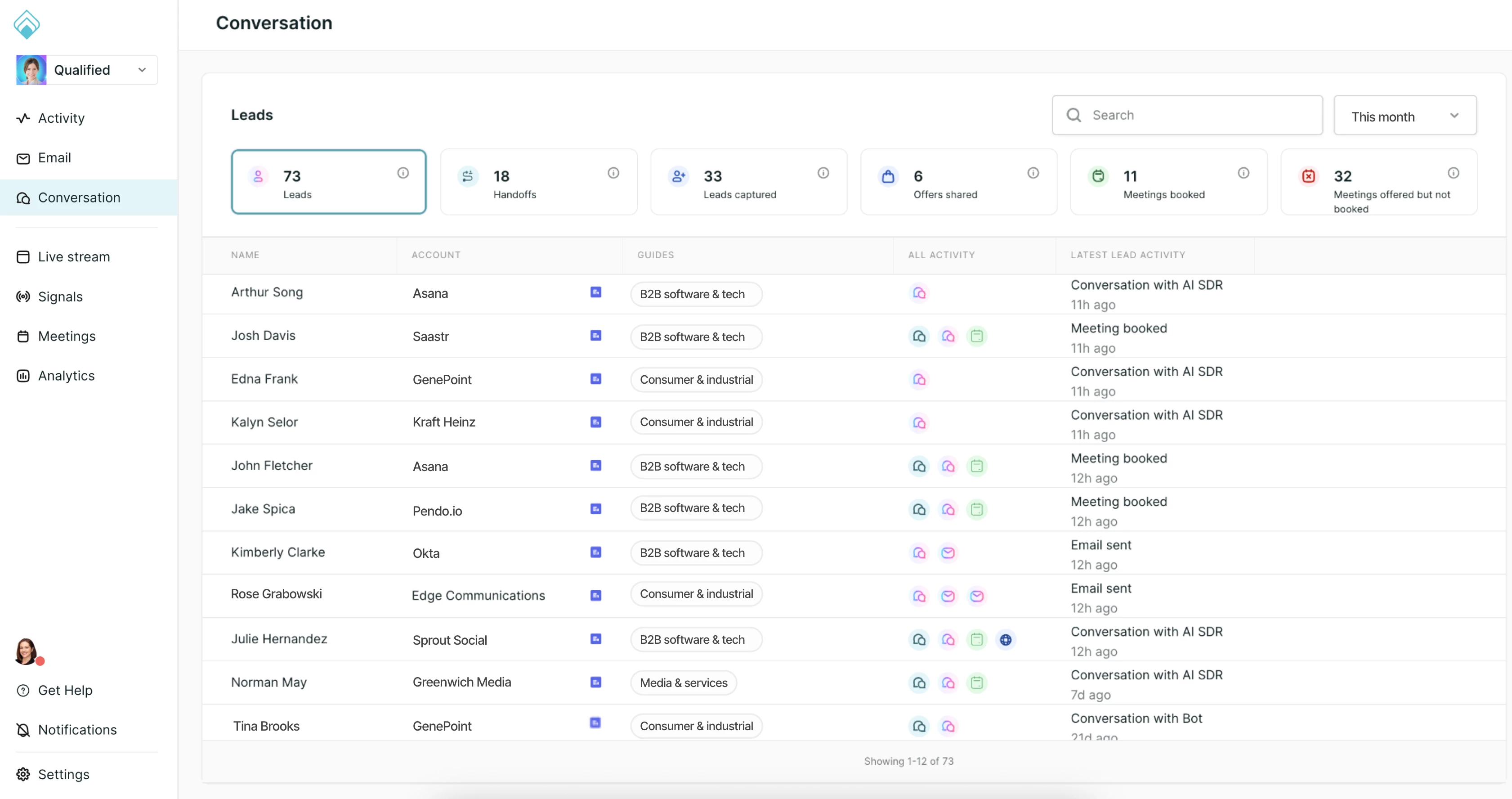
Clickable tiles
There are six clickable tiles that allow you to filter the lead list below:
- Leads: The total count of leads engaged, split into known and anonymous leads.
- Handoffs: Instances where your AI SDR agent hands off a visitor to a human for a conversation.
- Leads captured: The number of new leads whose information was captured during a conversation.
- Offers shared: The number of conversion offers presented to visitors.
- Meetings booked: The total number of meetings successfully booked.
- Meetings offered but not booked: Instances where a meeting was proposed but not finalized.
Note: Anonymous leads are counted in the tiles but aren't listed as rows by default, so a tile total can be higher than the number of rows in the list. To list anonymous leads, contact your QSA.
Lead list
The main body of the view is a searchable list of leads. The columns change with the view, so the Conversations view shows columns specific to conversations:
- Name: The name of the visitor.
- Duration: How long the conversation lasted.
- Goals: The goals your AI SDR agent pursued in the conversation.
- Category: The conversation category: Sales, Support, or Spam.
- Mode: Whether the conversation was in text or voice.
Clicking on any lead in this list will open the Lead 360 panel, providing deep context for that individual.



.svg)


