


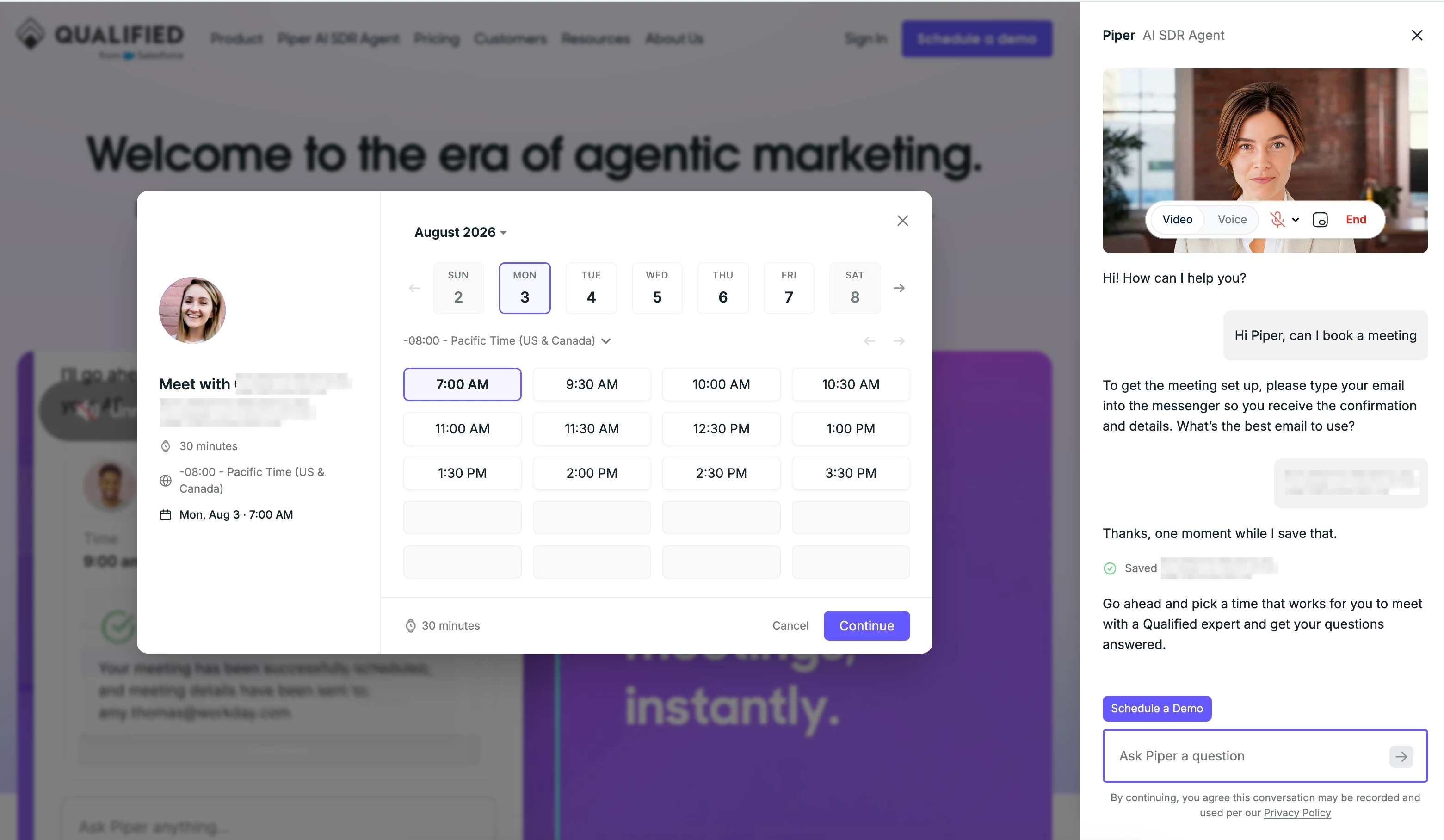
When your AI SDR agent offers a visitor a meeting, whether during a live voice or video call or in a text conversation, the meeting booker now opens in a full-screen overlay on top of your website instead of appearing as a card inside the messenger.
Why the meeting booker moved to full screen
Previously, the meeting booker could get lost inside the messenger conversation. This was especially true during voice and video calls, where visitors would often miss it entirely and abandon the booking.
Moving the meeting booker to a full-screen overlay keeps booking visible as the natural next step of the conversation, rather than something visitors have to hunt for in a chat panel.
What this looks like for visitors
When your AI SDR agent offers a meeting, the booker appears in the center of the page, the same space used for slides and demos during a conversation. Visitors pick a time directly there instead of scrolling through the messenger to find it.
Where this applies
This applies to conversations with your current AI SDR agent, across voice, video, and text.
If your organization is still using an older, legacy version of the agent, meetings continue to be offered inside the messenger as before. This update doesn't change that experience.
Setup
No setup is required. Full-screen booking is applied automatically to every qualifying conversation with your AI SDR agent.



.svg)


