


Agentic emails represent a ground-up overhaul of how emails are generated within the Qualified platform, built entirely on our agentic AI framework. Unlike traditional systems that rely on rigid templates, your AI SDR agent understands context, adapts to the conversation, and writes emails based on your plain-language instructions.
This new implementation serves as a foundation for advanced configurability, enabling features such as no-goal campaigns, custom handoffs, and automatic contextualization through content search. Whether your AI SDR agent is managing back-and-forth conversations or qualifying leads via email, the system follows your strategy without the need for complex workarounds.
Key benefits
-
Improved instruction following. Your AI SDR agent prioritizes the right instructions reliably.
-
Consistency across campaigns. Email guides for your AI SDR agent allows for strategy and guidance in a centralized setting that applies to every email your agent sends.
-
Improved feedback. Once you’ve tested and validated settings in the simulator, stricter guidelines ensure your real campaigns perform the same way.
-
Flexible setup. A single, freeform instruction field in your campaigns allows you to define your strategy, including when to use specific templates.
Setting up agentic campaigns
Configuring your AI SDR agent involves two layers of instructions: the email writing guide for global rules and the campaign context for specific strategies.
Email writing guide
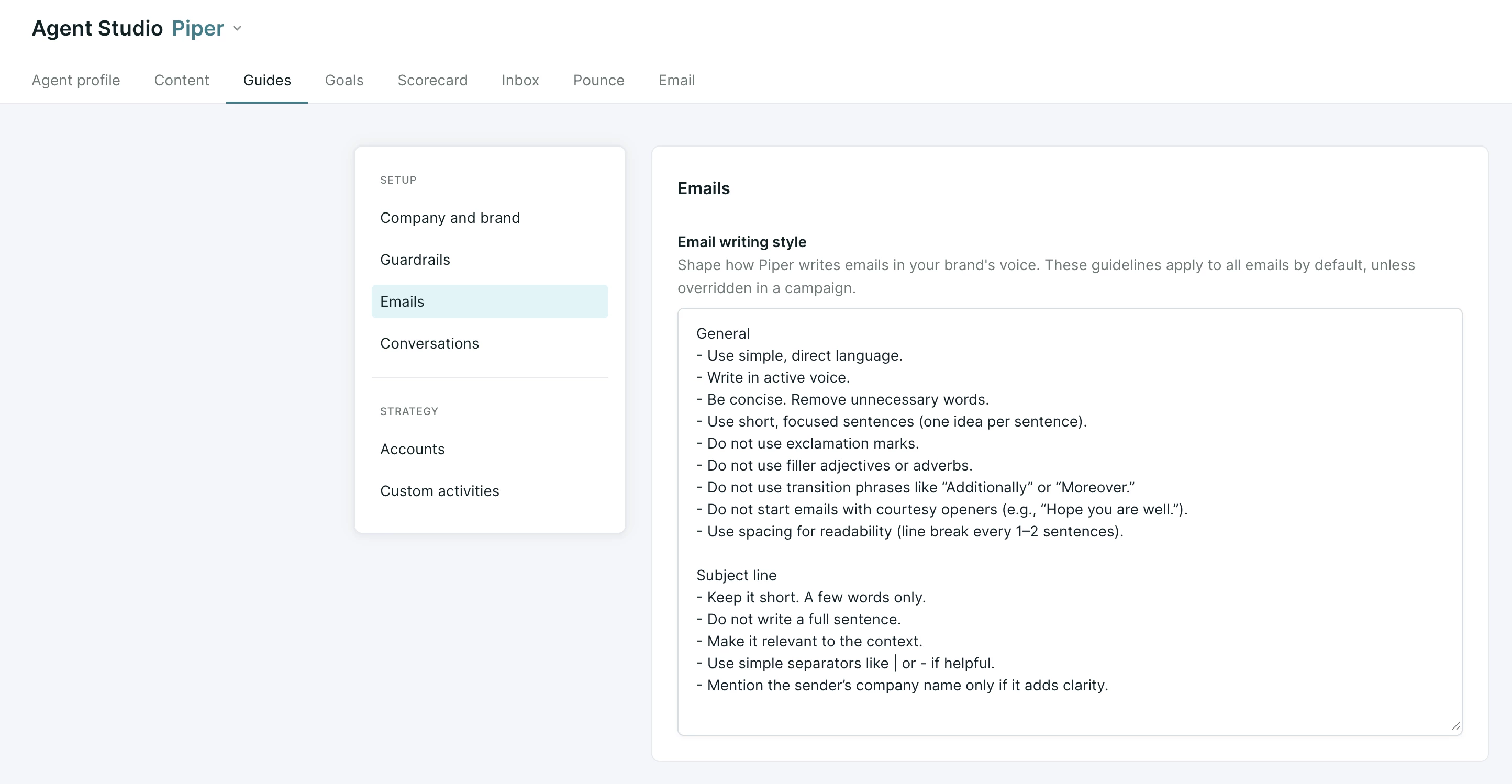
The email writing guide is where cross-campaign instructions live. These are the default rules that apply to every email your AI SDR agent sends. To set up your email guide, navigate to Settings → Agent Studio → Guides → Emails. Once there, write a simple, natural-language strategy for your emails. We recommend including the following instructions as a starting point:
-
Brand rules. Define your positioning (e.g., "Always position us as a partner, not a vendor").
-
Content strategy. Set global preferences, such as referencing customer success stories or using specific industry use cases.
-
Stylistic preferences. Establish language rules (e.g., "Say 'clients' not 'customers'") or formatting choices like using bullet points for lists.
Campaign Instructions.
To provide specific instructions for an individual campaign, navigate to Settings →AI → Email Campaigns. Find your campaign or create a new one, and set up your Campaign settings.
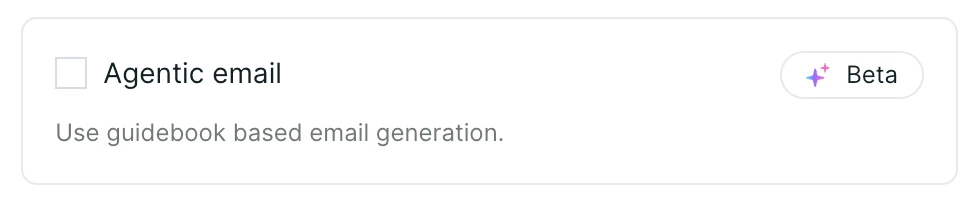
Once in the Simulator, ensure that the Agentic email checkbox is selected.
Still in the Simulator, use the What is the purpose of this Campaign text box to provide your AI SDR agent.
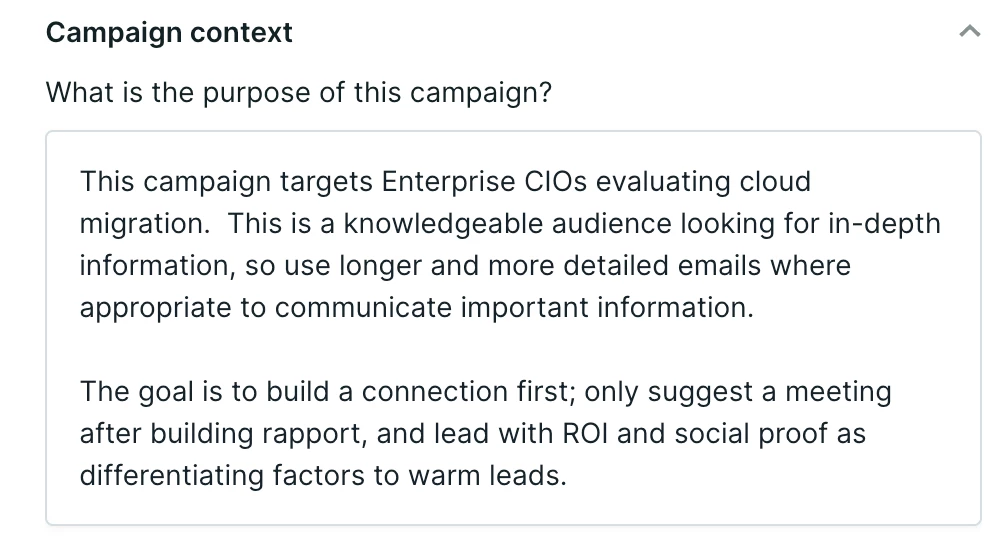
Instructions here take the highest priority and will override any conflicting rules in the email writing guide. Some example instructions include:
-
Target audience context. Detail who the leads are and why they matter (e.g., "Enterprise CIOs evaluating cloud migration").
-
Sequencing strategy. Describe how messaging should evolve across a thread (e.g., "Lead with ROI, then pivot to social proof").
-
Booking strategy. Define exactly when to offer a meeting, such as "Only suggest a meeting after establishing rapport".
-
Campaign-specific overrides. Use this space for any rules that differ from your global guide, such as requesting longer, more detailed emails for a specific high-touch audience.
Best practices for instructions
To get the most out of your AI SDR agent, follow these strategic guidelines:
-
Write for a human. Provide general guidelines and rules in plain English as if you were speaking to a team member.
-
Describe the strategy, not just types. Instead of using labels like "nudge" or "break-up," describe the evolution of the message. For example: "Email 1 should lead with X; the next email should pivot to Y".
-
Avoid "sanity-check" rules. You do not need to instruct your AI SDR agent to "not hallucinate" or "format links properly". These guardrails are already built into the system.
-
Use the email writing guide for repetition. If you find yourself writing the same instruction in multiple campaigns, move that rule to the email writing guide for better efficiency.



.svg)


