


A lead can now be enrolled in more than one email campaign at the same time. By marking a campaign as "always run," your AI SDR agent can send timely emails like conversation follow-ups, form-fill confirmations, or event invites without pulling a lead out of a higher-priority campaign they're already in.
The problem always run campaigns solve
Previously, a lead could only exist in one email campaign at a time, and was always removed from that campaign when added to a new one. This created two problems.
First, your AI SDR agent couldn't send timely, lower-priority emails, such as a conversation follow-up or a form-fill confirmation, without first removing the lead from whatever higher-priority campaign they were already enrolled in.
Second, a lower-intent, one-off email campaign would never reach a lead who was already enrolled in a higher-ranked campaign, since that lead could never qualify for the second campaign while in the first.
How always run campaigns work
Every org already ranks its standard email campaigns by priority. A lead who triggers a qualifying event gets enrolled in the single highest-priority matching standard campaign.
Always run campaigns work alongside that system rather than replacing it. When a lead has a qualifying event, your AI SDR agent enrolls them in the highest-priority matching standard campaign, plus every matching always run campaign, all at the same time.
Always run campaigns don't carry a priority rank of their own. A lead is enrolled in any always run campaign they match, regardless of what standard campaign they're also enrolled in.
Beyond that, always run campaigns work the same way standard campaigns do. Enrollment, engagement windows, nudges, bumps, and exit conditions all behave the same as they would for any other campaign.
Turning on always run for a campaign
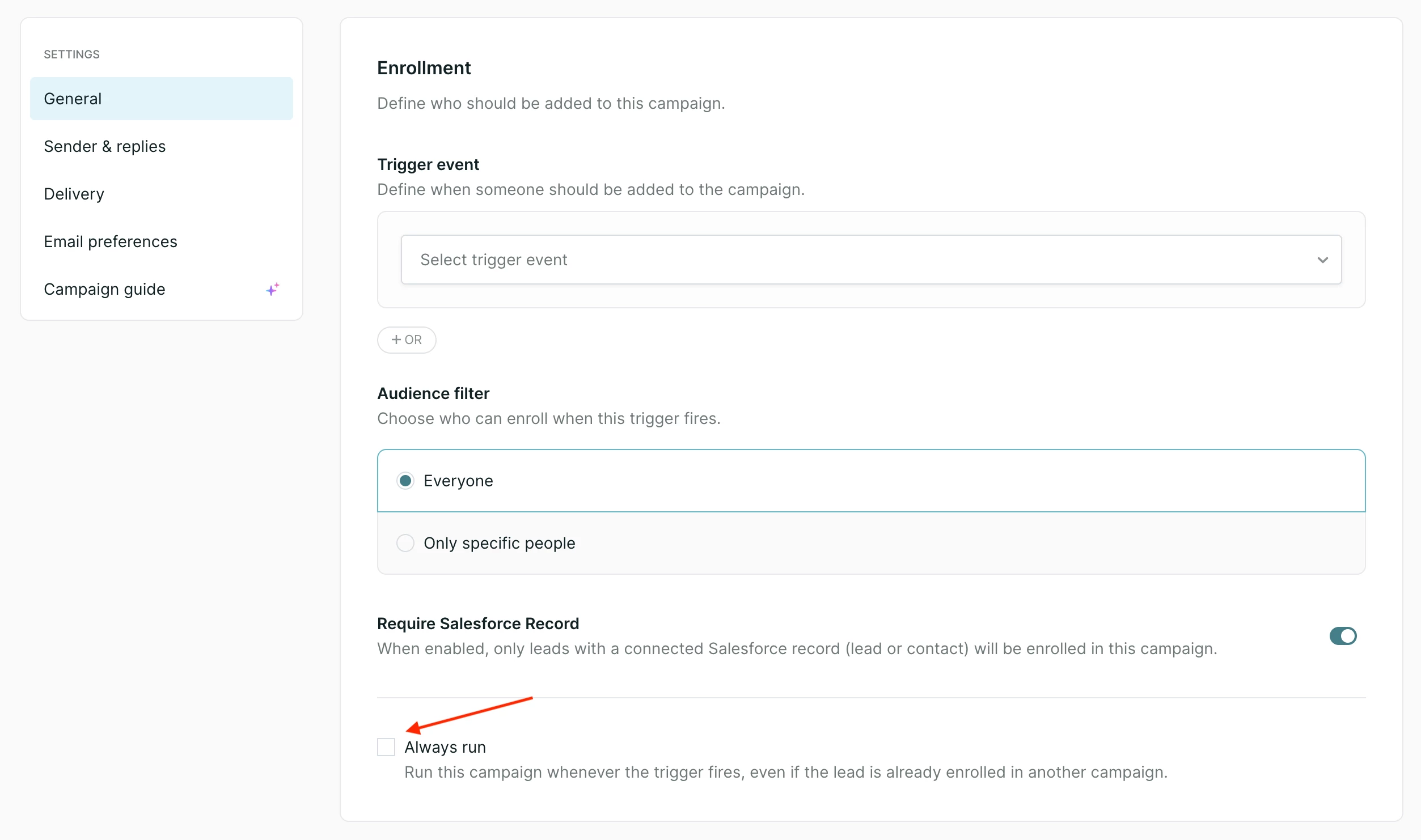
- Open the campaign's General settings.
- Enable the Always run checkbox in the “Enrollment” section.
Changing a campaign's always run status
Turning a standard campaign into an always run campaign does not exit or re-enroll any leads who are already in it.
Turning an always run campaign back into a standard campaign places it at the bottom of your priority list. Leads who are already enrolled stay enrolled until a normal exit condition occurs, such as the lead exiting naturally or being enrolled in a higher-priority campaign.
Daily sending limits
The first-touch email from an always run campaign can be sent even if the lead has already reached your org's daily email limit. Follow-up emails from that same campaign still respect the daily limit as usual.



.svg)


