


Qualified now supports the ability for your AI SDR agent to generate and reply to emails in multiple languages. This enhancement ensures that customer communications feel truly personal and localized, regardless of where your leads are located. When setting up email campaigns, you have two primary options for language configuration: Lead preferred language or Default language.
For a full list of languages supported by Qualified’s AI SDR agent, see this article.
Lead preferred language
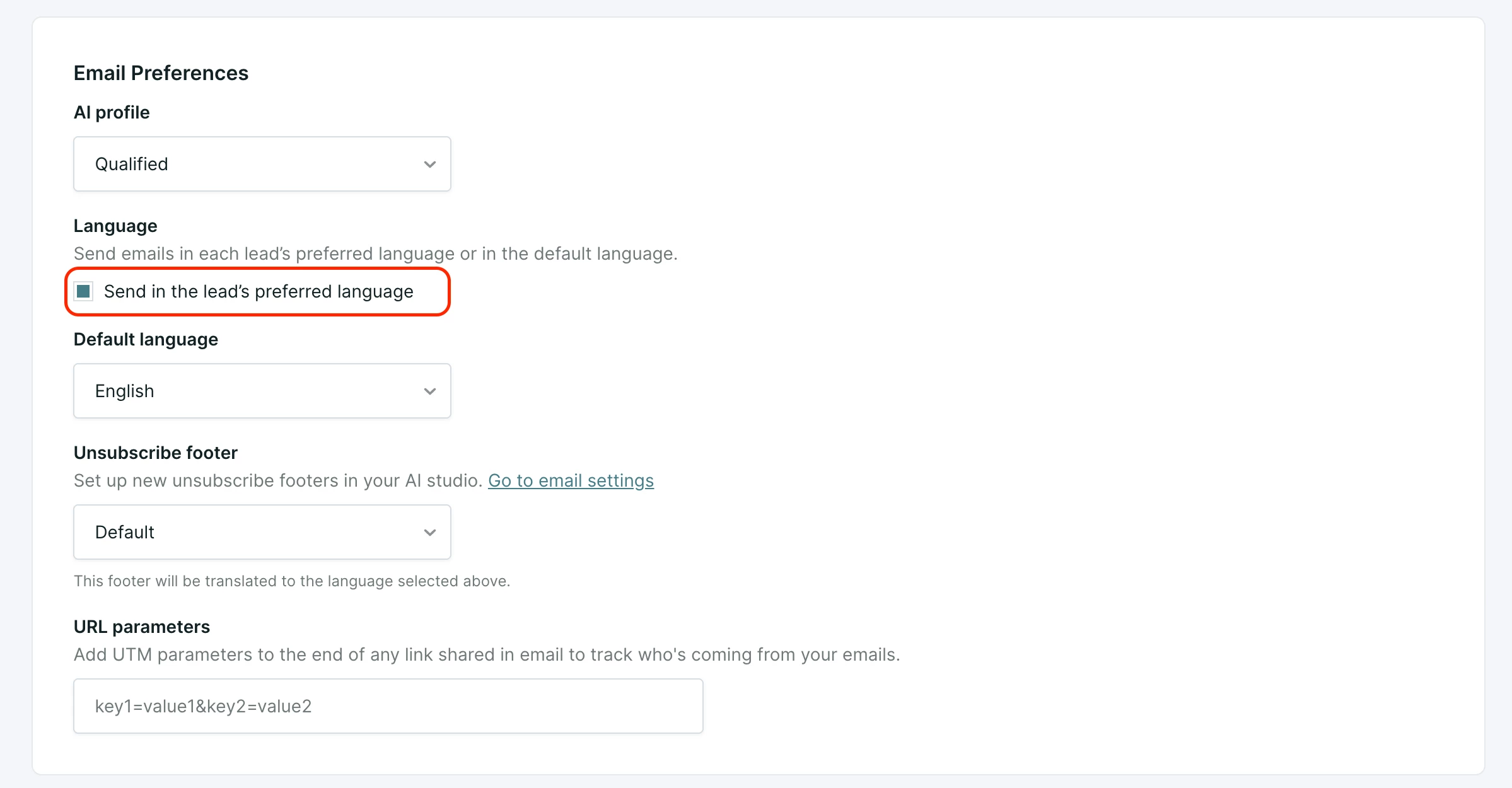
The lead preferred language feature uses a specific field on the Lead Detail view to dictate which language is used for emails sent via Qualified campaigns. When this is active, a single campaign can send emails in multiple languages, translating everything from the subject line to the footer based on the recipient's preference.
How language is determined
Your AI SDR agent assesses the lead's language using a specific order of priority:
- Most recent interaction: The system defaults to the most recent language used.
- Conversation language: Detected during a live chat with a rep or a conversation with your AI SDR agent.
- Email reply language: Detected if a lead replies to an email in a specific language.
- Browser language: The user's browser language detected during their web session.
- LLM inference: If no direct interaction is available, the system uses CRM records to infer language. Note that these fields do not have to be mapped. The priority for inference is:
- Explicit language fields.
- Country or region fields, lead location, or IP addresses.
- Email domain extensions (e.g., .fr or .de).
Campaign impact
By selecting Use the Lead's Language during campaign setup, the following sections are automatically translated:
- Subject line
- Greeting
- Email body
- Sign-off signature
- Unsubscribe link
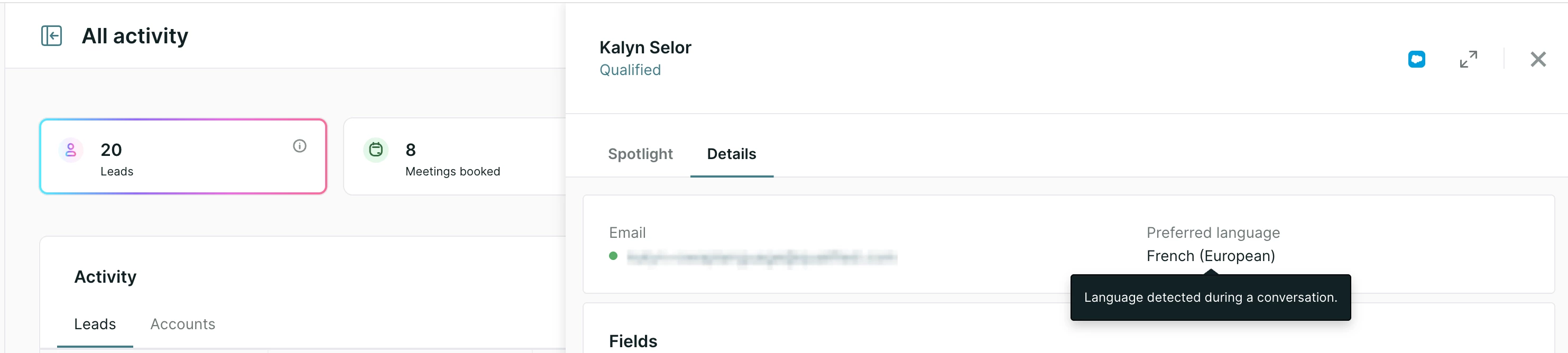
You can view a lead's preferred language in the details section of their record within the Home view. Tooltips are provided to show exactly how the language was determined (e.g., "Language detected from a lead's reply" or "Preferred browser language detected").
Frequently asked questions
What if a visitor uses multiple languages in one chat session? Your AI SDR agent will email the recipient in the most recent language used during the chat. For example, if a lead first chats in Spanish but their most recent reply is in French, the follow-up email will be sent in French.
What happens if a lead replies to an email in a different language? Your AI SDR agent is designed to be adaptive. If an initial email is sent in Spanish but the recipient replies in Dutch, your AI SDR agent will respond in Dutch to match the lead's most recent communication.
Do I need to map CRM language fields manually? No. Qualified automatically pulls data from the Salesforce record payload to determine the preferred language without requiring manual field mapping.
Can I manually override a lead's preferred language? Currently, manual overrides are not supported. If this is a critical requirement for your workflow, please contact your Qualified Success Architect (QSA) for more information or to provide feedback to the product team.
Campaign default language
If you prefer to maintain a consistent language for a specific campaign, you can set a campaign default language. This instructs your AI SDR agent to send and reply to all emails for that specific campaign in one chosen language.
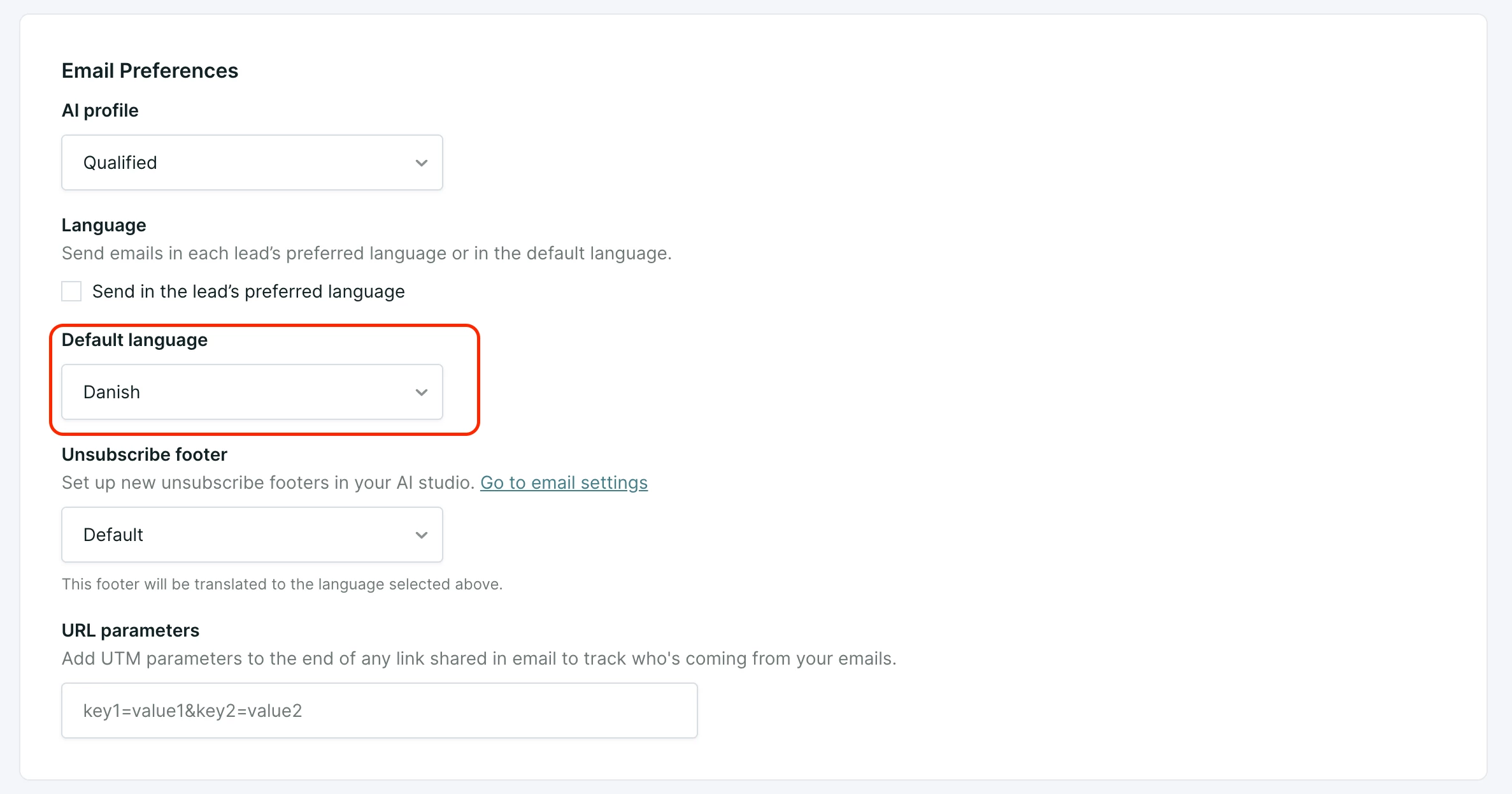
- Customization: This allows you to serve global teams by ensuring Piper sends emails in the specific language that supports that team's region.
- Scope: Like the lead preferred setting, the default language applies to the subject, greeting, body, signature, and unsubscribe sections.



.svg)


