


Qualified meetings is available in over 20 languages. When offering a meeting to a visitor, you can configure your meeting messaging, including meeting bookers and confirmation messaging, to ensure that it reflects the language that visitor speaks.
Overview
Your global buyers speak multiple languages - and Qualified is here to make sure that whatever language they speak, you can help convert them into pipeline.
With Qualified meetings multi-language, you can be sure that the entire meeting booking process - from landing pages to confirmation emails - is handled in the appropriate language. Configure your translations for each meeting type and the relevant languages, and Qualified will ensure that your visitor gets the right messaging.
Meeting Landing Pages and Confirmation messaging don’t auto-translate! You will need to provide translated text for each language used.
Pro Tip: When configuring your meetings, you will be able to customize messages in each of the languages Qualified currently supports. In meeting types, you can find these translation options under the “Messaging” tab.
Don’t see the language drop-down? Speak to your Qualified Success Architect for help!
Configuring additional languages
To customize your meeting messaging for a language other than English:
1. Navigate to Settings -> Meetings -> Meeting Types -> Messaging.
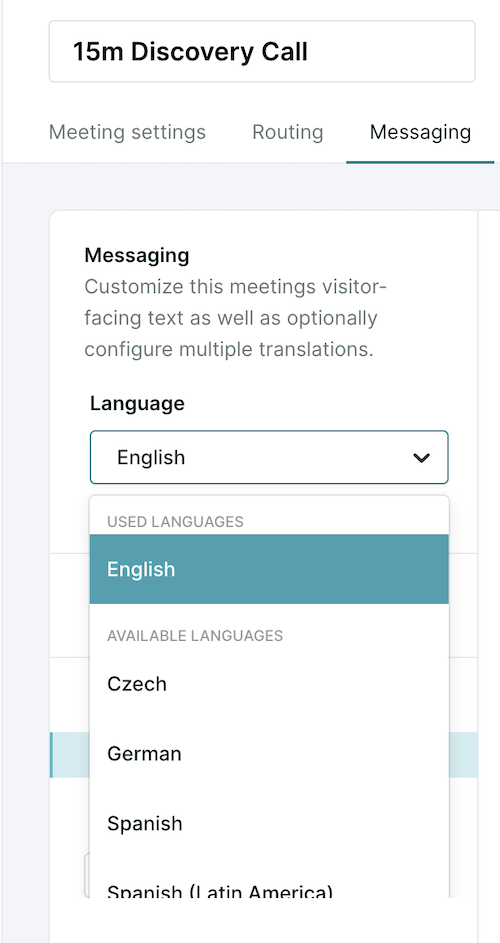
2. Under the “Language” drop-down, select the language you would like to offer meetings in.
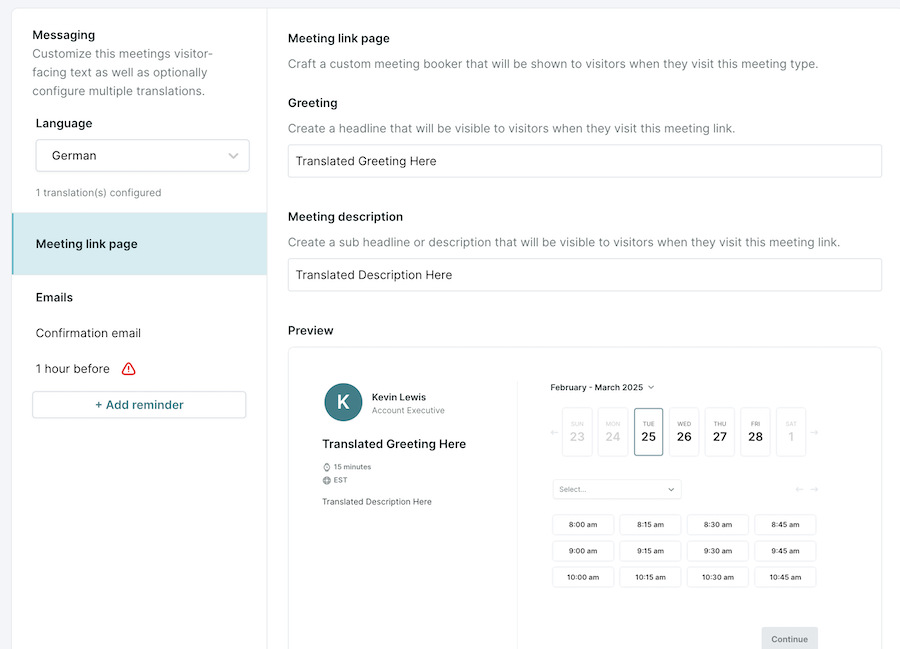
3. Customize the Meeting link page settings including the greeting and description.
4. Set up a confirmation email when the meeting is first booked.
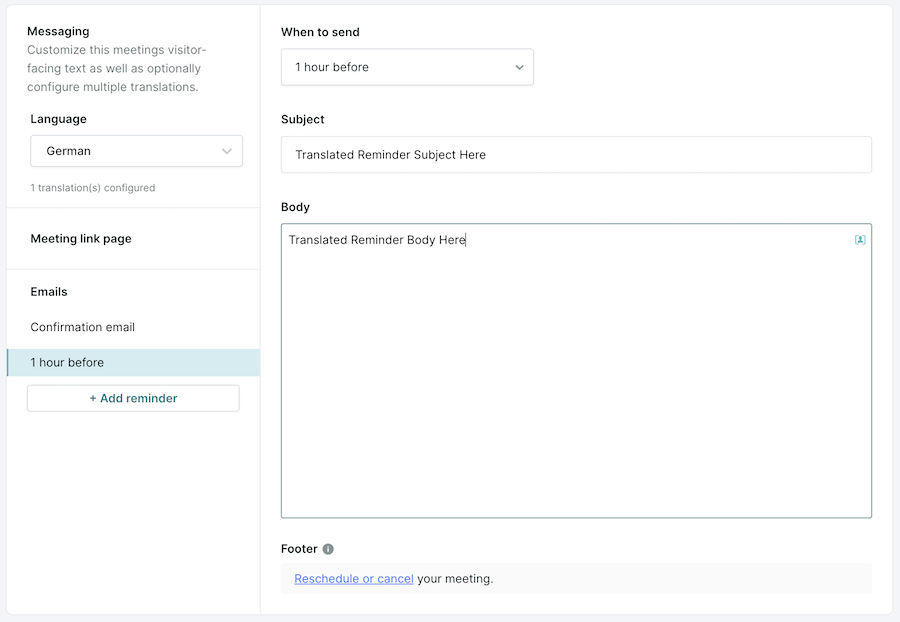
5. Set up additional reminders (optional).
6. Press Save.
Supported languages
For a full list of supported languages, see here.



.svg)


