


UPDATE (Tuesday, January 20, 2026): The new version of the Qualified app for Slack has officially been published! We are now rolling out the updated view and the foundation for our new agentic features.
Please read the details below carefully. To see the new view and enable Piper for Slack capabilities, specific action is required from your Admins.
Note: Your existing Slack alerts should continue to send normally without interruption. You do not need to take immediate action to maintain your current workflow.
What’s Changing: The New View
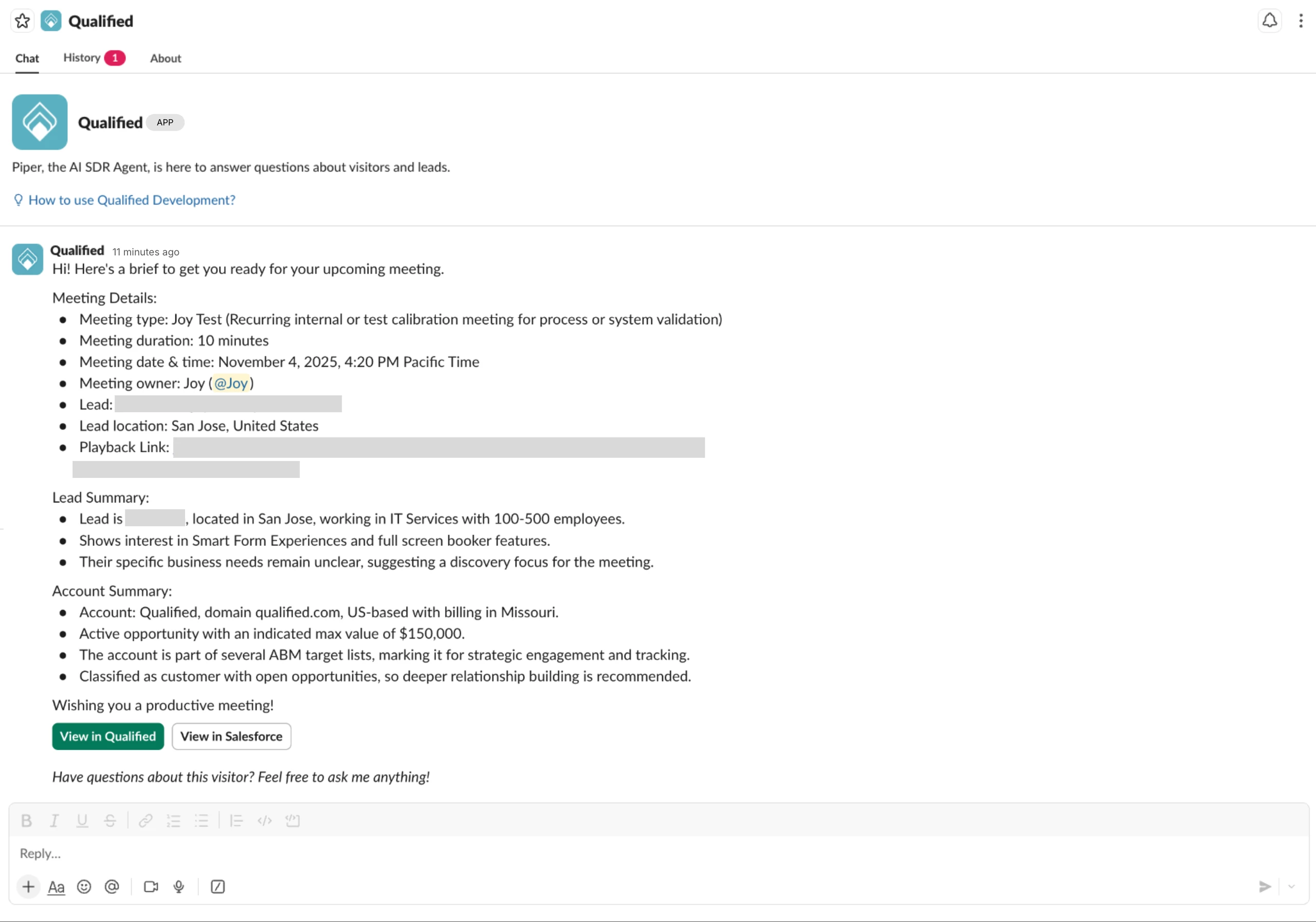
The Qualified app in Slack now features a new layout designed to keep your workspace organized. We are moving from two tabs to three:
-
Chat: This is your new "home base." The most recent alert or meeting brief will always appear here.
-
History: A full log of all your previous alerts and notifications.
-
About: Current version and app info.
How to Upgrade & Enable Piper for Slack (Early Access)
Piper for Slack for Sales is currently in Early Access and available for customers on an Agentic Marketing Platform plan. To upgrade your team to the new view and enable these new capabilities, you must perform a "clean install" to accept the new permissions.
Please follow these steps in order:
-
Request Early Access: First, please contact your Qualified Success Architect (QSA) to request to have "Piper for Slack" enabled for your Qualified account.
-
Remove the App (Slack Admin): Your Slack Admin must navigate to the Slack Marketplace or the "Manage Apps" section in Slack settings and remove the Qualified App.
-
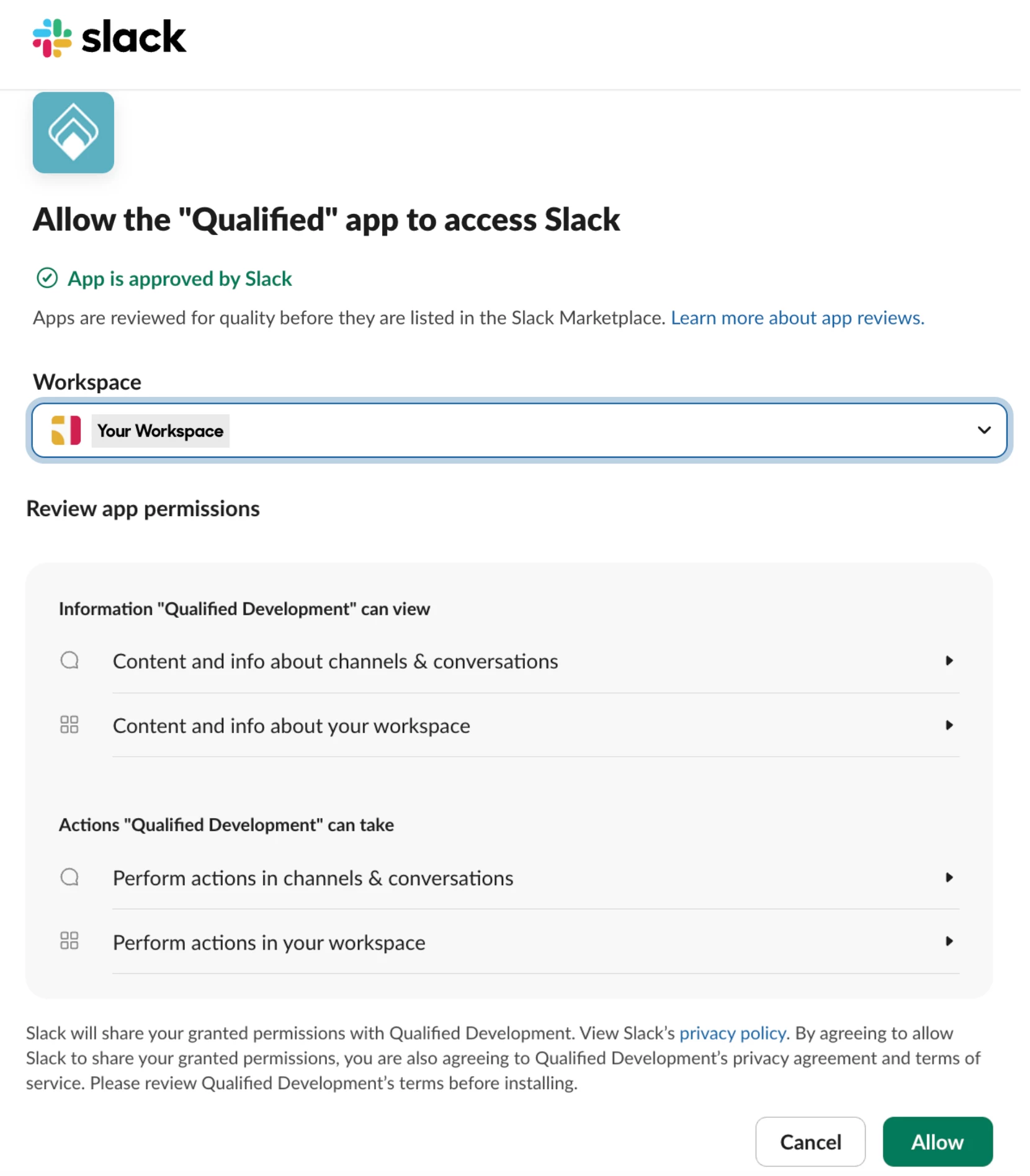
Reconnect the Integration (Qualified Admin): Once the app is removed from Slack, the Qualified Admin must log in to Qualified and navigate to Settings → Integrations → Slack Connection. You must Disconnect and then immediately Reconnect the Org-level integration.
Why is this necessary? Disconnecting and reconnecting at the Org level forces a re-installation of the app. This allows you to accept the updated permissions required to power the new Piper for Slack agentic features.
Bonus: Personalize Your AI Agent
Once you have upgraded, you can rename the "Qualified" bot in Slack to match your AI SDR's persona (e.g., "Piper" or "Alex").
-
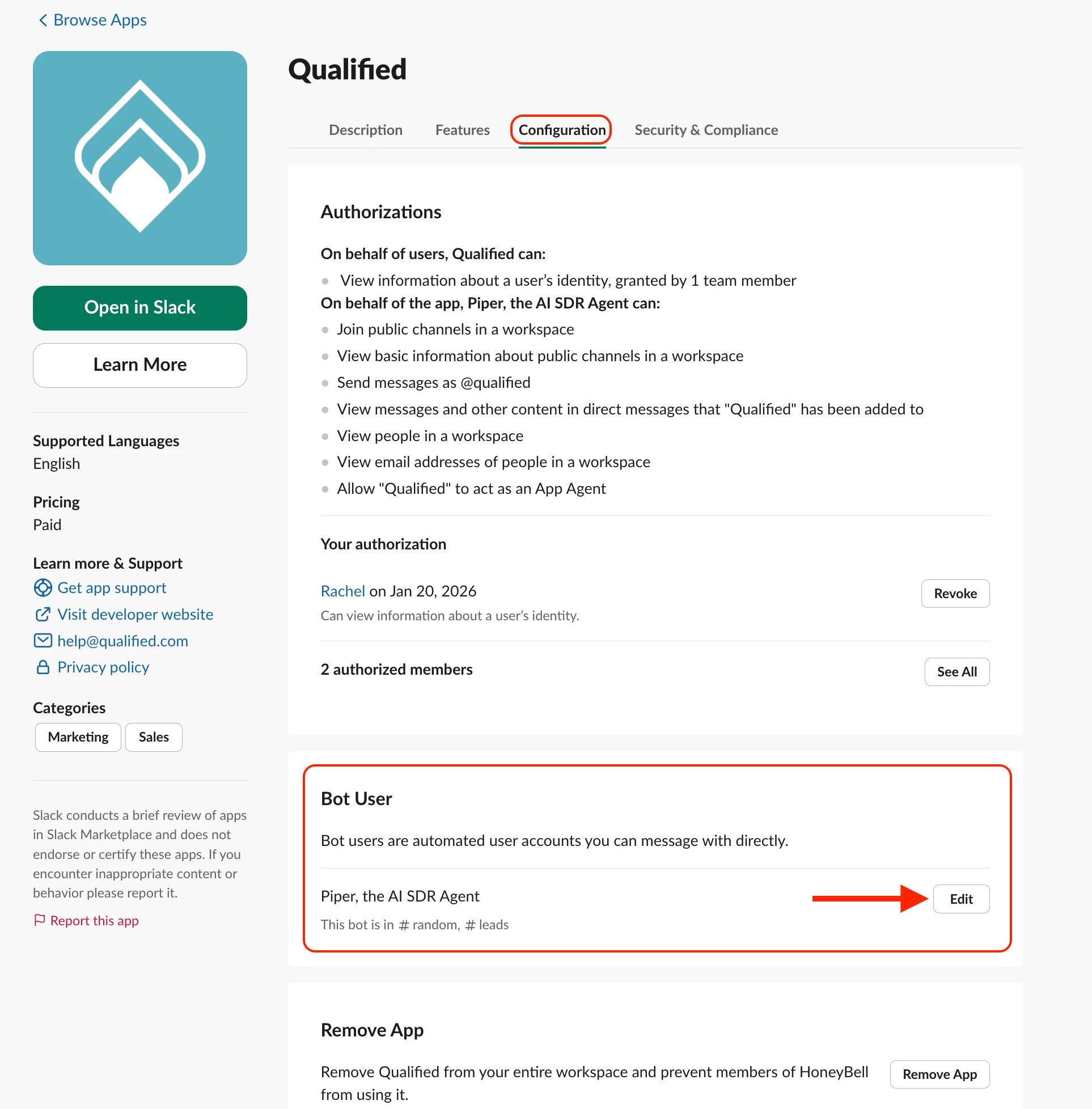
Navigate to the Qualified App in the Slack Marketplace.
-
Click on the Configuration tab.
-
Scroll down to the Bot User section.
-
Click Edit to change the display name to your AI Agent's name.
What is Piper for Slack for Sales?
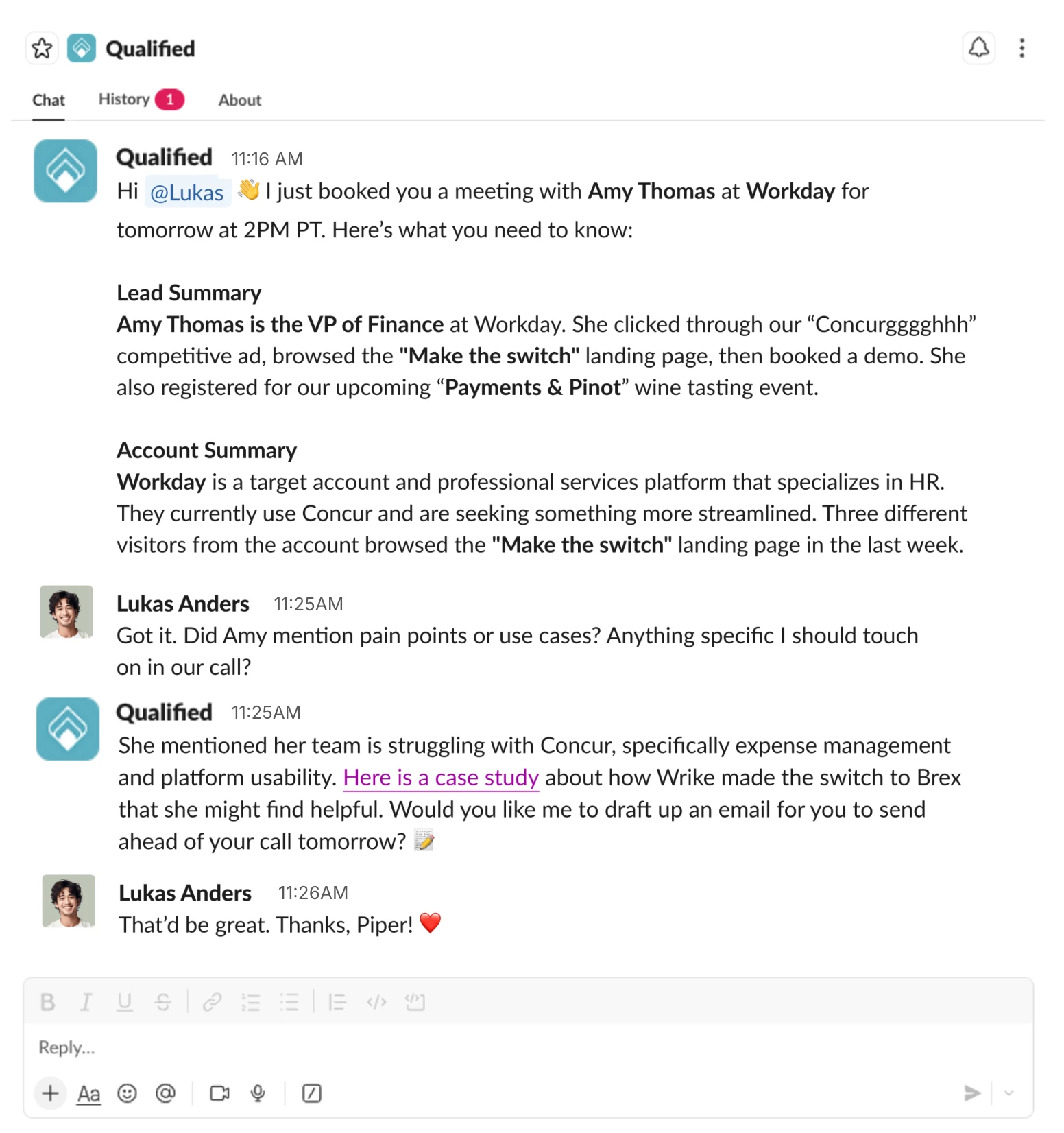
This interface update builds the foundation for our new agentic capabilities. It allows reps to treat their AI SDR agent like a personal research assistant, chatting back and forth to get briefings on visitors and leads.
To learn more about these new capabilities, check out our full article here: Piper for Slack
If you are on an Agentic Marketing Platform plan and interested in joining the Early Access program, please reach out to your QSA to get started with the steps above!



.svg)


