


This article refers to activating goals when using legacy versions of Piper, the AI SDR agent. For plans using PiperX’s multi-modality, refer to our article on Conversations Guides.
To engage visitors effectively, goals must be enabled within an experience. Additionally, CTA buttons can be added to allow visitors to trigger a goal manually.
- Navigate to Settings → Experiences → Automatic.
- Select or create an experience where the goal should be applied.
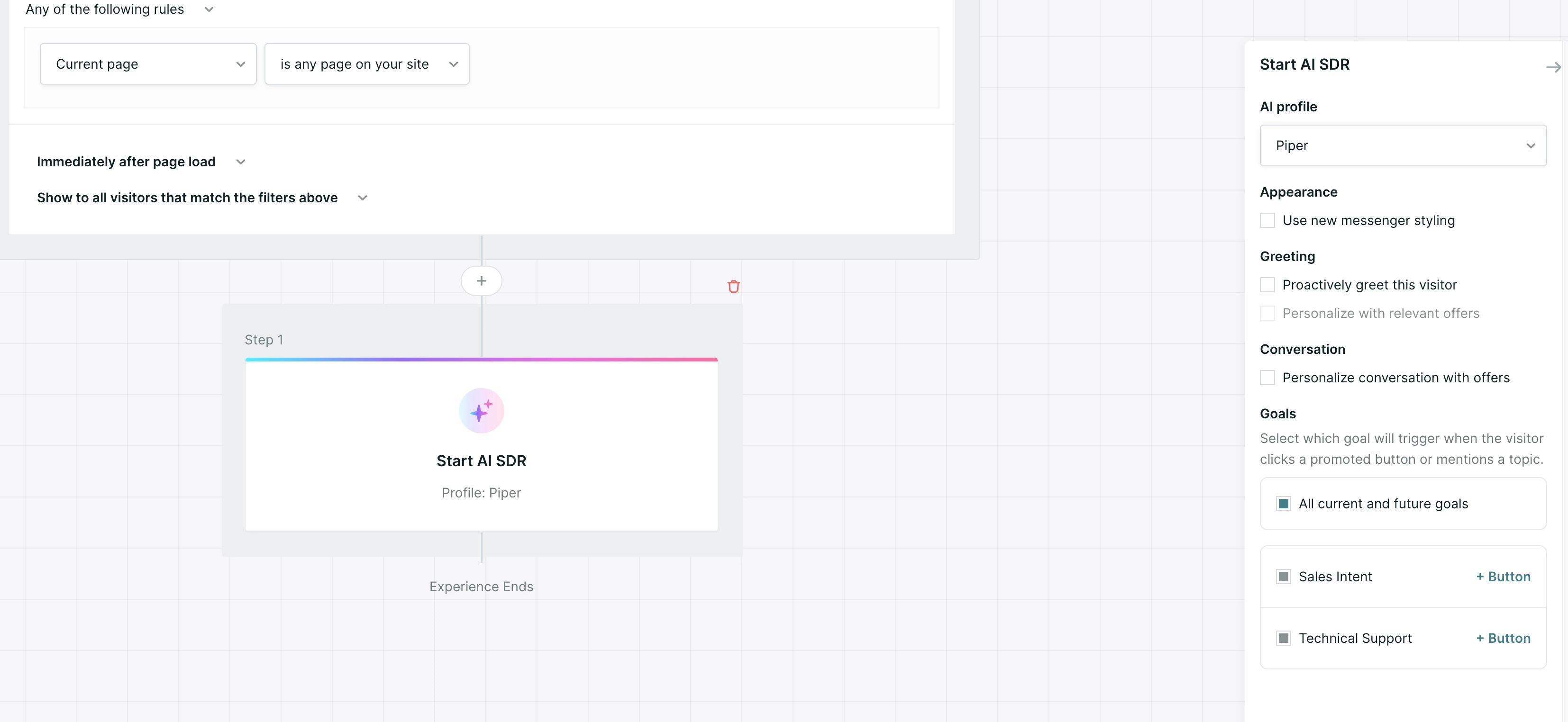
- Locate the existing Start AI SDR step (or add one).
- Within the Start AI SDR step, select which goals can be triggered.
- By default, All current and future goals are enabled.
- Uncheck to manually select applicable goals.
Note: Only goals which are activated in Agent Studio will be selectable.
- (Optional) Add CTA Buttons to allow visitors to trigger goals directly.
- Click Save Draft or Publish to save your changes.
Buttons are optional but recommended for high-priority actions (e.g., “Book a Demo”).



.svg)


