


Note: Agent profile variants are in early access. To request access for your organization, contact your Qualified Success Architect (QSA).
A variant is a child agent profile that inherits its configuration from a base profile, so you can vary how Piper the AI SDR Agent behaves by region, brand or channel without maintaining near-duplicate profiles. This article covers what a variant inherits, how to override each part, and how to put a variant to work. For the create flow, see Setting up your agent profile in Agent Studio.
When to use a variant
Variants suit teams running several near-duplicate profiles, often one per region or per brand. Keeping guides, content and settings in sync across those copies takes ongoing effort, and a variant removes that work for everything it inherits.
Common reasons to create one:
- Different guardrails for leads in Japan and leads in LATAM
- Different content sources for leads exploring compliance and leads exploring sustainability solution lines
- Different personas for email conversations and website conversations
What a variant inherits
A variant starts by inheriting its whole configuration from the base profile. You then override only the parts that should differ. Anything you leave alone continues to follow the parent, so a later change to the base profile flows through to the variant.
Agent profile
You can change how your agent is presented to leads when the variant is in use, including its name, title, modality, and the persona and/or voice it uses. Connected mailboxes can also be set for the variant on its own.
These are the same settings described in Setting up your agent profile in Agent Studio, applied to this variant rather than to the base profile.
Company and brand
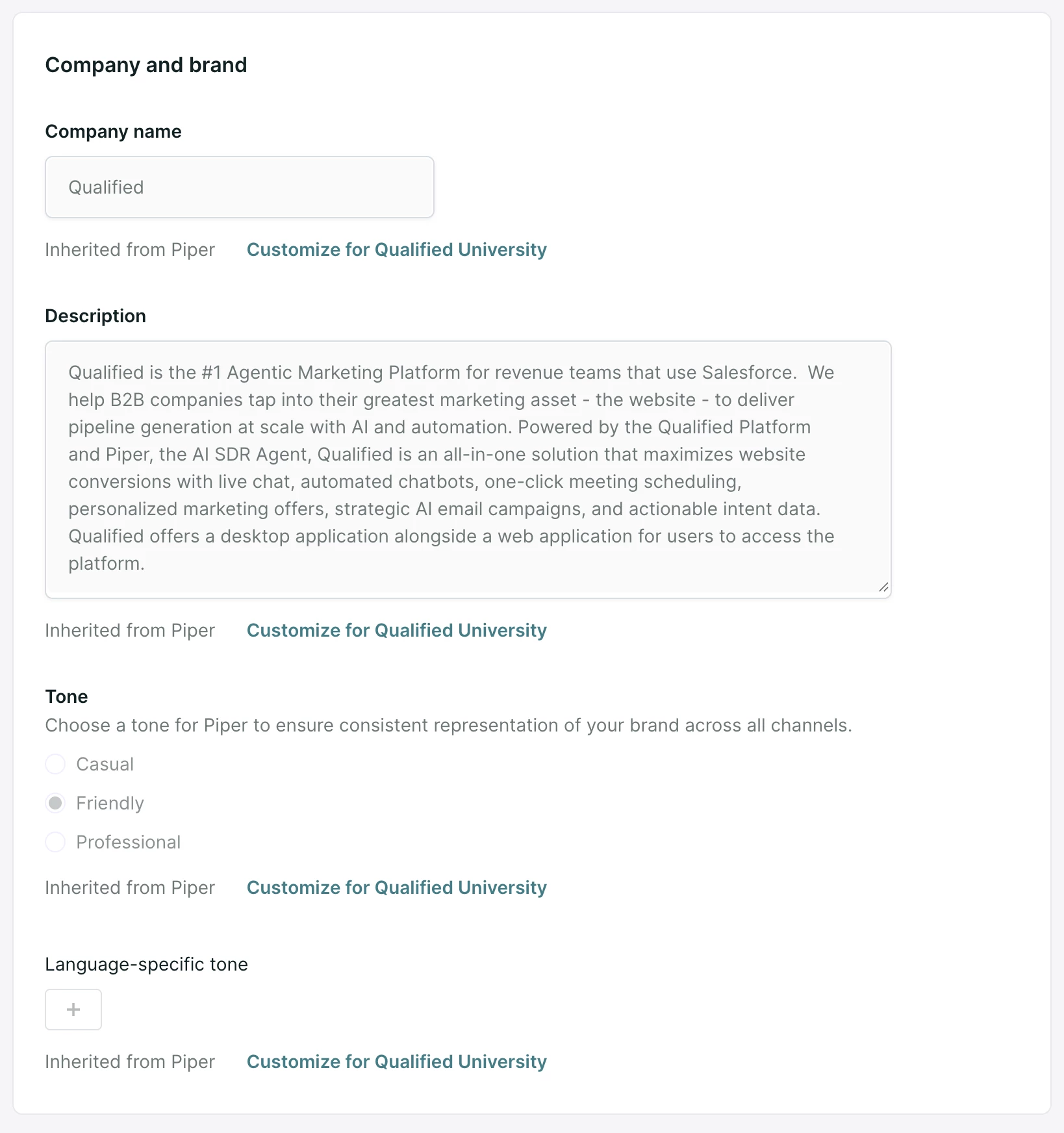
Every section of the Company and brand guide is inherited by default. You can override any section with a version written for this variant.
Each overridden section keeps a Reset to inherited option, which returns that section to the base profile's text.
Guardrails
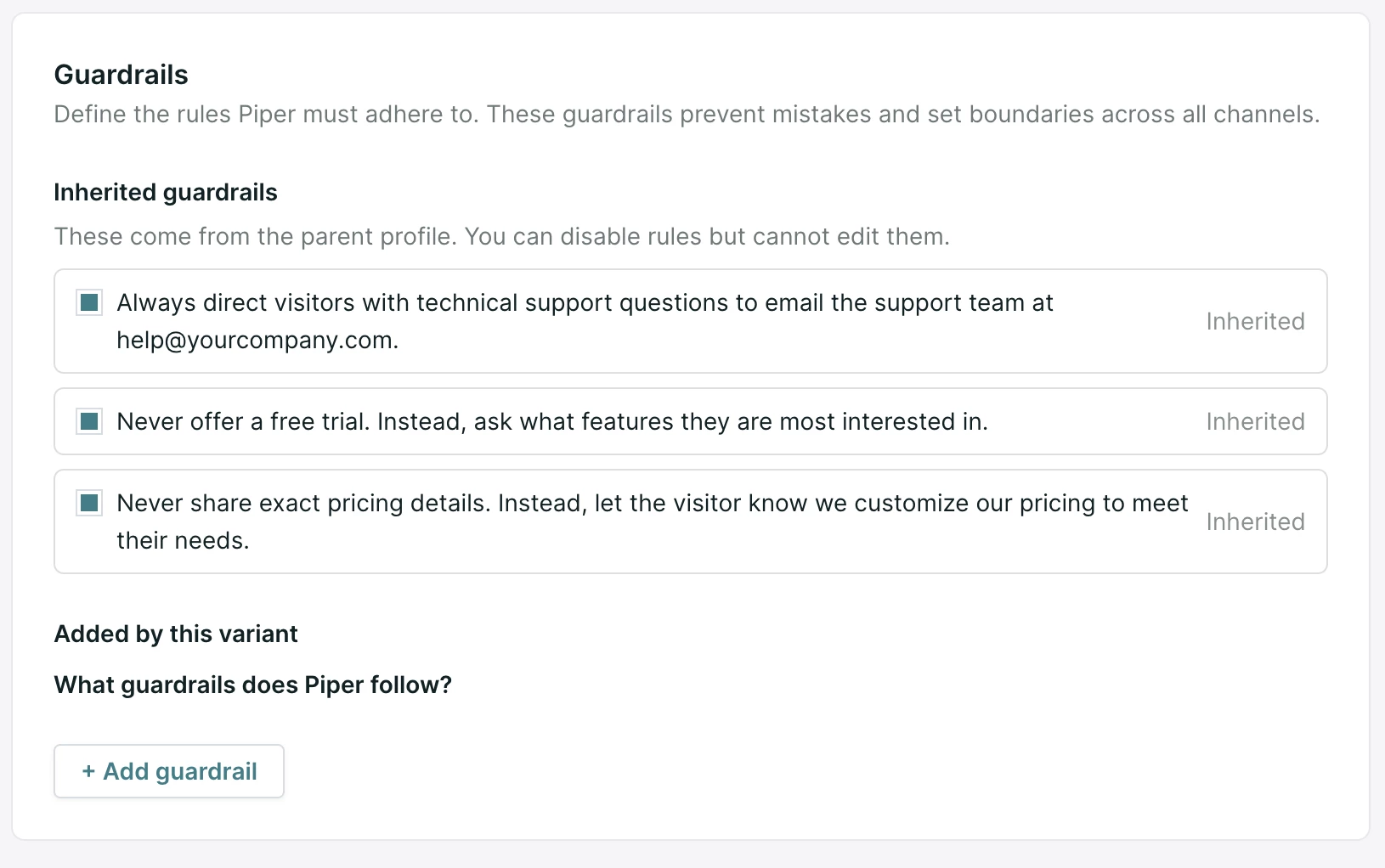
All guardrails from the base profile are inherited and enabled on the variant. You can suppress individual inherited guardrails on the variant, which leaves the parent's rules untouched.
You can also add guardrails that apply to this variant alone.
Use a variant
In an experience
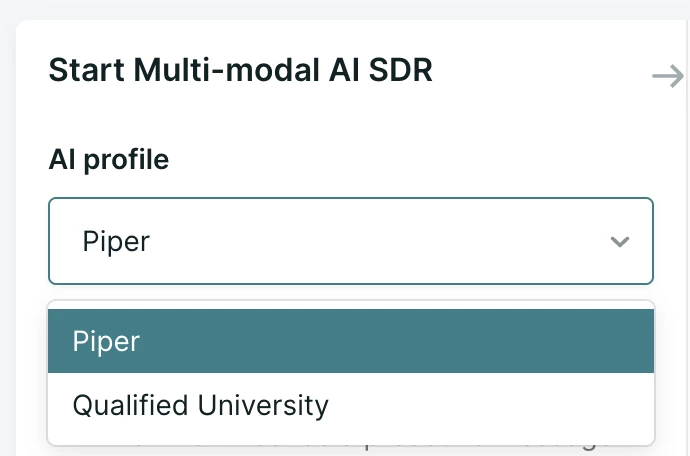
In the experience builder, select the variant from the available profiles. Your agent uses that variant's configuration at runtime.
In an email campaign
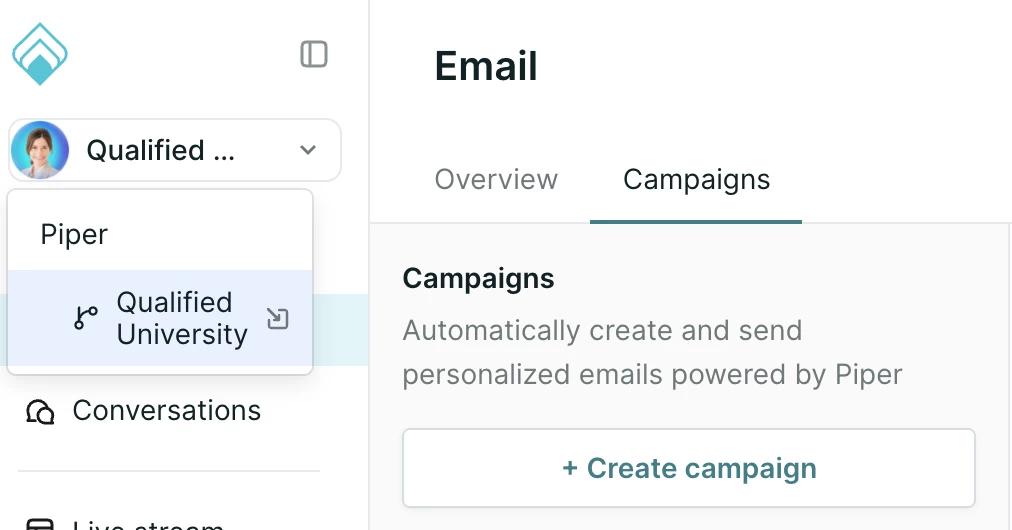
Select the variant in the upper left navigation, then go to the Emails hub. Campaigns you create there are managed by the variant.
Stop using or delete a variant
To stop using a variant while keeping it, disable the experience that uses it or remove the variant from that experience, then turn off or delete any email campaign the variant manages.
To remove a variant for good, open the Agent Profile tab and delete it there. Deletion is blocked while the variant is in use in any experience or email campaign, so clear those first.
Limits to plan around
- A variant cannot have variants of its own. Your organization has base profiles and one layer of variants beneath them.
- Variants count against your profile limit the same way base profiles do. If you are already at the limit, creating a variant fails the same way creating a base profile would.



.svg)


