


Pounce is a proactive engagement feature designed to maximize SDR efficiency by automatically initiating conversations with website visitors. These settings control automated outreach and do not impact manual pouncing by human reps.
Note: How your AI SDR agent decides what to say when it pounces is now set in the conversation guide. See Configuring Piper's pounces in conversations. The General pounce settings and Auto pounce settings below describe the earlier way of configuring that behavior, which is still in use for customers not using PiperX. Copilot domains, further down this article, is current and applies either way.
General pounce settings
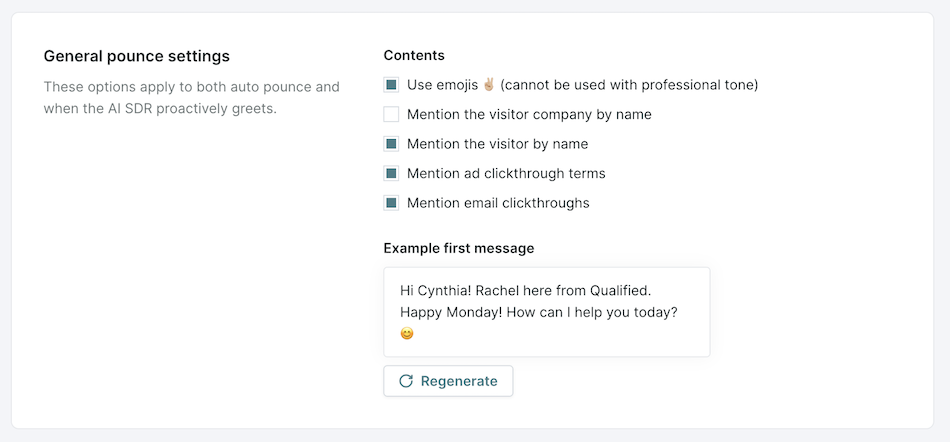
General pounce settings apply to both AI SDR agent pounce, where your agent greets visitors directly, and auto pounce, where Qualified AI engages on behalf of human reps.
- Go to Settings → Agent Studio → Pounce
- Select the Contents to include in the initial pounce message.
- Use the Example First Message Simulator to preview pounce variations.
- Click Regenerate to see different message variations.
Auto pounce settings
Auto pounce is an initial pounce greeting and secondary nudge message sent on behalf of an available rep.
- Go to Settings → Agent Studio → Pounce, and scroll to the Auto pounce section.
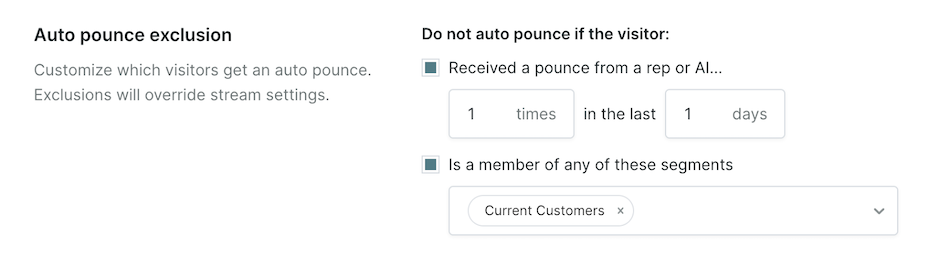
- Set Auto pounce exclusions based on:
- Visitors who have already received a pounce.
- Specific visitor segments.
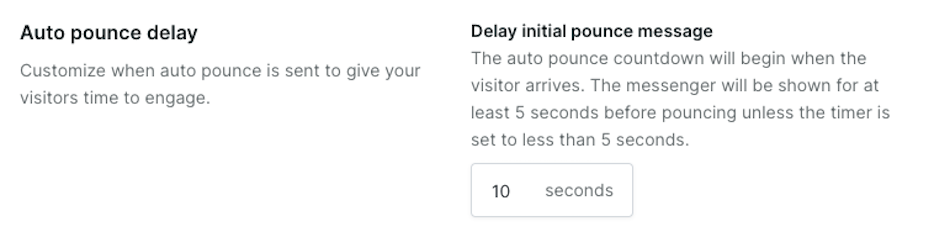
- Configure the Auto pounce delay to time the first message appropriately.
- Configure Missed responses to customize how the messenger behaves when reps fail to respond in time.
- Response time limit: Set the maximum time a rep has to respond before an automated fallback message is triggered.
- Rep unavailable message: Define what visitors see if no rep responds within the set time limit.
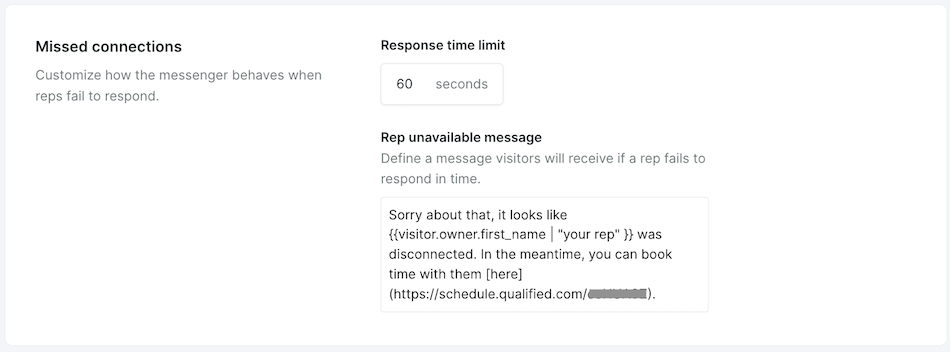
If a rep fails to respond within the set time frame, they will be disabled for auto pounce and the visitor will receive the Rep unavailable message. The rep will have to re-enable themselves for auto pounces to be sent again on their behalf.
Enabling AI SDR agent pounce and auto pounce
Enabling AI SDR agent pounce
AI SDR agent pounce, where your agent greets visitors directly, is turned on in each experience that starts your agent.
- Navigate to Settings → Experiences → Automatic.
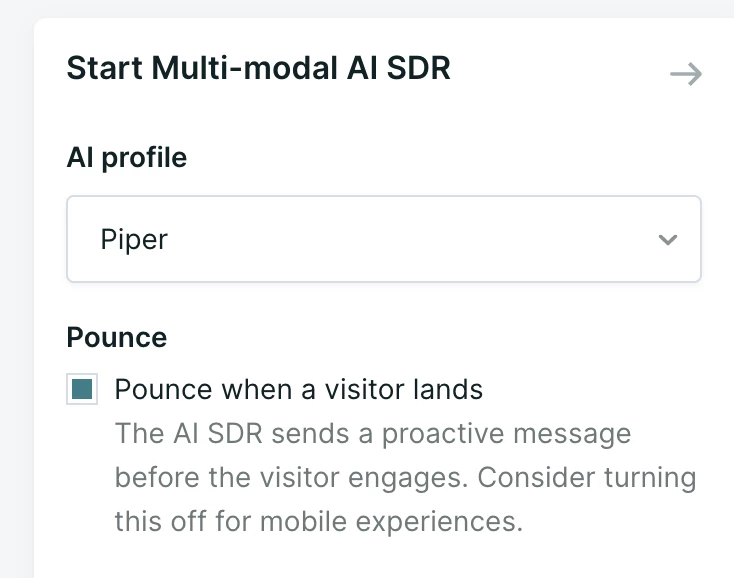
- Open the experience and select the Start Multi-modal AI SDR step.
- Under Pounce, check Pounce when a visitor lands. Your agent then sends a proactive message before the visitor engages.
Legacy: the Start AI SDR step
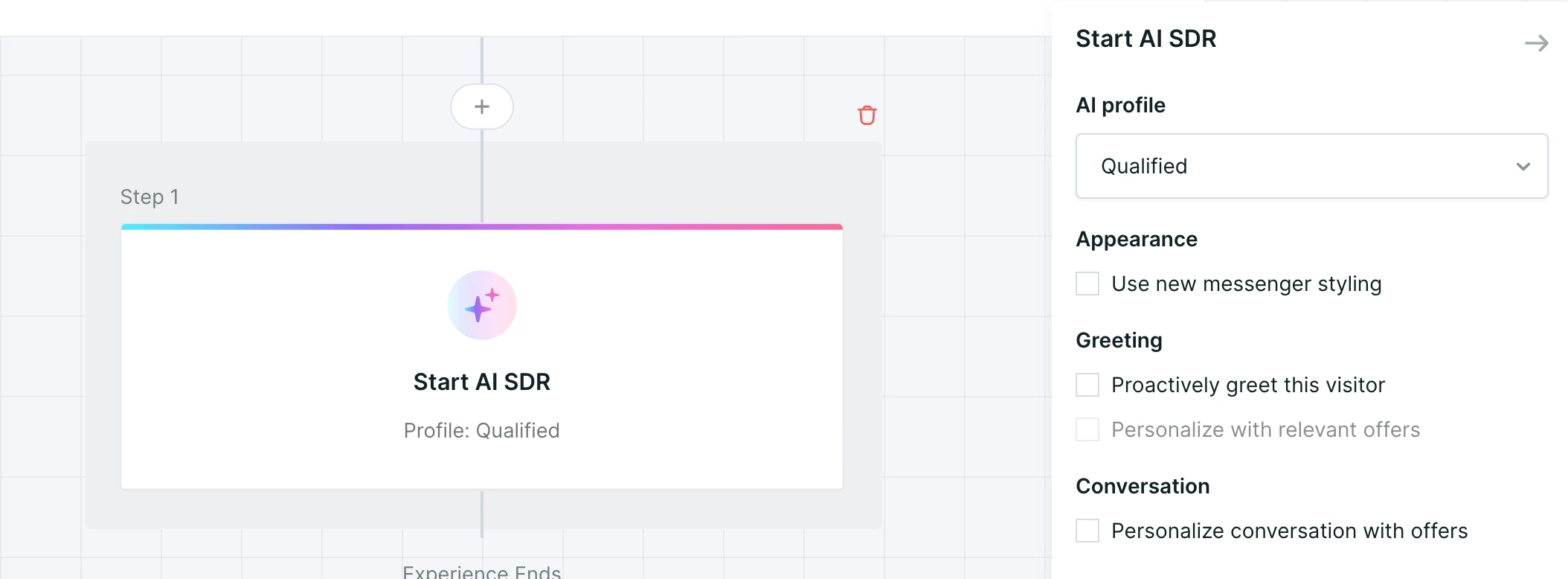
If your experiences start with the Start AI SDR step instead of the Start Multi-modal AI SDR step found with PiperX, turn on pounce in that step instead:
- Navigate to Settings → Experiences → Automatic.
- Select or create an Experience where the Piper Pounce should be applied.
- Add the Start AI SDR step at the beginning of the Experience.
- This step must be the first Conversation step in the experience.
- Within the AI SDR step, enable "Proactively greet this visitor."
- If this setting is uneditable, remove any Conversation steps before Start AI SDR.
- Optionally, select whether your AI SDR agent will offer relevant offers as part of their greeting or in the conversation.
Enabling auto pounce
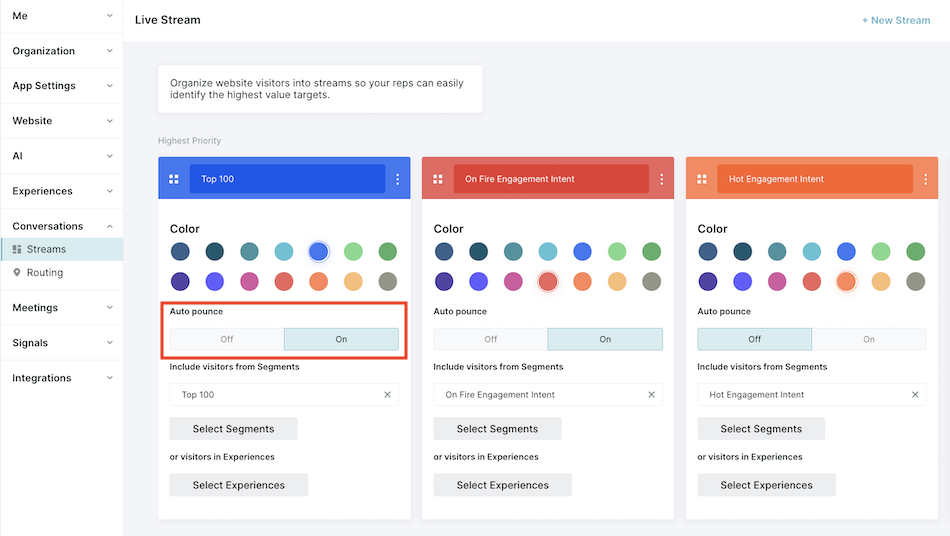
Auto pounce, where Qualified AI engages on behalf of human reps, is enabled based on streams.
- Navigate to Settings → Conversations → Streams.
- Within the individual stream settings, select ON for auto pounce, and Save.
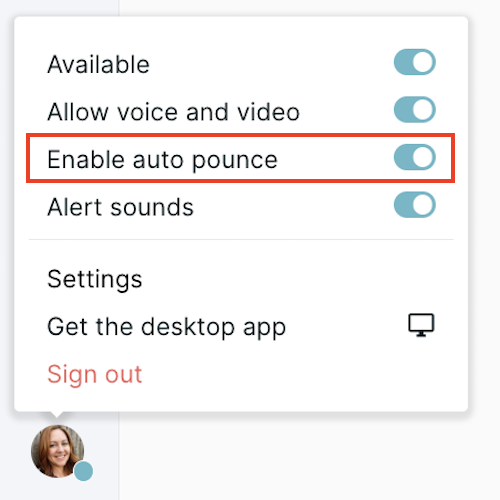
- Once streams are enabled, reps must:
- Mark themselves as Available for chat.
- Toggle Enable auto pounce in their individual settings.
Copilot domains
Copilot domains define which of your websites use this AI SDR profile for auto pounce and for rep AI tools. The Inbox also populates based on these domains for conversations a rep takes part in.
- Go to Settings → Agent Studio → Pounce.
- Add the domains where this profile should be used.
- Click Save.
If your organization runs more than one profile, this setting is what decides which one a visitor meets on a given site. See Setting up your agent profile in Agent Studio for creating and switching between profiles.



.svg)


