

Qualified allows admins to set org business hours to filter analytics reports and dashboards to view activities that occur during defined hours. New email campaigns also start with these business hours as their sending hours.
Note: Business hours apply to the whole organization. Each rep sets their own availability individually.
Configure business hours
- Go to Settings → Company Details → Business Hours
- Under Schedule, select the days of the week, the time of day and the timezone.
- Select Save in the top right corner.
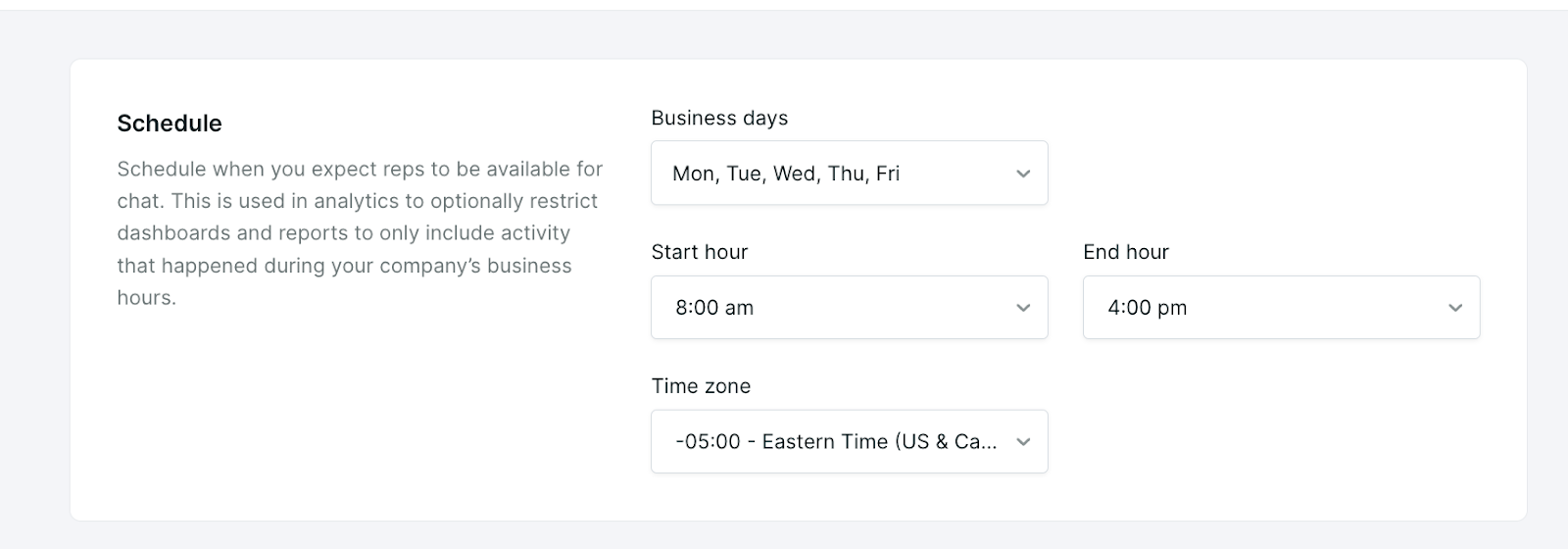
How business hours are used
- Reports and dashboards: filter to activities that occurred during your business hours.
- Email campaigns: each new campaign starts with your business hours as its sending hours, including the days, hours and time zone. Changing business hours later does not update campaigns that already exist. To change an existing campaign, edit its sending hours on the Delivery tab. See Setting up agentic email campaigns.
One schedule for the organization
Business hours are a single schedule in a single timezone for your whole organization. They do not support separate hours for regions or groups, or split shifts. If your team covers several regions, each rep can set their own availability.