


Qualified fields have special syntax that lets them be used as variables in messenger messages, referenced in the Qualified client-side API, or prefilled with URL variables. See below for the syntax and variable names for these fields.
In all applications, variable names should be all lowercase.
Qualified field variables
Standard fields
These fields exist and are recognized by default in Qualified.
- visitor.first_name
- visitor.last_name
- visitor.full_name
- visitor.city
- visitor.state
- visitor.state_iso_code
- visitor.country
- visitor.country_iso_code
- visitor.region
- visitor.playback_url
- visitor.initial_referrer
- visitor.initial_landing_page_url
- visitor.conversion_page_url
Date and time fields
- system.current_time
- system.current_date
Note that system.current_time is provided in ISO 8601 format in the UTC time zone. Conversion may be required.
Custom fields
- visitor.fields.[field api name]
URL parameters
- visitor.params.[parameter name]
Use this option when a URL parameter is not mapped to an existing Qualified field . If the parameter is mapped to a Qualified field, the value will be prefilled to that field and can be used in that way.
UTM parameters
- visitor.utm_source
- visitor.utm_campaign
- visitor.utm_medium
- visitor.utm_content
- visitor.utm_term
Qualified owner values
- visitor.owner.full_name
- visitor.owner.first_name
- visitor.owner.last_name
- visitor.owner.email
- visitor.owner.id
- visitor.owner.salesforce_user_id
A Qualified owner is the rep who has most recently (a) had a conversation with the visitor or (b) booked a meeting with the visitor. Qualified owner may or may not match the visitor’s Salesforce Lead or Contact owner.
visitor.owner_idreturns the owner’s Qualified user ID;visitor.owner.salesforce_user_idreturns the owner’s 18-digit Salesforce user ID.
Meeting booked values
- calendar_event.duration OR =calendar_event.duration_in_minutes
- calendar_event.meeting_type_name
- calendar_event.starts_at OR =calendar_event.starts_at_iso
- calendar_event.ends_at OR =calendar_event.ends_at_iso
- calendar_event.conference_details
- calendar_event.meeting_channel
- calendar_event.attendee_names
- calendar_event.attendee_salesforce_ids
- calendar_event.rep.name
- calendar_event.rep.email
- calendar_event.rep.phone_number
- calendar_event.rep.salesforce_id
- calendar_event.rep_who_offered.name
- calendar_event.rep_who_offered.email
- calendar_event.rep_who_offered.phone_number
- calendar_event.rep_who_offered.salesforce_id
External data source values
Salesforce Lead/Contact/Account record values
Refer to any field on the Lead, Contact, or Account record:
- visitor.external_fields.salesforce_lead.[field_name]
- visitor.external_fields.salesforce_contact.[field_name]
- visitor.external_fields.salesforce_account.[field_name]
Examples
- visitor.external_fields.salesforce_lead.phone
- visitor.external_fields.salesforce_lead.my_custom_field__c
- visitor.external_fields.salesforce_contact.title
- visitor.external_fields.salesforce_contact.my_custom_field__c
- visitor.external_fields.salesforce_account.industry
- visitor.external_fields.salesforce_account.my_custom_field__c
To refer to a field on a related record, such as the Lead or Contact owner, put a # between the related record and the field name. For example, visitor.external_fields.salesforce_lead.owner#name returns the name of the Lead's owner.
Examples
- visitor.external_fields.salesforce_lead.owner#name
- visitor.external_fields.salesforce_contact.owner#name
- visitor.external_fields.salesforce_account.owner#name
MAP record values
Refer to fields on the Marketo, HubSpot, Pardot, or Eloqua person records:
- visitor.external_fields.marketo_contact.[field_name]
- visitor.external_fields.hubspot_contact.[field_name]
- visitor.external_fields.pardot_prospect.[field_name]
- visitor.external_fields.eloqua_contact.[field_name]
Enrichment values
Refer to fields from Clearbit Enrichment, Clearbit Reveal, and 6sense data
- visitor.external_fields.clearbit_enrichment.person.[field_name]
- visitor.external_fields.clearbit_enrichment.company.[field_name]
- visitor.external_fields.clearbit_reveal.company.[field_name]
- visitor.external_fields.6sense.[field_name]
Variable syntax
Messenger markdown
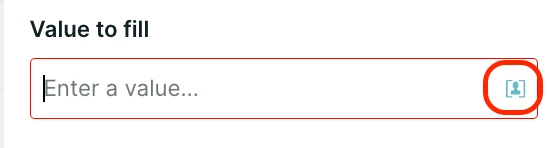
To use a field in messages sent by the Qualified messenger in rules-based experiences, in the text editor click the blue visitor icon to access a menu of all visitor fields.
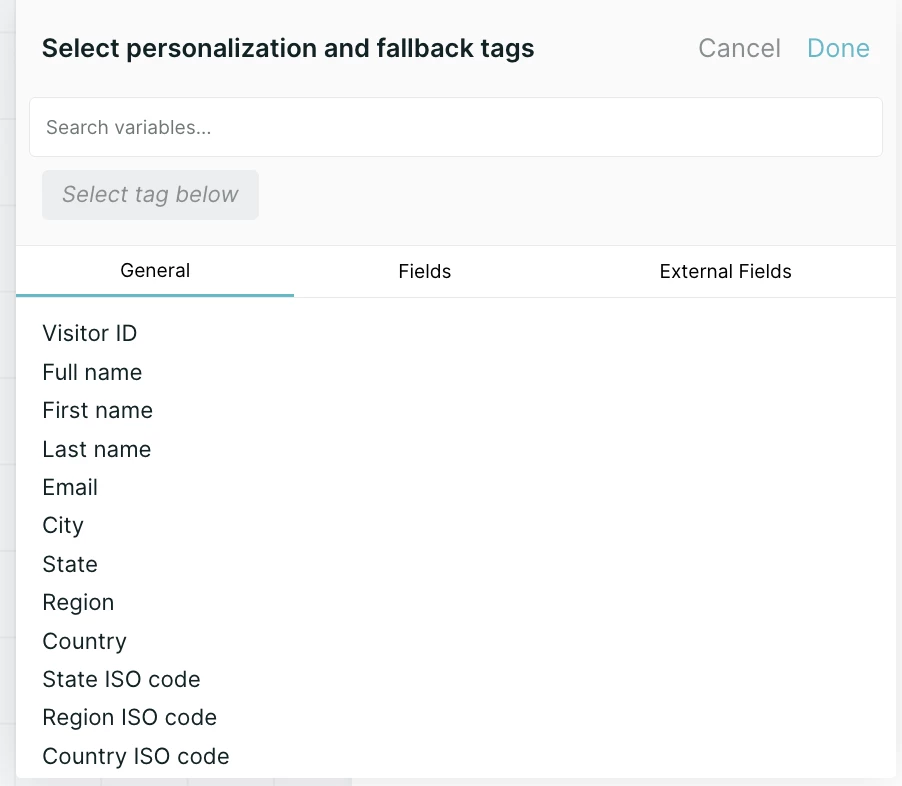
Search or browse for the relevant variable, enter fallback text (which will be used if the variable is blank), and then click done.
Visitor fields can also be entered directly by surrounding the full variable name in double curly brackets.
{{visitor.full_name}}
Client-side API
When referencing a field with the Qualified client-side API, use the field's API name. To find it, go to Settings → App Settings → Fields. The API name appears directly under the field's name. In most cases, the API name is the field name in lowercase, with spaces replaced by underscores. Don't add prefixes such as visitor or system to API names.

When you set the Country or State fields with the client-side API, use ISO codes. See the note under URL variable prefill.
URL variable prefill
To prefill a field from a URL, add a question mark to the end of the URL, followed by the field's API name, an equals sign and the value. Use %20 for spaces in the value. Qualified detects the field and fills in the value.
https://www.yourwebsite.com/?name=firstname%20lastname
To prefill more than one field, separate each additional parameter with an ampersand (&). The question mark appears only once, before the first parameter.
https://www.yourwebsite.com/?[api_name]=[value]&[api_name]=[value]
Note: Country and State fields mapped to Salesforce's Country Code and State Code picklists accept only ISO codes, such as US for United States or CA for California. This applies when the value is set by a URL parameter, the client-side API or a field prefill. The console and experiences still display the full names.



.svg)


