


A routed meeting link can now ask visitors a few questions before showing available times, so you can route each visitor to the right rep based on how they answer. Only questions you don't already have an answer for are asked, and the responses feed directly into your existing routing rules.
Pre-routing questions vs. pre-meeting questions
Qualified supports two different types of meeting booker questions, and it's worth knowing the difference before you set either one up.
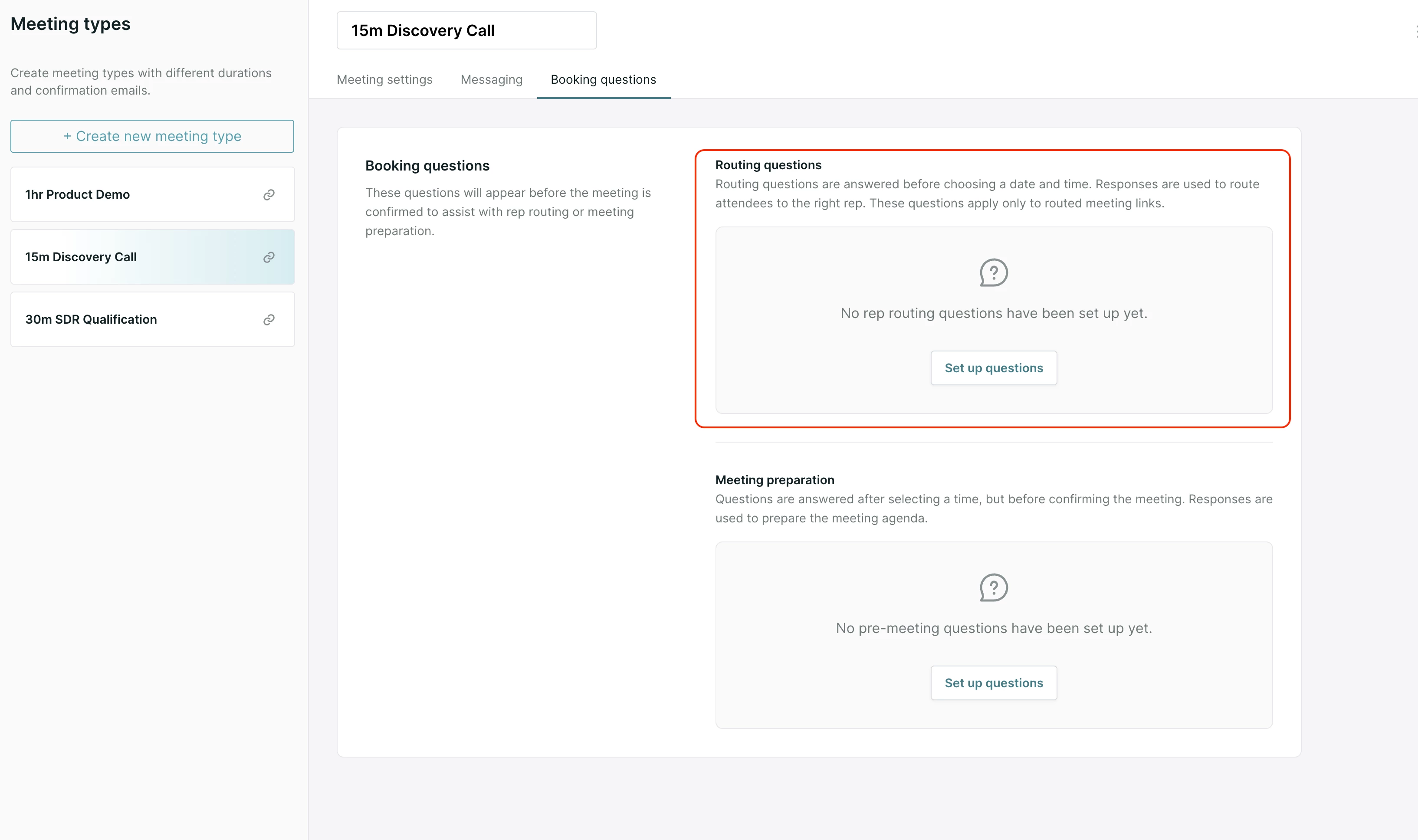
Pre-routing questions are asked after the visitor enters their email, but before routing runs and before any available times are shown. Every pre-routing question must be tied to a visitor field, and the answers are used to evaluate your routing rules and decide which rep the visitor books with. Pre-routing questions only apply to routed meeting links.
Pre-meeting questions are asked after the visitor has already picked a time slot, right before they confirm the booking. They can be tied to a visitor field, or they can be a simple text or picklist input with no field behind it. The answers are added to the body of the calendar invite to give the assigned rep context ahead of the call. Pre-meeting questions apply to meeting links and landing pages.
You can use both on the same meeting type. They do different jobs: pre-routing questions decide who the visitor is routed to, and pre-meeting questions give that rep useful context once the meeting is booked.
When to use pre-routing questions
Pre-routing questions are useful whenever you need to route on information the visitor has to self-report, because it isn't reliably available before the meeting is booked. Common cases include:
- Routing on product interest, company size, use case, or org type that only the visitor can tell you.
- Situations where enrichment doesn't populate reliably for your traffic, so you can't depend on enriched fields alone for routing.
- Replacing a manual experience link that you were only using in email campaigns to collect routing data up front. Pre-routing questions let you use a single routed meeting link instead.
How it works for your visitors
- The visitor enters their email address.
- Qualified runs its usual enrichment process on the visitor, the same as it does today.
- For each pre-routing question, Qualified checks whether the linked visitor field is already populated, either from enrichment or from prior data. Already-known fields are skipped, so the visitor is only asked about what's still missing.
- The visitor answers whatever questions remain, and those answers are written to their visitor fields.
- Your routing rules evaluate against the now-populated fields and route the visitor to the right rep.
- Routed availability is shown, the visitor picks a time, answers any pre-meeting questions you've set up, and books the meeting.
If every pre-routing question's field is already populated for a visitor, they see no extra questions at all and go straight to routing.
Setting up pre-routing questions
- Open the meeting type and go to the Booking questions tab.
- Find the Routing questions section.
- Add up to four routing questions. Each one must be mapped to a visitor field, since that's what makes the answer usable by your routing rules. There's no free-text or standalone picklist option here.
- Build or confirm your routing rules against those same visitor fields, the same way you would for any other routing setup.
What pre-routing questions don't cover
- Direct meeting links: these have no effect, since the rep is already known. Any questions you've configured fall back to the pre-meeting timing instead.
- Meeting button experiences: not supported.
- Live Booker: not supported as of this release. If a meeting type with routing questions is booked through Live Booker, the questions aren't asked.
- Free-text or informational questions: every routing question has to map to a visitor field. There's no option for a question that isn't tied to one.
- Visitors are never re-asked for data Qualified already has, whether from enrichment or from a prior interaction.



.svg)


