


If you use Qualified Mailbox, your AI SDR agent's email is moving to new sending infrastructure, and there's now a guided wizard in your email settings that walks you through the whole thing.
Here's the short version of what you're being asked to do: publish one new set of DNS records, send a test email and reply to it, cut over, then delete the old records about a week later. That's it. Your sending address doesn't change, your existing conversations aren't touched, none of your Qualified configuration changes, and email keeps flowing the entire time.
The wizard does the sequencing for you. It generates your records, validates each one as it propagates, and it won't let you advance until the new path is proven in both directions. Step 2 sends a real test email and checks that your reply comes back on the new records specifically, not just that a message arrived. Step 4, removing your old records, stays locked for about a week after that test passes, because replies can keep landing on the old records while DNS caches expire. Deleting them early is the one way to bounce a real prospect reply, so the wizard holds that door shut until it has evidence the new path is carrying inbound mail.
Two practical things to plan for. Budget about a week and a half end to end, and get whoever controls your DNS in the room with your Qualified admin at the start, since those are often different people. Also worth knowing: DNS is per domain, so if more than one AI SDR profile sends from the same domain, they all cut over together.
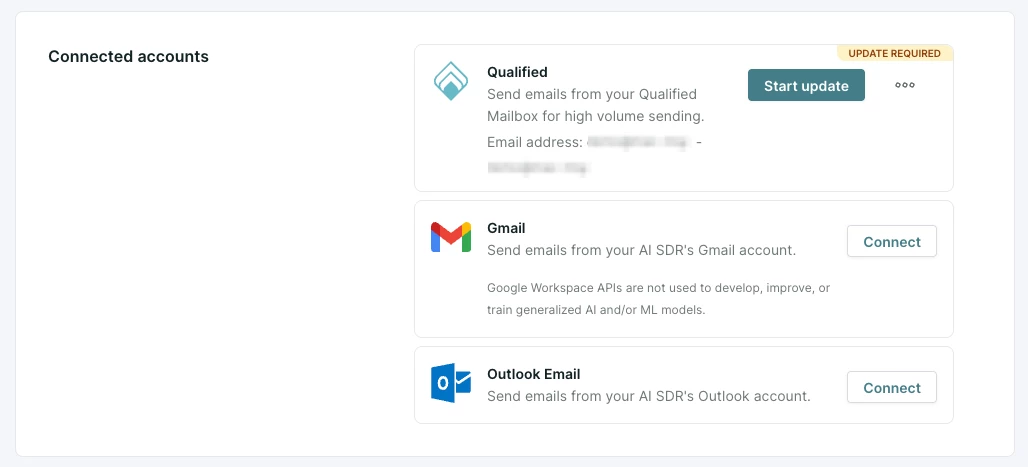
You'll know this applies to you if you see an UPDATE REQUIRED badge on the Qualified card in Connected accounts in your AI SDR agent's email settings. If you don’t see this tag, no action is required on your part!
📚 Full how-to: Qualified mailbox migration



.svg)


