


Non-working days help admins prevent scheduling conflicts on company-wide holidays or specific non-working days. By blocking these dates in advance, you ensure that no meetings are accidentally booked when your team is unavailable. This feature streamlines scheduling across your entire organization, avoiding confusion and improving the customer experience.
For example, if January 1, 2026 is set as a non-working day, no meeting times will be offered on that day for all Qualified users.
Non-working days apply to email too. Your AI SDR agent won’t send campaign emails on the dates you block.
How to set non-working days
- Navigate to Settings → Organization → Company Details.
- Scroll to Non-working days.
- Select the dates that should be blocked for all users.
- Click Save in the top-right corner.
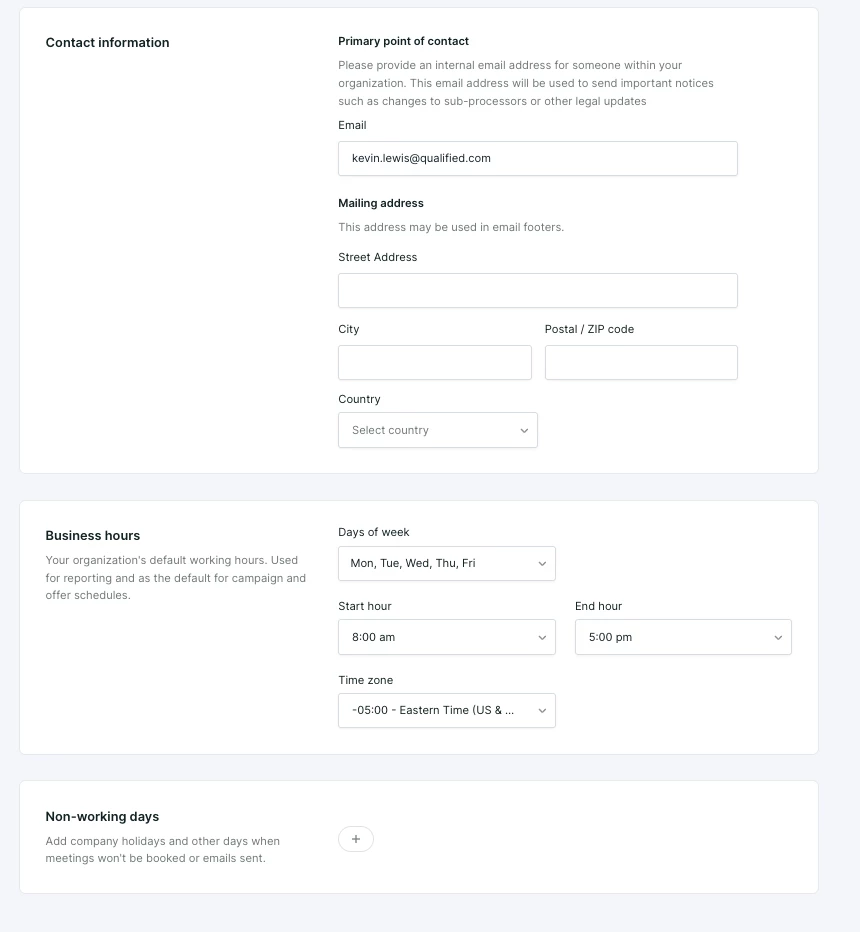
Non-working days block specific dates. To block a day of the week every week, such as weekends, use the Business Hours settings.