


This article refers to a legacy configuration of User Groups. If you see the “Groups & Queues” option in your settings, see this article instead.
User groups are groups of users that can be defined for use with Conversations Routing and Meetings Routing rules and the creation of Meeting Queues.
Creating groups
To configure groups of users:
- As a Qualified admin, go to Settings → Organization → Groups.
- Click the + Create new group button at the top.
- Enter a name… for the group.
- Click Add a group member…
- Scroll and find the user you want to add, or start typing their name or email to limit the results shown.
- Once you add at least one user to the group, click Save.
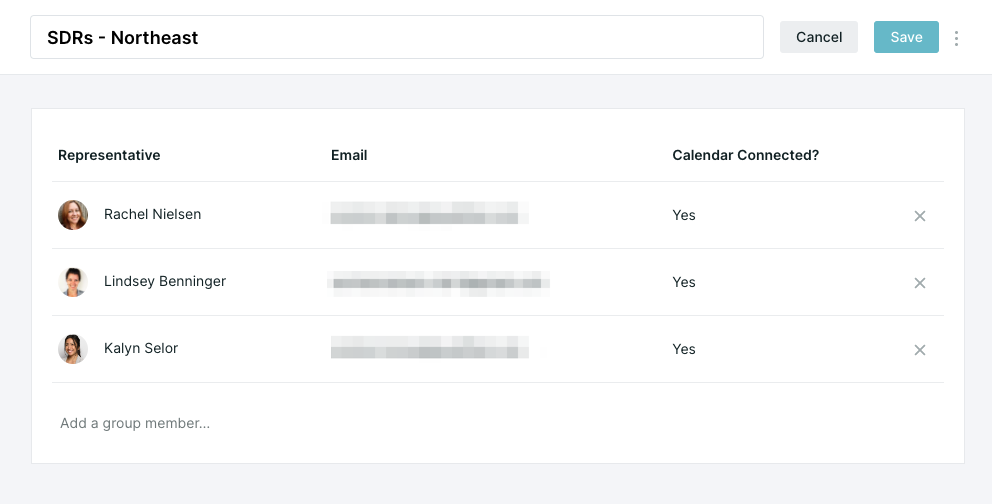
You can setup groups for territories, company segmentation, job roles (AEs, SDRs, etc), or product specialty!
How to use groups
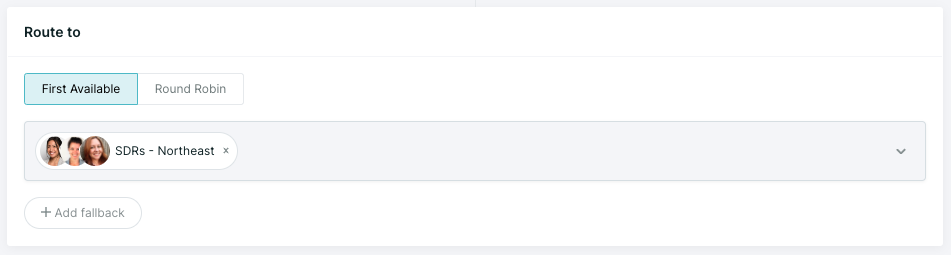
You can now add groups, instead of individual reps, when creating or editing Conversation routing and Meeting routing rules.
Below is an example of how groups will appear in routing rules:



.svg)


