


Qualified's meeting brief feature lets Piper, the AI SDR agent, give your sales teams a summary of key context immediately after a meeting is booked. This feature helps your team prepare by giving them a concise overview of the booked meeting, the Qualified lead, and the account they belong to.
This guide explains how to enable and use the meeting brief functionality in your Qualified Workflows.
To use meeting briefs, you must have your Slack or Microsoft Teams account connected to your Qualified account.
Enabling the Meeting Brief
The meeting brief functionality is an option within the Slack/Teams action in your Workflows. It will only be available if the workflow has the Meeting Booked trigger.
To use the AI-generated brief:
- Navigate to your Workflow builder.
- Ensure your Workflow is triggered by Meeting Booked.
- Add or select the Slack or Teams action in your Workflow.
- Within the action settings, you will find the option to use the AI-generated meeting brief.
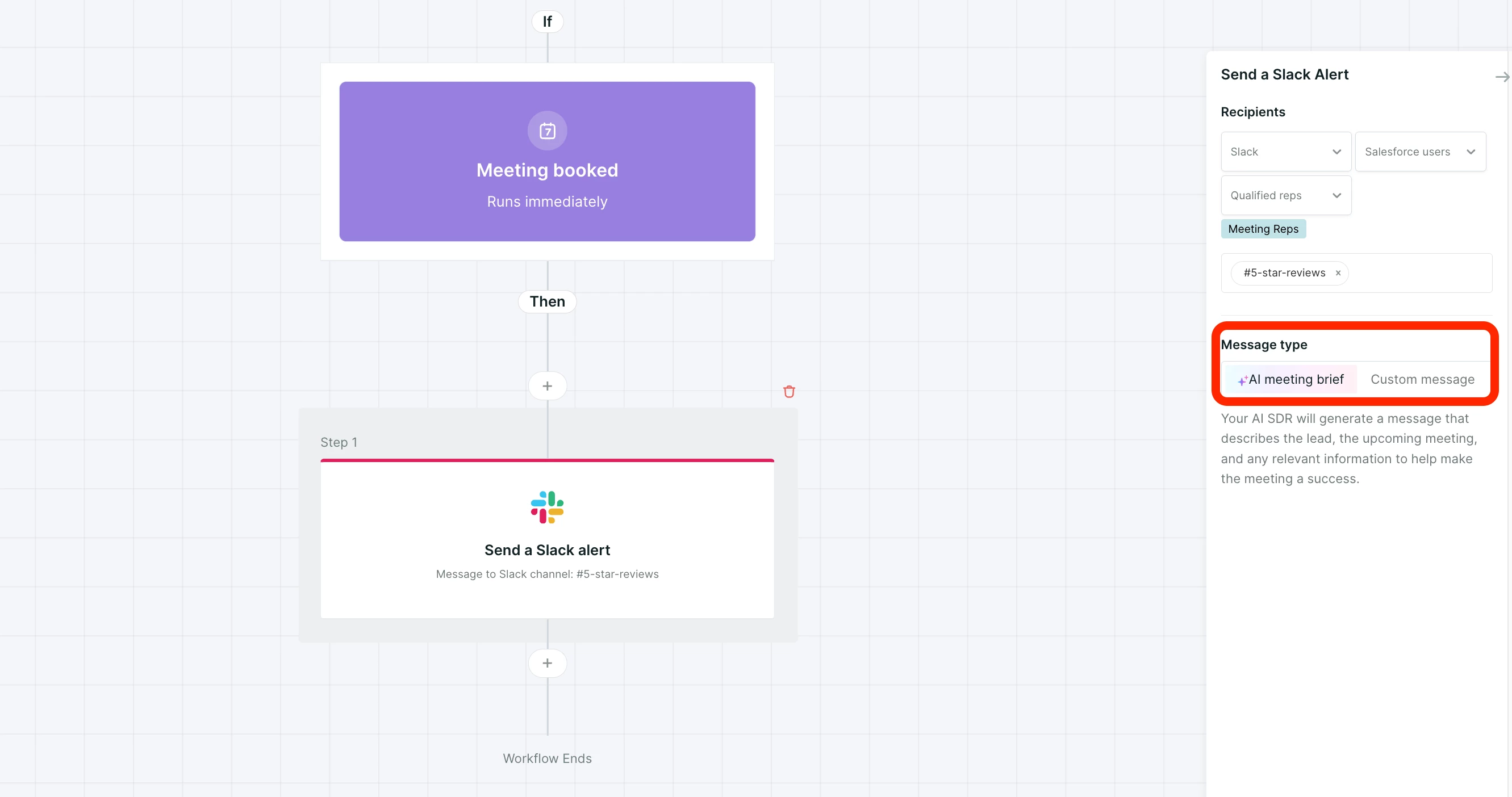
The meeting brief is an AI-generated summary that automatically pulls in relevant context that your AI SDR agent knows about the meeting.
Customizing the Notification
If you prefer not to use the AI-generated brief, you can manually build a custom message for your Slack or Teams notification:
- Within the Slack/Teams action settings, there is a Custom Message toggle.
- When this is toggled on, you can construct a manual Slack or Teams message using Field information.
Note on MS Teams Recipients
Currently, when sending notifications to MS Teams, your AI SDR agent only supports sending to channels as recipients.
If you do not see this option, or for information regarding availability for your plan, please contact your Qualified Success Architect (QSA).



.svg)


