


AI Conversations allows your sales team to connect with your buyers in real time directly on your website. By leveraging your AI SDR agent, strategic outbound messages, and inbound chat requests, you can engage your website visitors via chat, voice, and video and convert them into pipeline for your sales team.
Guides
Before your AI SDR agent can engage with visitors on your website, you must define the strategy for their engagement. Guides act as the foundational logic that dictate how your AI SDR agent interacts with your leads.
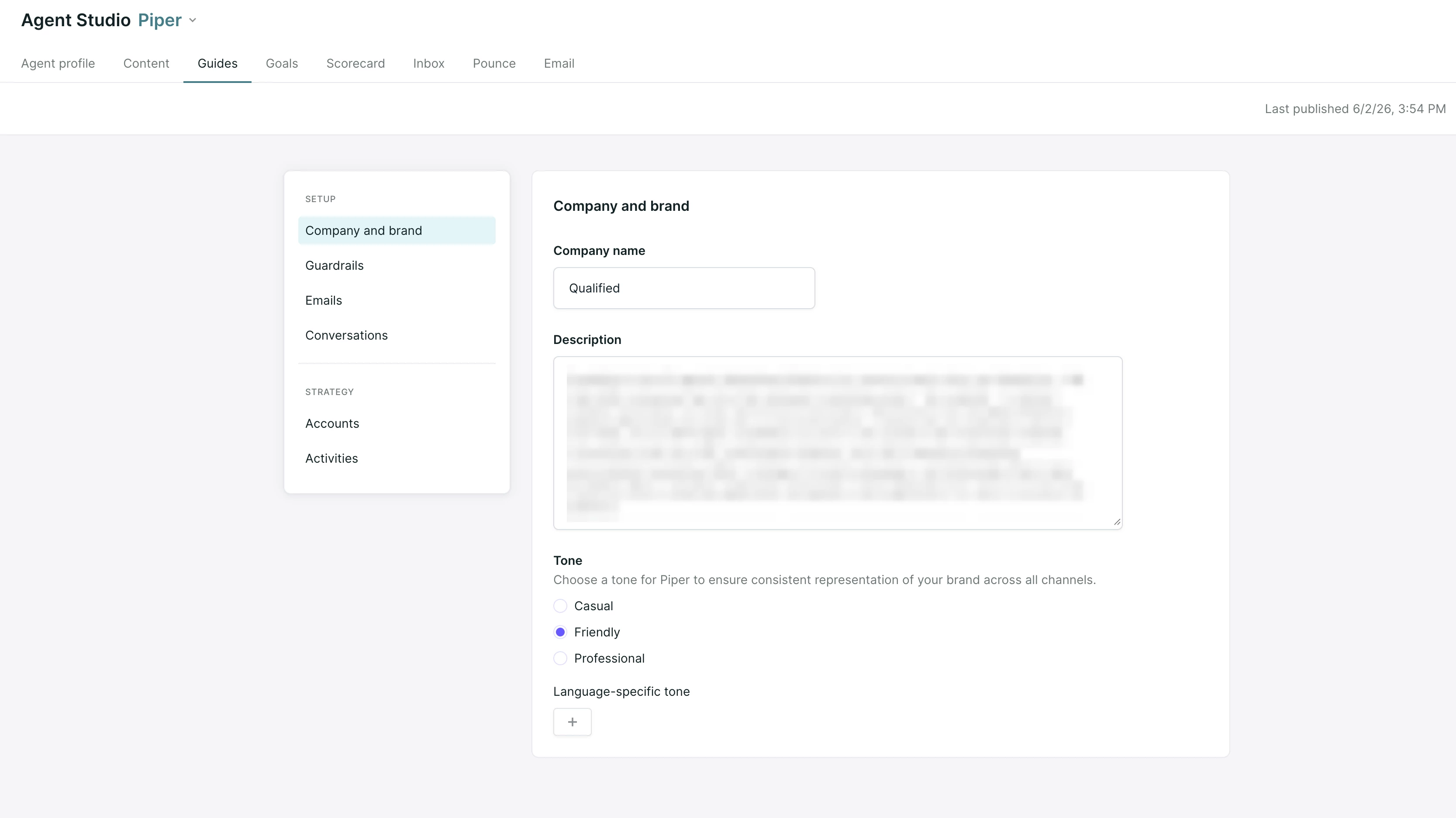
Guides are broken out into a few distinct types, which help guide your AI SDR agent.
Company and brand
This guide helps your AI SDR agent know how to talk about your company, as well as how to best represent you through tone and language. Think of this as the “who, what, and why” of your company and the value prospects you provide your customers.
Accounts
Customize account guides for specific kinds of customers you may cater to. These help you speak appropriately to customers that fit a certain vertical, company size, geography, or any other division of your customer base that requires a tailored approach.
Conversations
Your conversations guide is the heart of your direction for your AI SDR’s conversational capabilities. Using natural language, use this guide to tell your AI SDR agent exactly how they should engage visitors in conversation - when they should pursue certain outcomes, how they should direct technical support and other questions, and more! You can also dictate your AI SDR agent’s writing style and determine how they collect information from your visitors.
Guardrails
It’s important to tell your AI SDR agent what to do, but it’s equally important that they know what not to do. Provide instructions in the guardrails section to guide your AI SDR agent to stay on message and adhere to set rules when engaging with your visitors.
To learn more, see our full article on configuring Guides in Agent Studio.
Live Streams and segments
Marketers work hard to drive traffic to your website; but with so many visitors, it can be tricky knowing where to focus. Qualified brings all your website traffic into a single, orderly view so you can monitor your most important buyers with ease. Use Live Streams and segments to cut through noisy website traffic and determine which visitors get the red carpet treatment.
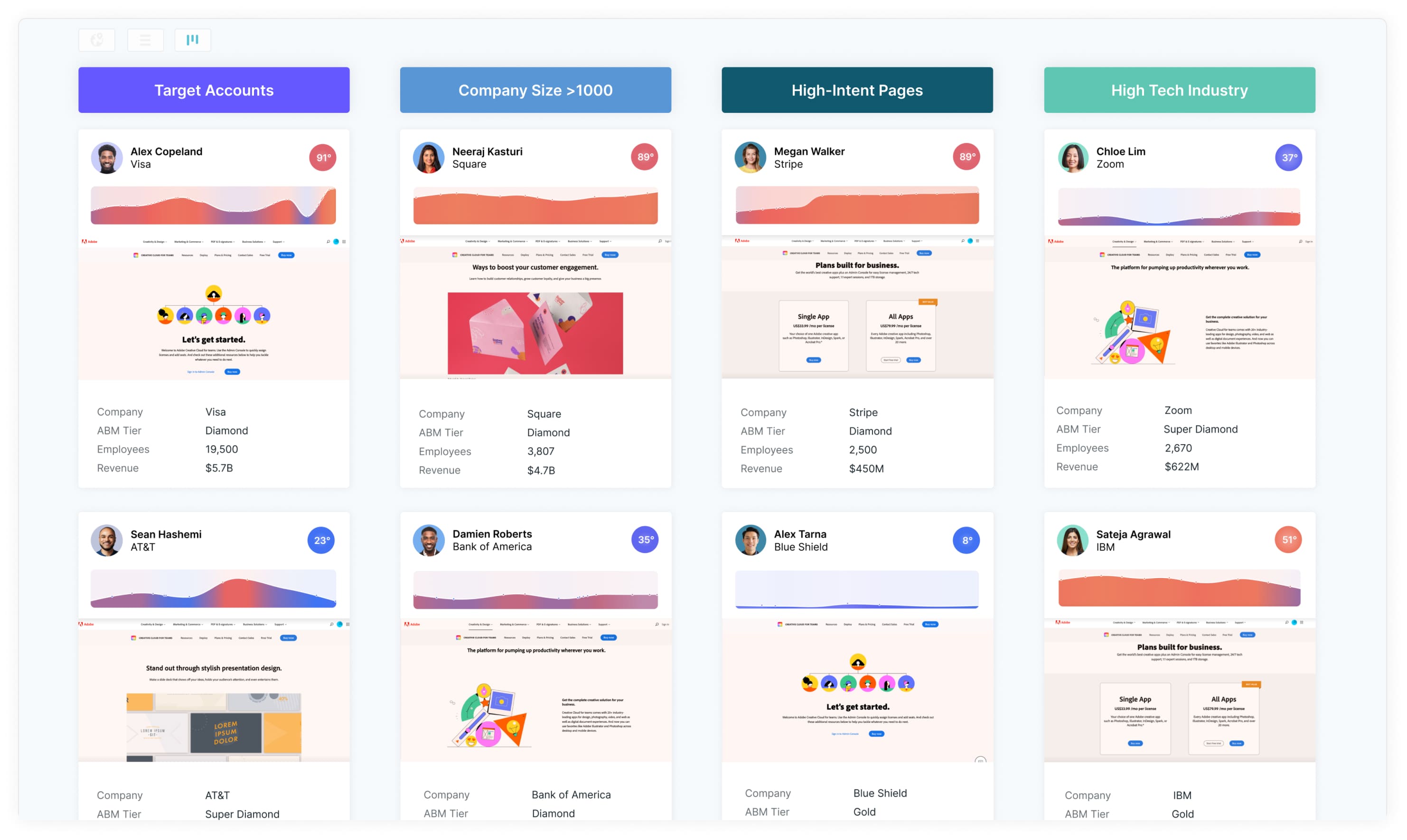
Qualified Admins can hide certain pages (like in-application pages) from the Live View to focus reps on marketing website activity instead of your customers' web application activity.
Segments
When visitors arrive on your site, Qualified uses every known data point to instantly categorize them into a buyer segment—like target accounts, industry, or open Opportunities. Grouping visitors with similar characteristics keeps your web traffic organized and sales reps focused.
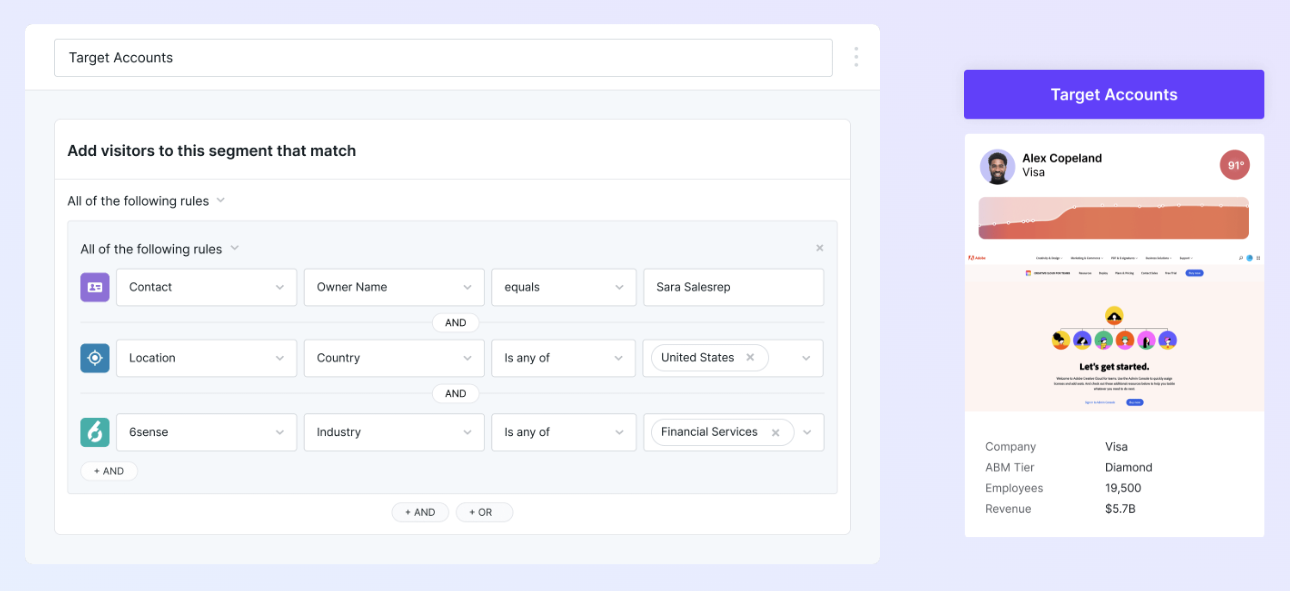
To learn more, check out Visitor segments.
Live Streams
Loads of website visitors is a good problem to have, but it can get chaotic. Arrange visitors into streams based on their assigned segment to keep website traffic tidy and manageable. Streams are organized in priority order from left to right so you know exactly where to find your most valuable visitors the moment they arrive.
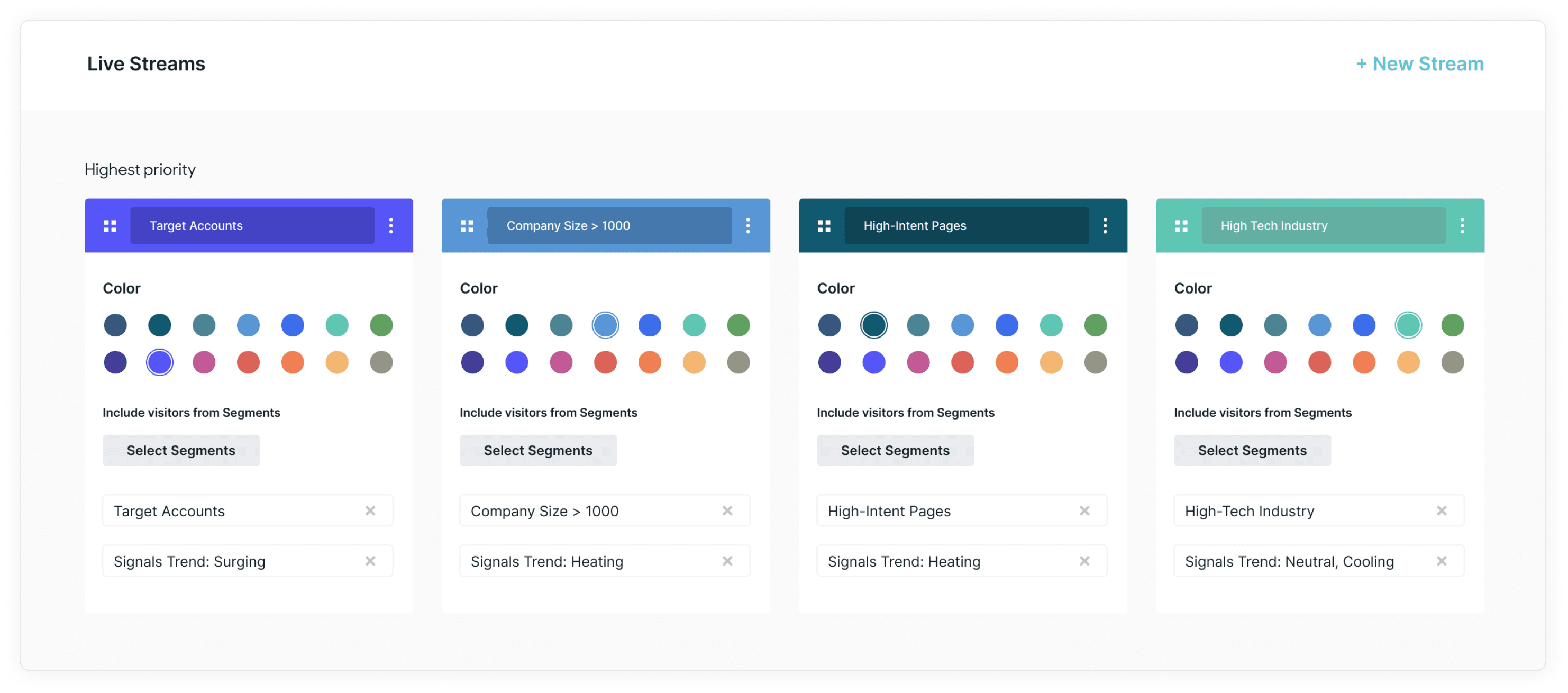
To learn more, check out Customizing Live Streams.
AI pounce
Your AI SDR agent can work the front lines of your website, engaging visitors in conversation and helping to answer their questions, qualify them as prospects, and book meetings directly with your team. Depending on how you’ve configured your AI SDR agent, they can seamlessly continue the conversation once a prospect responds, or hand the conversation off to a human coworker when they're ready to engage.
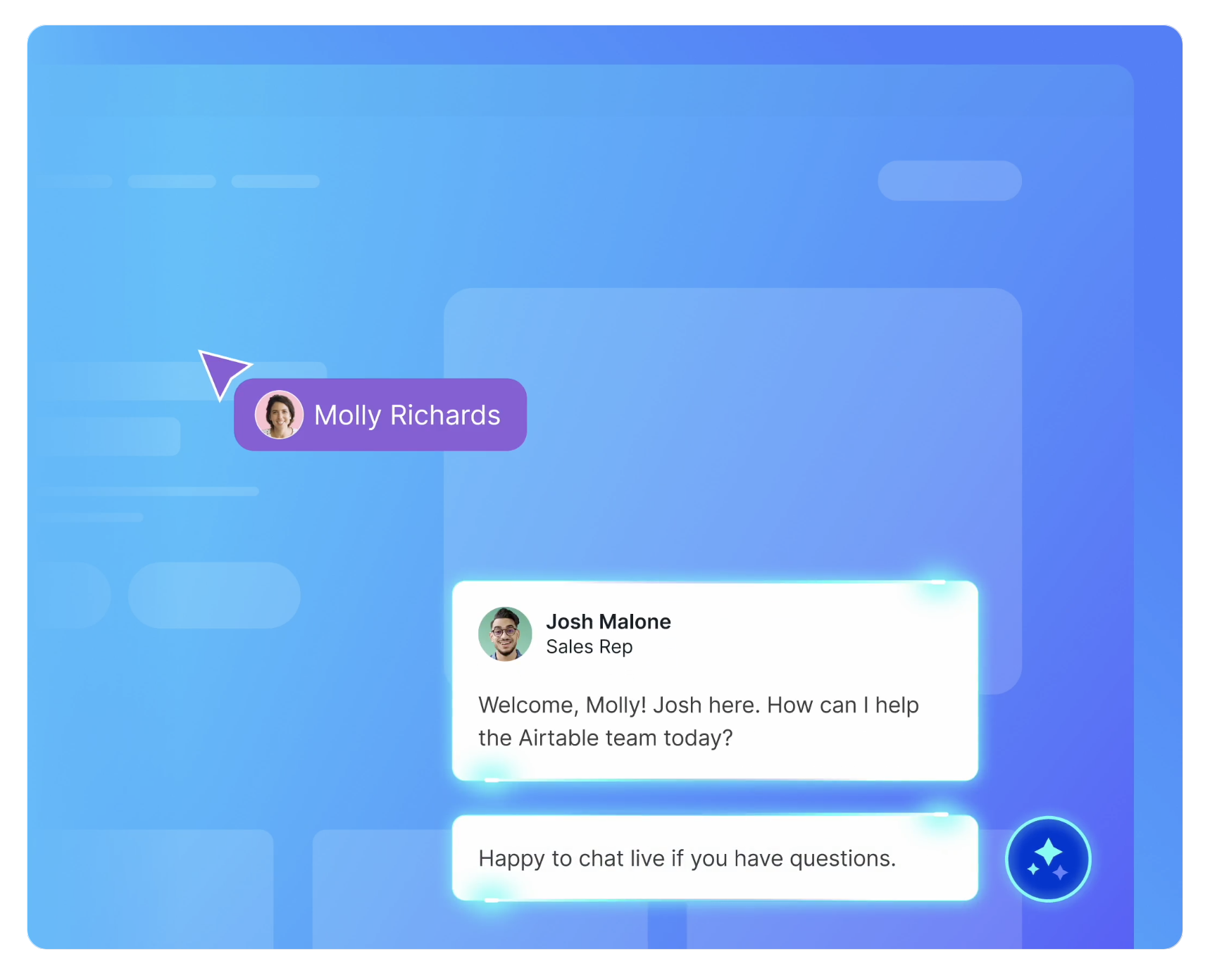
To learn more, check out Automating visitor engagement with pounce.
AI copilot
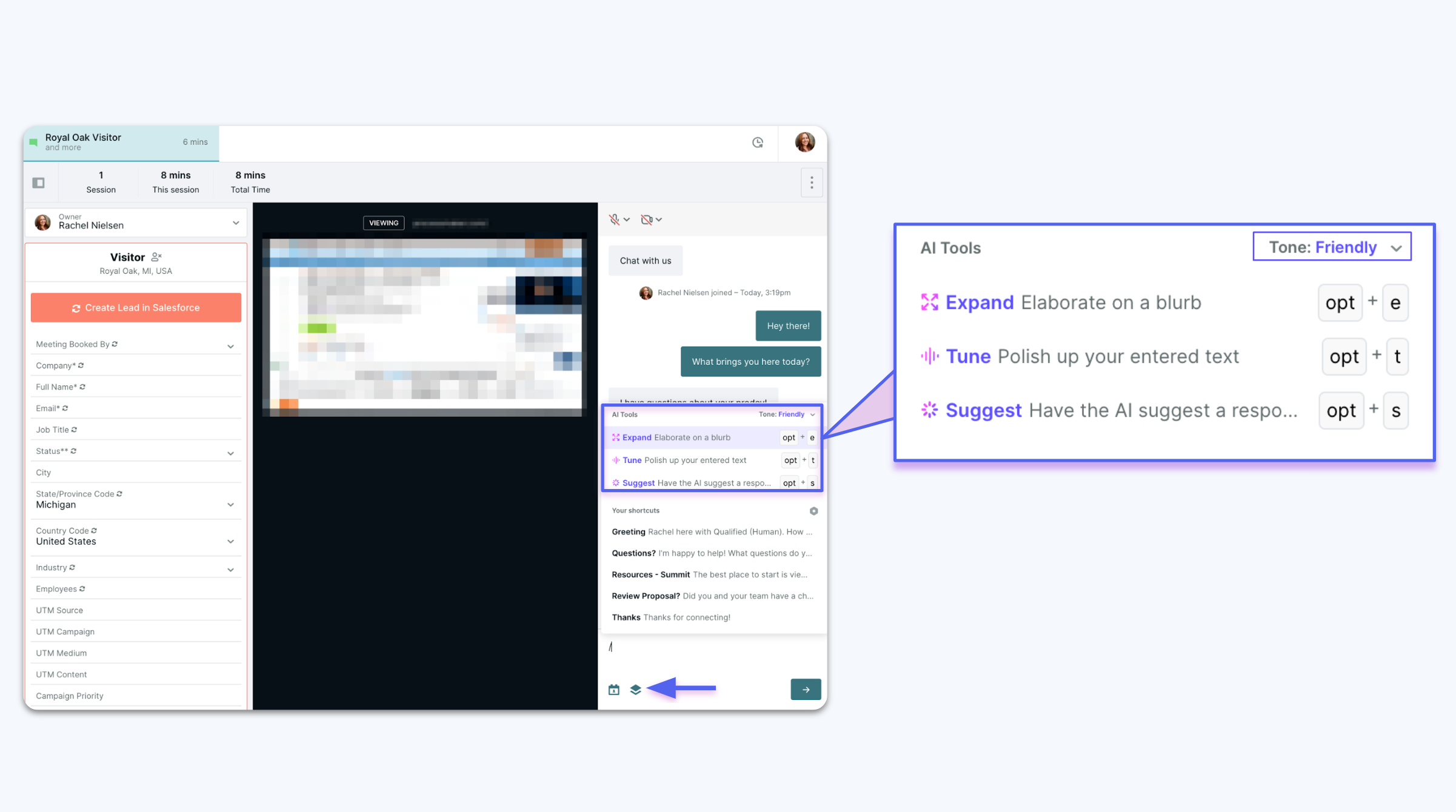
AI copilot has three features to make your reps more efficient:
- AI Suggest provides your sales reps with AI-powered recommendations for conversation responses, ensuring that every interaction stays on-message and aligned with your company's voice and values.
- AI Expand allows you to transform shorthand notes or bulleted lists into finely-crafted messages with just a few clicks.
- AI Tune allows reps to correct spelling and grammar and apply a variety of tones to messages to fit the flow of the conversation.
To learn more, check out Using AI Copilot.
Conversation console
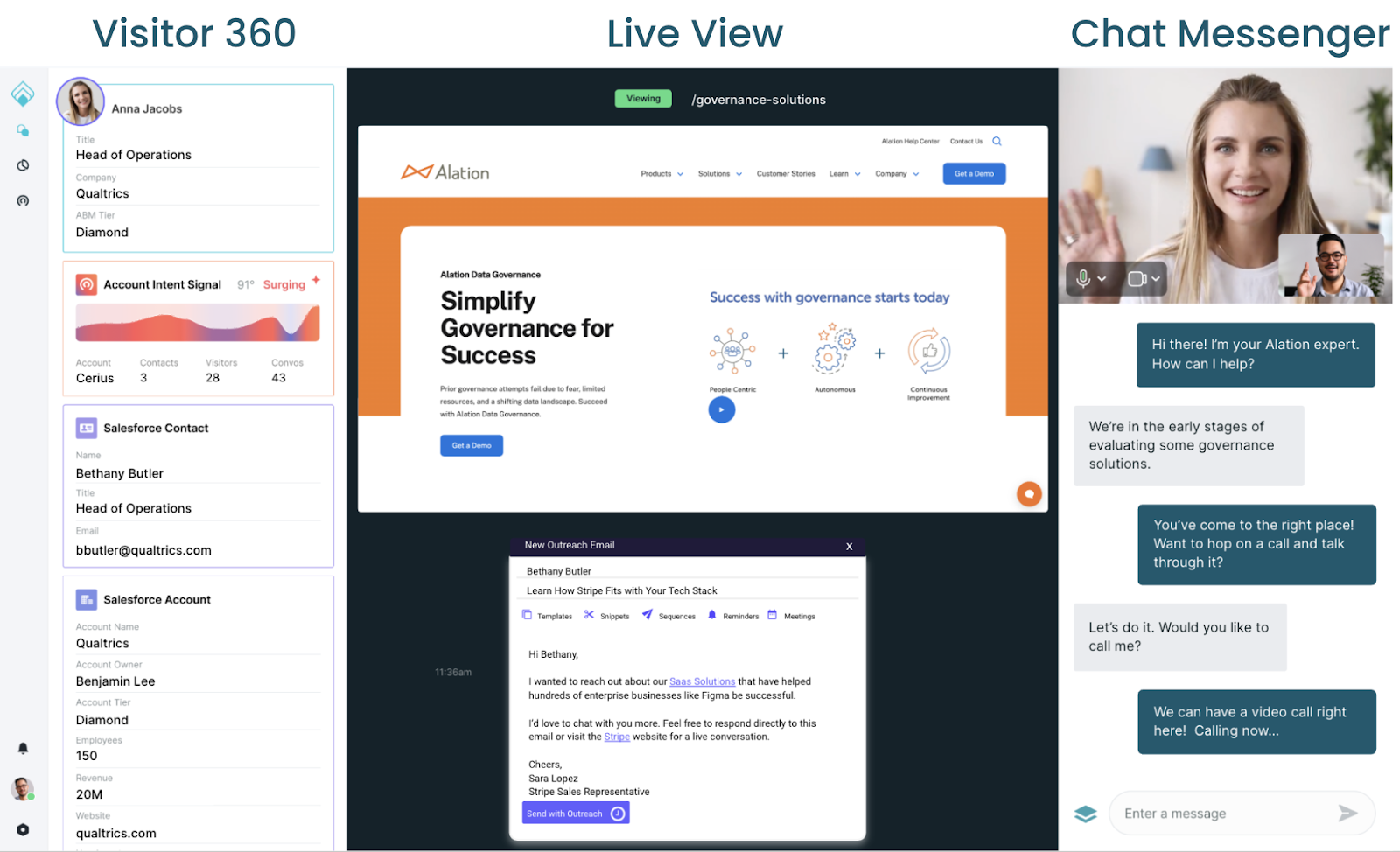
This is where the magic happens. Here, human SDRs have deep visitor insights, voice and video capabilities, and instant meeting scheduling. The result: valuable conversations and an accelerated path to pipeline.
- Visitor 360 - everything known about the visitor at that time
- Live View - website browsing history and real-time mirror of the visitor’s browsing activity.
- Chat Messenger - where reps chat with visitors live, take voice/video calls, and offer the meeting booker. Also, scroll up to view previous interactions with the chatbot or reps.
To learn more, check out Conversation console.
Conversation analytics
See how conversations are leading to what matters most: pipeline. There's a few ways to report on your successes:
- Qualified reports and dashboards
- Salesforce analytics
- Reporting API
To learn more, check out our Analytics articles.


.svg)


