


For: Qualified Admins on the Agentic Marketing Platform
Hello, Qualified Admins!
We are excited to introduce a brand new home view for customers using Piper the AI SDR Agent on our Agentic Marketing Platform.
As of Tuesday, March 10, 2026, this new experience is generally available. This isn't just a fresh coat of paint, it is an upgrade designed to give you immediate visibility into what your AI SDR agent is doing, what it is thinking, and the actual value it is driving for your business.
Ready to upgrade? Please reach out to your Qualified Success Architect to have the new home view enabled for your account.
What does this mean for my team?
While this is a major change for you, we have kept things consistent for your team.
- Admins: You will see the new home view described below, including the new “Activity,” “Email,” and “Conversation” tabs.
- Chat and Meetings users: Your reps will not see the new tabs. They will retain access to the execution tools they use every day, including Live stream, Signals, Meetings, and Analytics.
Here is your tour of the new admin experience.
The "why" behind the change
We are shifting to a view that puts agentic marketing front and center. This new view is the foundation for our Agentic Marketing Platform. It allows us to deliver advanced features, like the new account guides and deeper AI insights, that simply weren’t possible on the legacy view.
Top-left navigation: your new command center
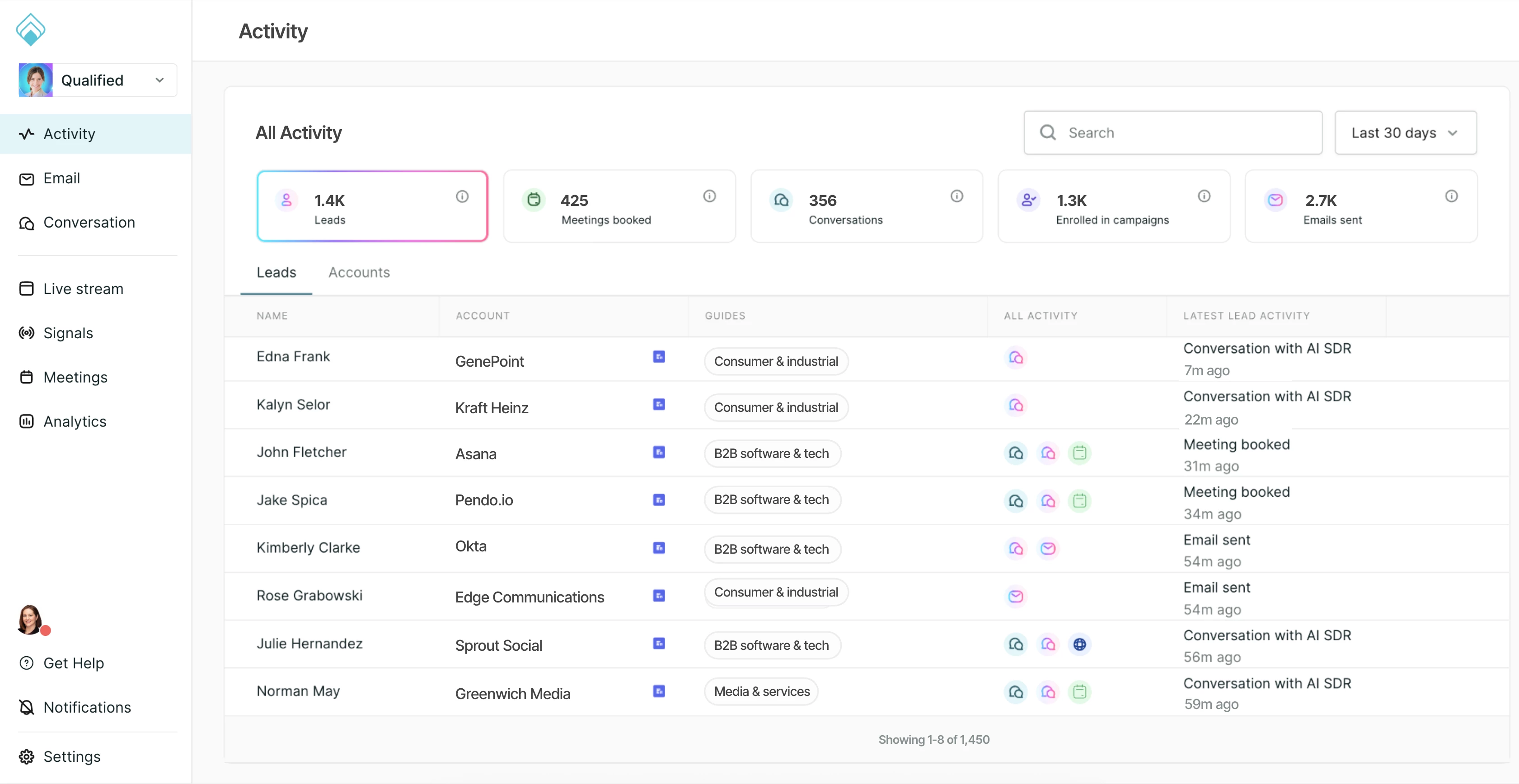
When you log in, you will land directly on the Activity tab within the new home view. This section is designed to answer the question: "Who is my AI SDR agent engaging right now?"
1. Activity
This is your default landing page. Here, you will see a list of known leads that have completed high-intent activities, such as clicking a website offer, having a conversation, booking a meeting, or submitting a Qualified form. Learn more about the Activity home view.
- Data tiles: At the top, you get a quick snapshot of metrics like leads worked, meetings booked, and emails sent.
- Date range: You can filter this data by presets (e.g., last 7 days, this month) or a custom range.
- Lead Spotlight: Click into any lead in the list to view a detailed Lead Spotlight. This view shows recent activity and an AI-generated summary including a lead overview, account overview, action plan, and relevant offers. You can also drill down into lead details, such as email, fields, email campaign triggers, conversations, visits, and forms submitted.
- Account Spotlight: Switch to the Accounts tab to see a roll-up of accounts, then click into an account to view the Account Spotlight. This includes an AI-generated summary of the account and a view of all activity from leads associated with that organization.
2. Email
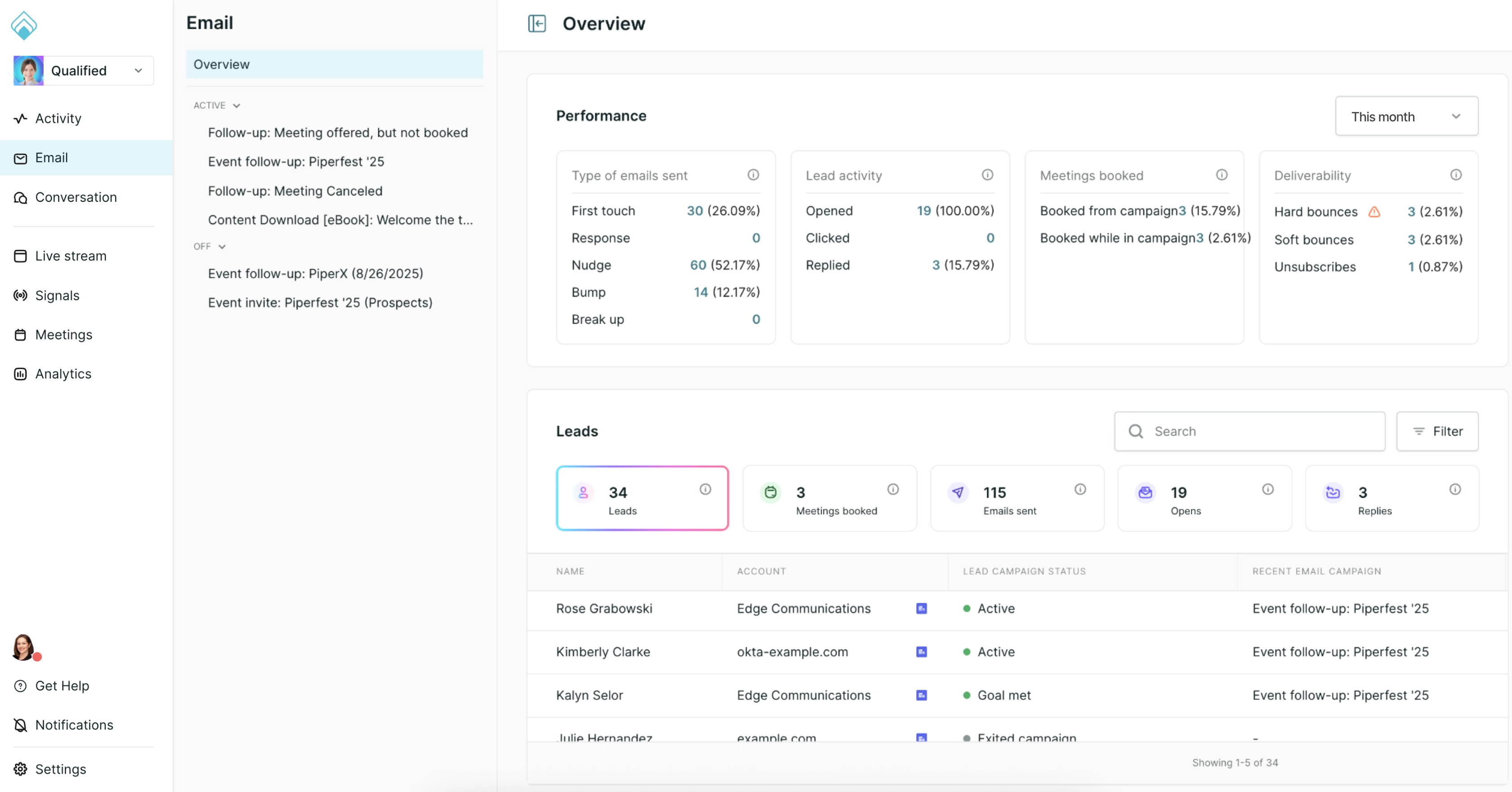
Located just below "Activity," this section gives you a granular look at your email performance. Learn more about the Email home view.
- View all email campaigns or drill down into specific active/inactive ones.
- Track metrics like types of emails sent, lead activity, meetings booked, and deliverability.
3. Conversation
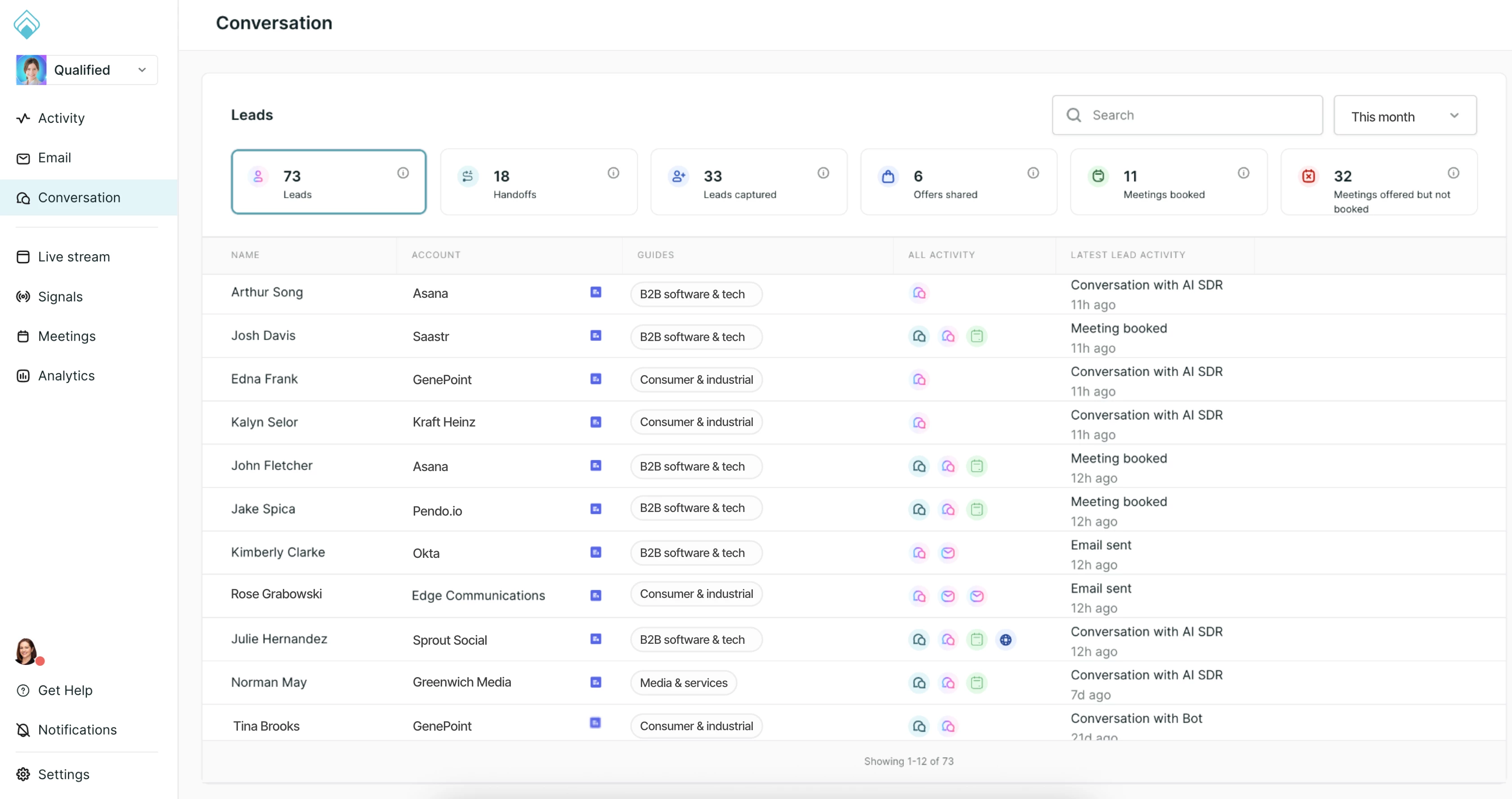
This tab provides a focused view of the actual conversations your leads are having with your AI SDR agent, human reps, or rules-based chatbot. Learn more about the Conversation home view.
Note for multi-profile admins: If you have multiple AI profiles configured, you will see an option at the top of this section to switch between profiles easily.
The familiar faces: reorganized menu
Don't worry! The tools you know and love haven't gone anywhere. We have simply reorganized them to sit below the new "agentic" section on the left-hand menu.
You will find these familiar items just below the new "Conversation" tab:
-
Live stream: Real-time visibility into VIP visitors allowing reps to proactively engage high-value prospects
-
Signals: Account-based sales intelligence that uses AI to predict purchase intent and prioritize target accounts.
-
Meetings: Includes management of meeting links and the live booker.
-
Analytics: Build custom reports and dashboards to analyze your Qualified interaction data.
New features to explore
With this update, we are also introducing several powerful new capabilities to help you scale.
-
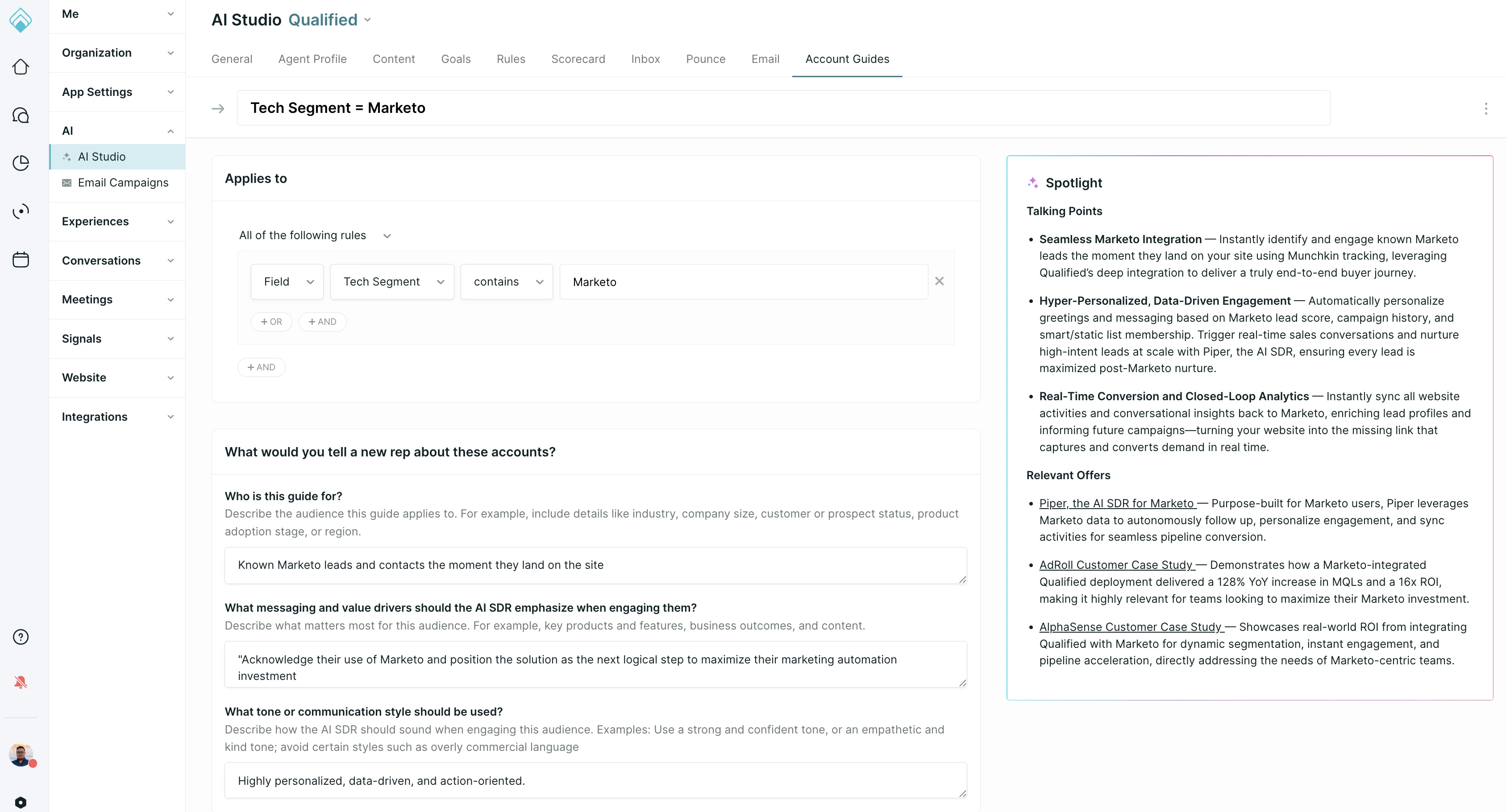
Account guides: This is a brand-new concept for guiding how your AI SDR agent engages specific target accounts. Learn more about account guides.
-
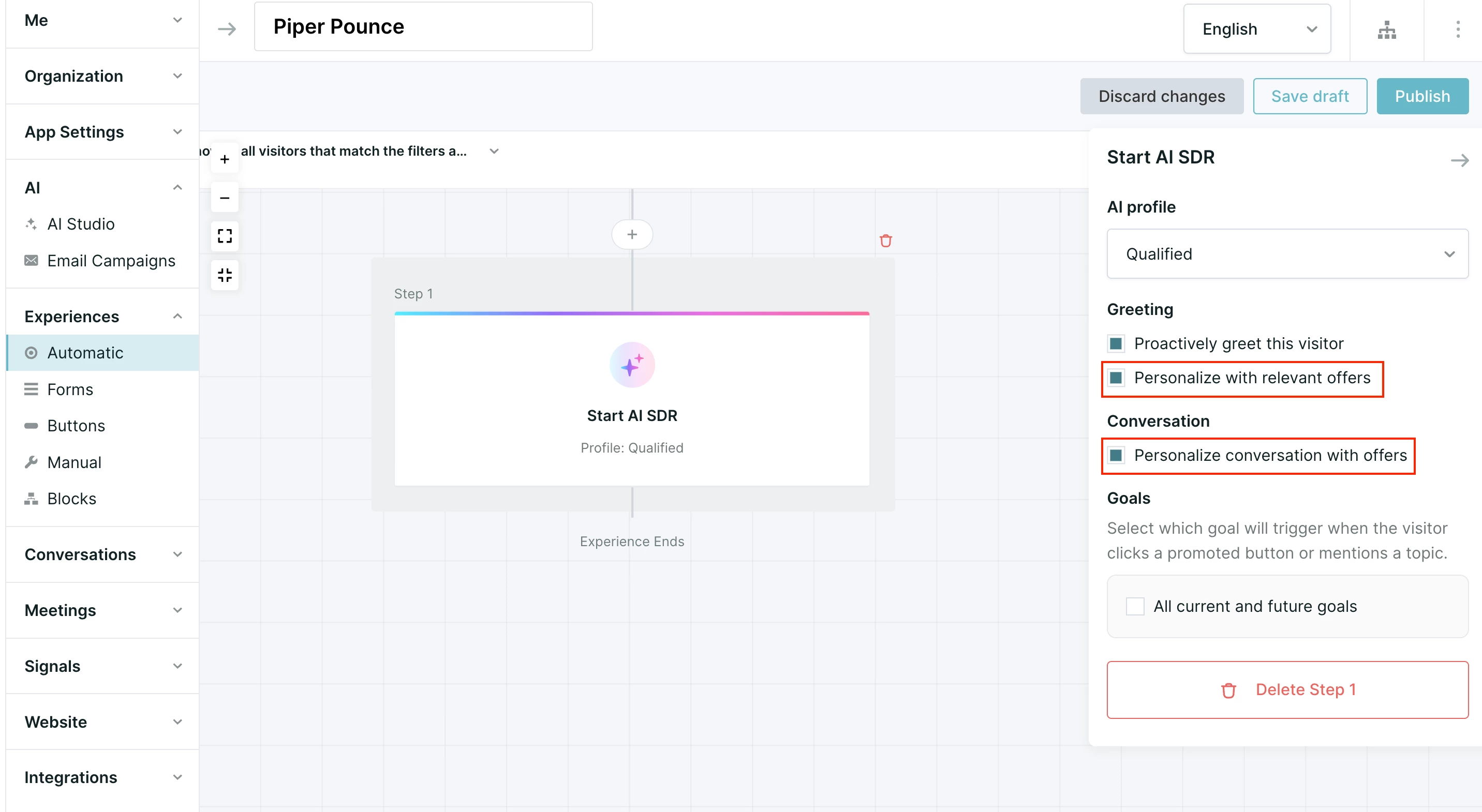
Personalized offers in pounce greeting and in conversation: Your AI SDR agent can now deliver hyper-relevant offers right in the greeting or during the flow of a chat. Learn more about personalized offers.
-
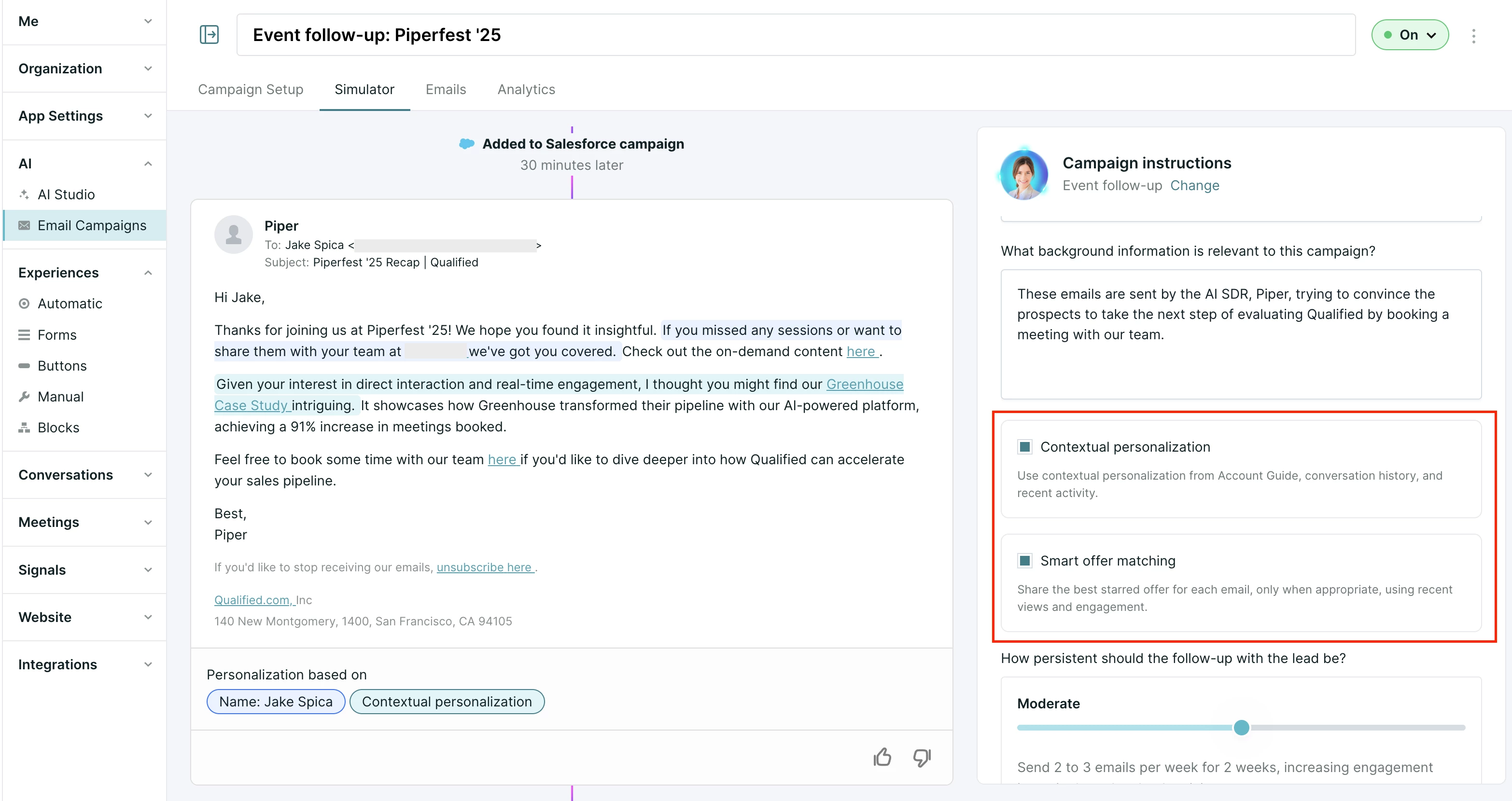
Contextual personalization and smart offer matching in email campaigns: Your email campaigns just got smarter. Your AI SDR agent can match offers to the context of the prospect's behavior and profile. Learn more about smart offer matching.
-
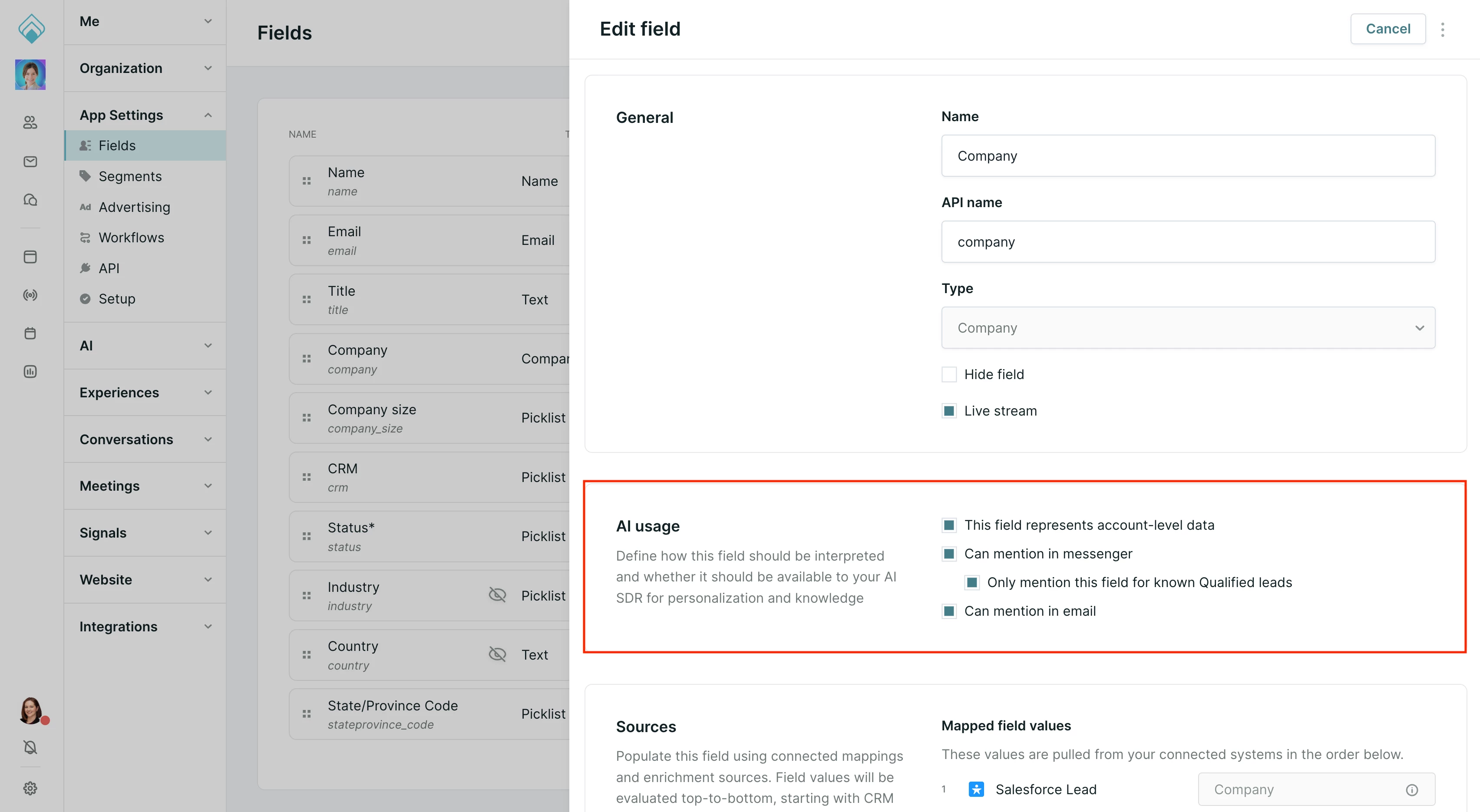
AI usage settings in Fields: We have renamed "Visitor fields" to simply Fields. This area now includes specific settings for how AI utilizes these fields. Read about AI usage settings in Fields.
-
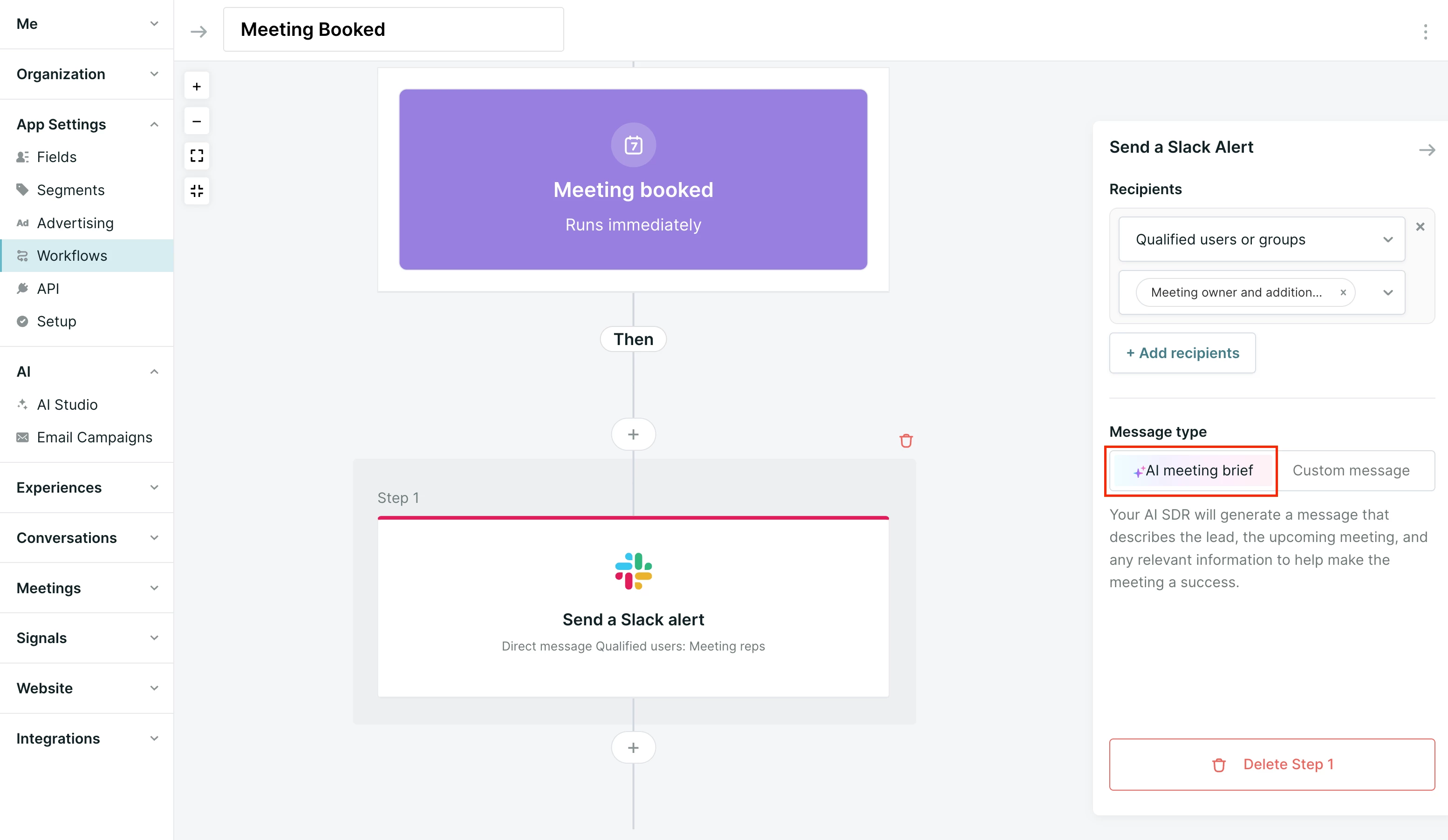
Slack meeting brief: Get a concise summary of booked meetings delivered straight to your Slack, giving your reps the context they need instantly. Set up Slack meeting briefs.
Bottom navigation
Finally, at the very bottom of the left-hand menu, you will find your administrative essentials:
- Get help: Quick access to Qualified University, our community, and courses & certifications.
- Notifications: Alerts for chats routed to you.
- Settings: Access your full admin configurations.
- Profile: Click your photo to set yourself available for chat, adjust alert sounds, or sign out.
Ready to get started with Account Guides?
Account guides are a major part of this new era. Join us for our next Masterclass: Personalization at Scale with Agentic Account Guides for Piper.
Wednesday, January 14, 2026 | 11:00AM
Can't make it live? Register at the link below to watch on demand. You will get access to recordings from both our December and January sessions.
→ Register for the Masterclass







.svg)


